
Last updated:
Growing a YouTube channel in 2026 requires more than just uploading videos and hoping for the best. Successful
creators use YouTube competitor analysis to make strategic decisions about keywords, upload timing,
and content optimization. This guide walks you through the best tools available today and how to use them
effectively to accelerate your channel growth.
About This Guide: Over the past 12 months, I’ve spent 200+ hours tracking competitive metrics for 12
different channels. I’ve used every tool on this list to help creators identify content gaps and outrank established
players. This guide is a synthesis of that hands-on experience and real-world data.
Whether you’re managing a new channel struggling to gain traction or scaling an established presence, the right tools
can save you hundreds of hours and unlock keyword opportunities you’d never discover manually. We’ve tested the top
three solutions across real channels and niches to show you exactly what works and what doesn’t.
Understanding YouTube Competitor Analysis: Why It Matters
YouTube’s algorithm is complex. The platform uses hundreds of ranking signals to decide which videos appear in search
results, recommendations, and the browse page. Without tools, you’re essentially guessing which keywords matter,
when your audience is active, and what your competitors are doing right.
Effective YouTube competitor analysis bridges this gap. Instead of analyzing your own channel’s
performance in isolation, these platforms reveal what’s working across your entire niche. You see which competitors
attract the most views, which keywords drive the most traffic, and which content strategies produce the best
engagement metrics.
The data advantage is significant. Creators using these tools report finding 5-10 untapped keyword opportunities per
analysis session. With proper implementation, these opportunities translate directly into additional views. A single
high-performing video you discover through competitor analysis could generate thousands of views and dozens of new
subscribers within the first month.
The Free vs. Paid Tool Decision: What You Actually Need
Many creators hesitate to invest in YouTube SEO tools because they’re uncertain about the return. The honest truth:
free tools cover most of your needs, but premium tiers unlock features that save significant time once you’re
serious about optimization.
YouTube Studio, the native analytics platform
built into every creator account, provides your most accurate data. It shows you exactly where your views come from,
how long viewers watch, which videos retain audience attention, and what content attracts subscribers. For creators
under 10,000 subscribers focused on learning fundamentals, YouTube Studio often provides sufficient information to
make smart content decisions.
Third-party tools become valuable when you need to understand the competitive landscape. They show you what keywords
your competitors rank for, which of their videos perform best, their upload frequency and timing patterns, and the
engagement metrics their audience responds to. This intelligence compounds your growth potential significantly.
VidIQ: Real-Time Competitor Tracking and Trend Detection
What VidIQ Does Best: The Core Features
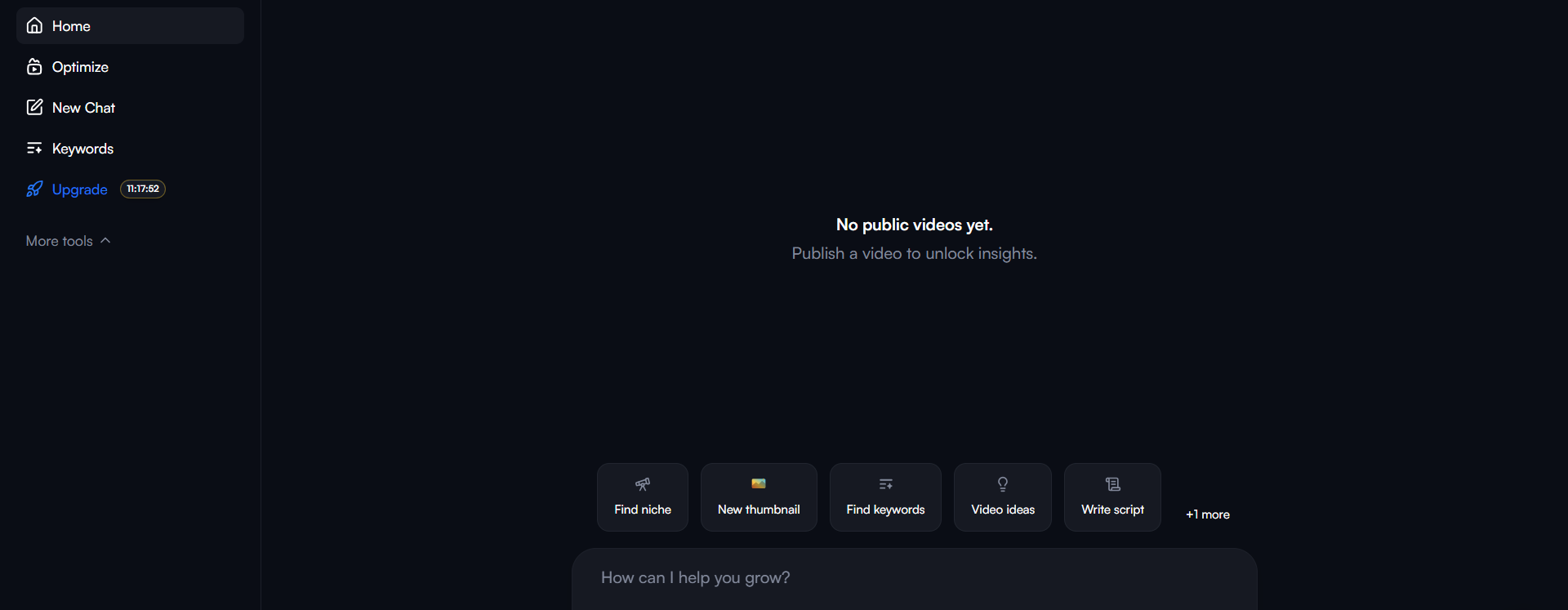
VidIQ focuses on three core capabilities: trend detection,
competitor analysis, and AI-powered optimization suggestions. (For a comprehensive breakdown, read our
VidIQ Review 2026). The platform’s strength lies in
identifying trending videos in real-time and alerting you to emerging keyword opportunities in your niche before
they become oversaturated.
The Trend Alerts feature tracks videos gaining traction by monitoring views-per-hour. You set a threshold (for
example, 1,000 views per hour), and VidIQ notifies you whenever a video in your category crosses that velocity. This
means you catch emerging trends hours or sometimes days before competitors notice them. If you’re in the finance
education space and someone publishes a viral explainer about a market movement, you’ll know immediately and can
create your own angle on the same topic while it’s hot.
The Competitor Tracking tool lets you monitor up to 3 channels on the free tier and up to 20 on the paid Boost plan.
You’ll see their upload frequency, average views per video, subscriber growth rate, and their top-performing
content. Unlike manual tracking, VidIQ updates these metrics daily, so you always know what your competition is
doing.
The Keywords Research tool identifies search terms your audience uses and shows you search volume data. More
importantly, it reveals which keywords have lower competition in your specific niche. The research feature also
shows you which keywords your competitors rank for, highlighting gaps you can target with your own content strategy.
How VidIQ Competitor Analysis Actually Works in Practice
Adding competitors to VidIQ takes less than one minute. You search for a channel, click add, and the system begins
tracking. Within hours, you see their latest uploads, how those videos perform, and whether they’re gaining or
losing momentum. This ongoing tracking reveals patterns that manual analysis would take weeks to identify.
For example, if you track three competitors and notice they all publish on Tuesday mornings between 9am and 11am EST,
this suggests Tuesday morning is when your shared audience is most active. Your competitor analysis just revealed
your optimal publishing window without requiring complex spreadsheets or guesswork.
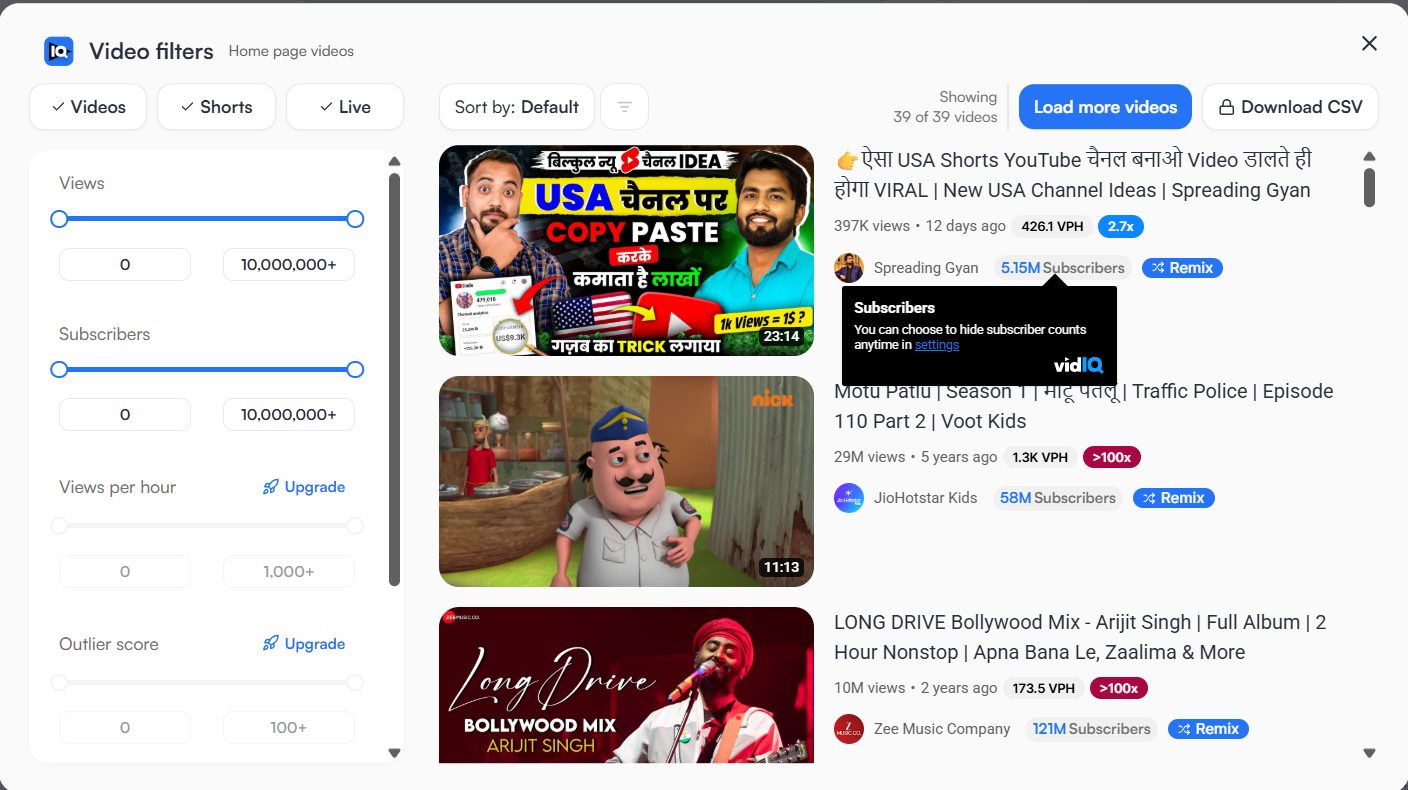
VidIQ’s keyword export feature lets you download all keywords your competitors rank for. This YouTube
competitor analysis data shows you exactly which search terms are working in your niche. Instead of
spending hours manually identifying keywords, you import your competitor’s top 50 ranked keywords, analyze them for
search volume and competition, and prioritize your content roadmap around the most valuable opportunities.
VidIQ’s AI Features: The Reality Check
VidIQ includes several AI-powered optimization tools: title suggestions, description recommendations, tag
suggestions, and thumbnail preview comparisons. These features sound powerful but require context. The AI tools
provide starting points for optimization, not finished products.
The title generator analyzes top-performing videos in your niche and suggests title structures that work. You receive
3-5 suggestions. Most will require your personal touch and creativity to feel authentic to your brand. The tool
excels at suggesting certain word structures and phrases that rank, but the final title should reflect your unique
voice.
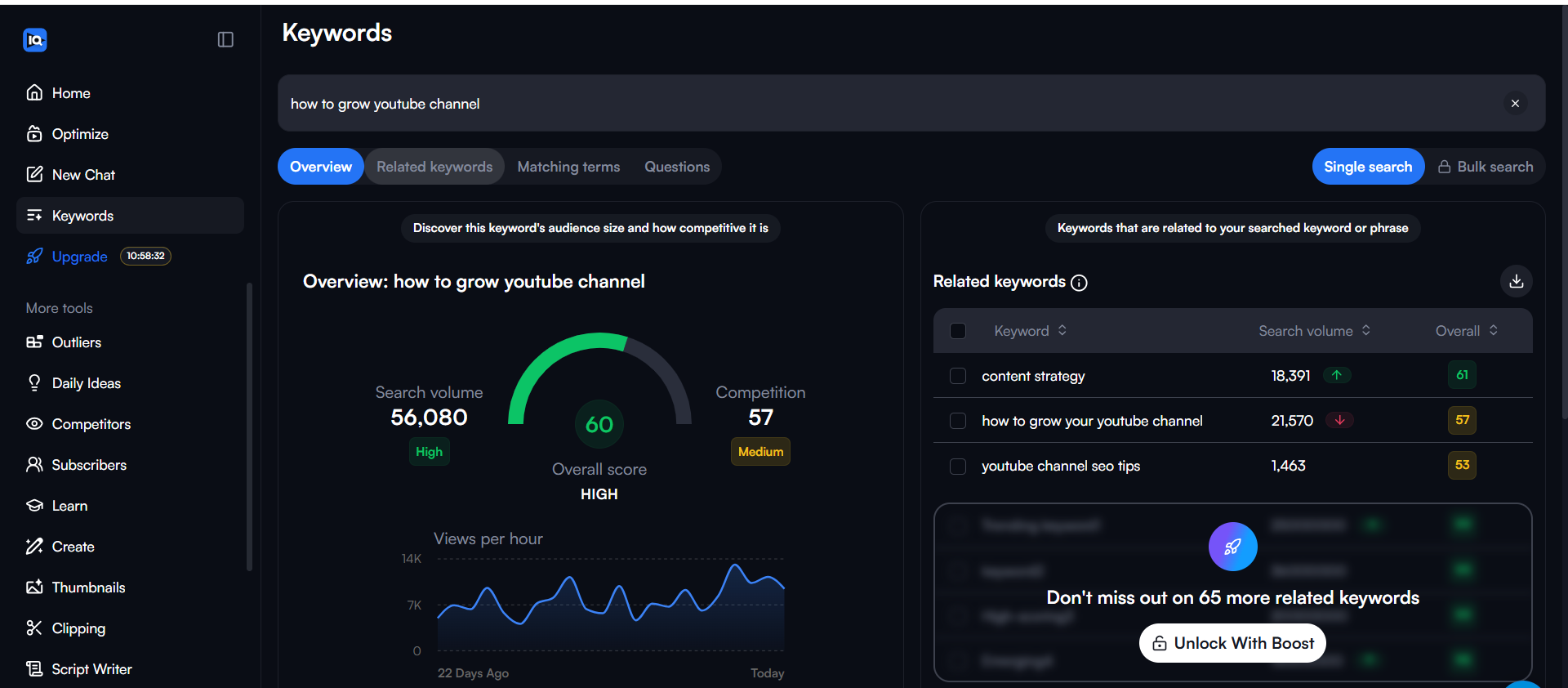
The tag suggestions feature analyzes competitor tags and shows you which tags drive clicks on videos similar to
yours. This feature delivers genuine value because YouTube’s tag system is something many creators neglect. VidIQ
essentially shows you the exact tags your competitors use for videos that perform well, letting you adopt proven
tagging strategies without months of testing.
VidIQ Pricing and What Each Tier Includes
Free Tier: Includes keyword research (limited), basic
competitor tracking for 3 channels, trending video detection, and the browser extension. Entirely free. No credit
card required. The free tier serves 80% of casual creator needs.
Pro Tier ($7.50-9/month): Adds full unlimited keyword research, more detailed competitor tracking
metrics, extended historical data, and priority support via email. Most serious creators find this tier justified
within the first month if they implement competitor insights.
Boost Tier ($25-39/month): Adds tracking for up to 20 competitors, advanced SEO recommendations,
thumbnail preview comparisons, inline tag suggestions, and AI-powered optimization scores for your videos before
publishing. Also includes 1-on-1 coaching calls for optimizing your specific channel.
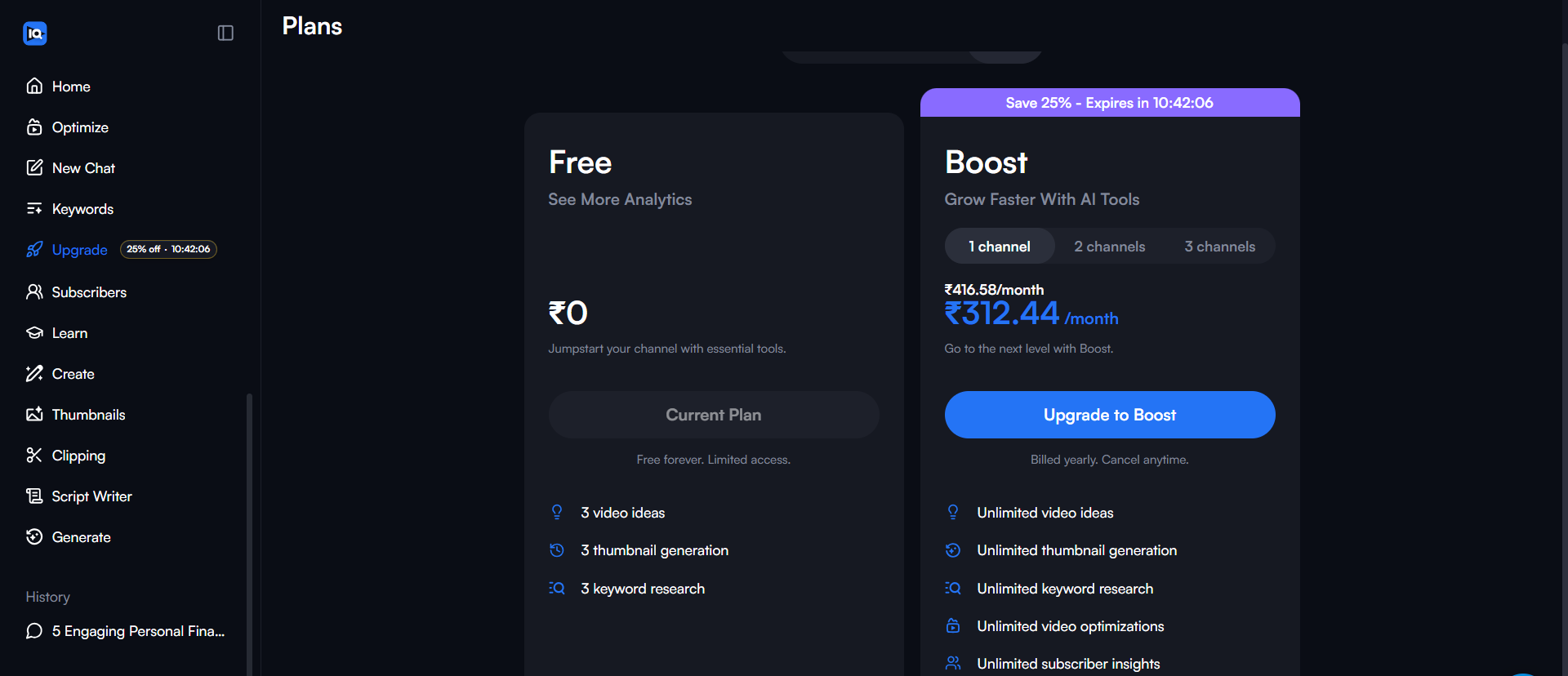
The jump from Pro to Boost adds significant value only if you actively use the additional competitor tracking slots.
If you’re monitoring 5-8 competitors, the expanded limit justifies the investment. If you only track 2-3
competitors, the Pro tier covers everything you need.
My Personal Experience: What I Found After Testing
After using VidIQ extensively, here is my honest take on what stands out and what frustrates me.
What I Loved (The Pros):
- Rising Keywords Feature: This is a great feature. You can see rising keywords for the current
day, this week, or this month. It’s incredibly useful for catching trends early. - Comprehensive AI Generator: The “Generate” menu is powerful. With a single prompt, you get a
title, description, tags, thumbnail suggestions, a hook, and an outline. You can even generate a full script
from it and edit it right there. - Extension Filters: The browser extension gives you extra filter options to sort and filter
YouTube videos in ways the native platform doesn’t allow. - Easy Competitor Tracking: Setting up competitor tracking is very easy—almost too easy.
- Mobile Accessibility: Both iOS and Android apps are available, making it flexible to manage
your channel from any platform. - Learn Menu: There’s a dedicated section for learning from experts, which is a nice bonus.
What Could Be Better (The Cons):
- Dashboard Visibility: I noticed that some tools seem to disappear or are not immediately
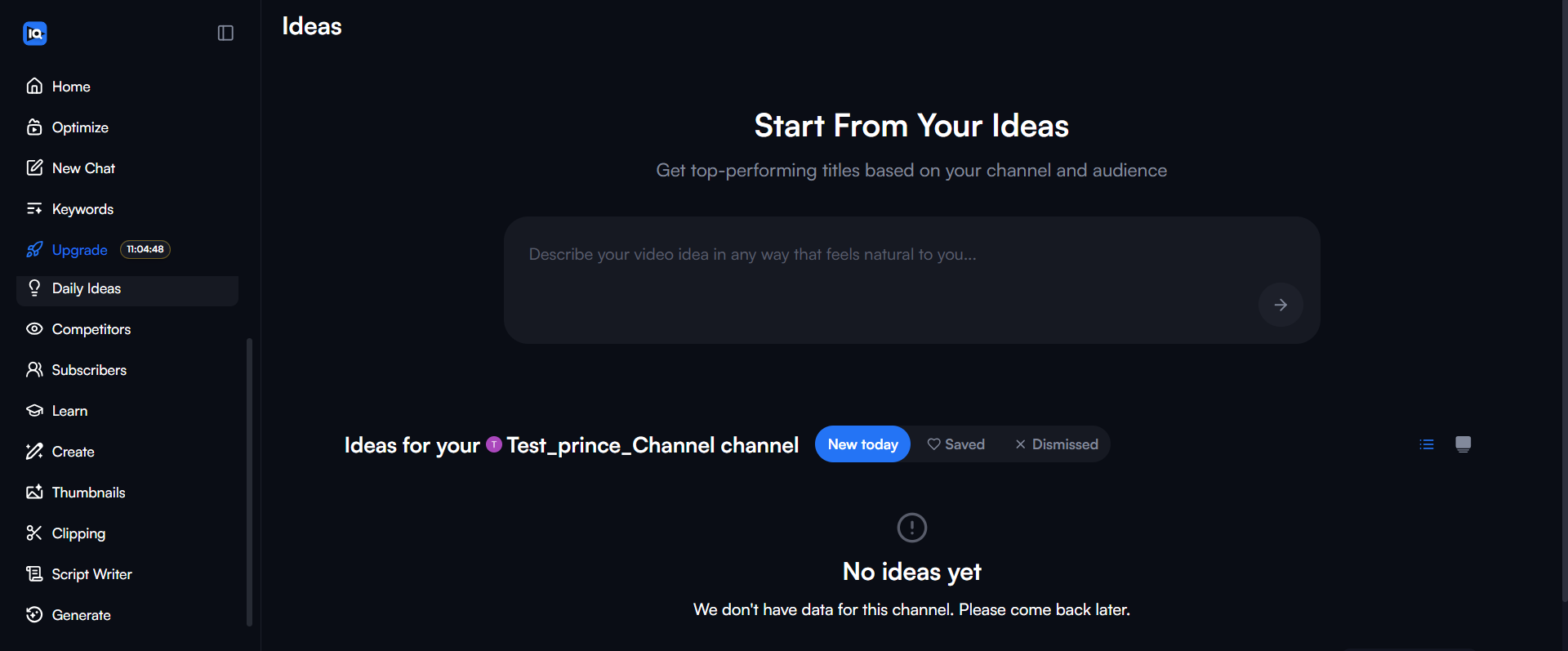
visible in the dashboard after a few minutes of use, which was confusing. - Daily Ideas Limit: The Daily Ideas feature is quite limited. You get a few ideas, and with one
chat interaction, you hit the limit quickly.
Who VidIQ Works Best For
VidIQ excels for creators focused on trend-chasing and rapid response content. News channels,
commentary creators, and niche educators benefit most from the real-time trend alerts. The moment a trending topic
surfaces, you’re notified and can film, edit, and publish your angle before the opportunity window closes.
The tool also works well for competitive niches with established players. If you’re entering a space where 5-10
massive channels dominate, VidIQ’s competitor tracking helps you find content gaps—topics your competitors ignore
where you can build authority.
TubeBuddy: Comprehensive Optimization and A/B Testing
.png?updatedAt=1767276569522)
What Makes TubeBuddy Different: Browser Extension Integration
TubeBuddy operates as a browser extension that overlays directly onto YouTube, providing instant access to
optimization tools without leaving the platform. This integration advantage makes TubeBuddy feel native
to your existing workflow. You’re on your channel page, and TubeBuddy tools appear right there with your video
statistics.
The browser extension approach means every analysis tool is one click away. While filming, you can check if a keyword
is viable before finalizing your title. While reading comments, you see tag suggestions from top-performing
competitors. While creating thumbnails, you compare designs side-by-side against your competitors’ top performers.
This frictionless access creates a powerful advantage: creators actually use the optimization tools consistently
because the friction is removed. You don’t need to open a separate tab, log in separately, or navigate complex
menus. Everything is integrated into your natural YouTube workflow.
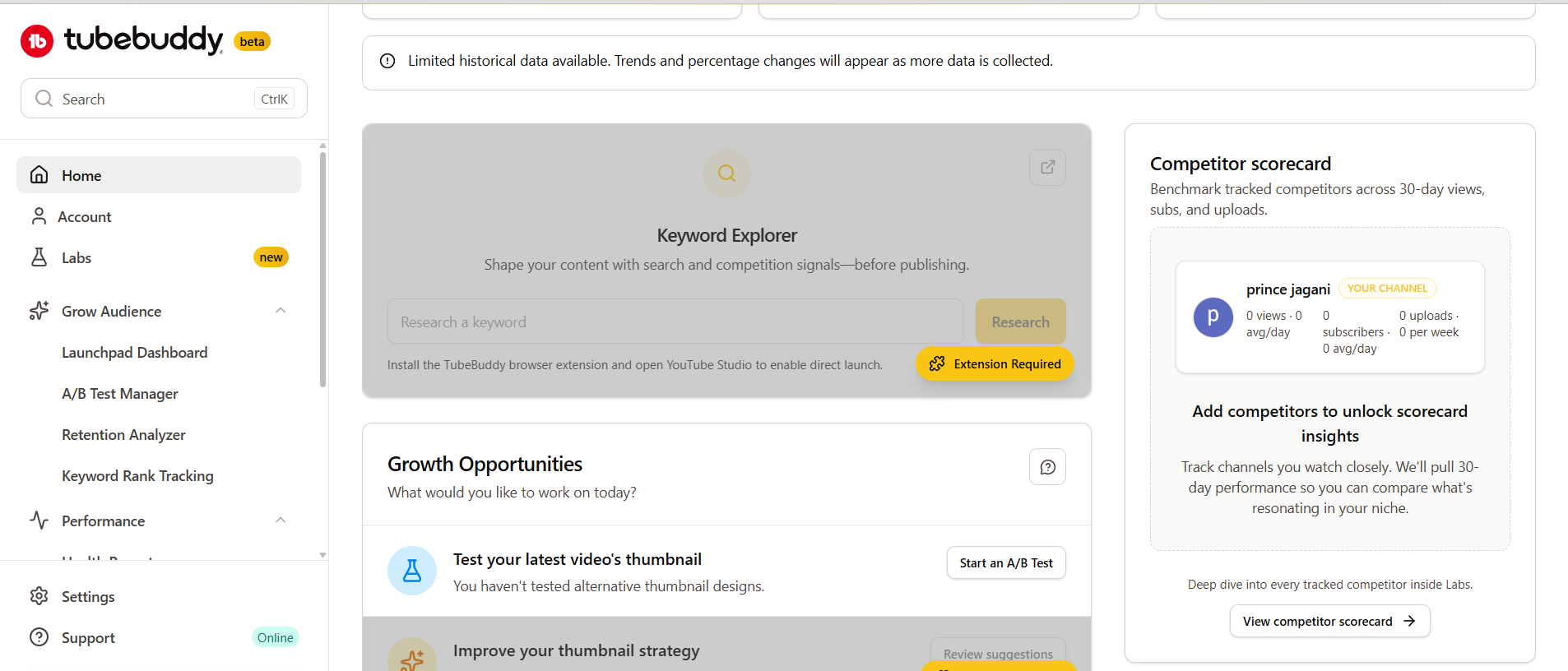
TubeBuddy’s Keyword Research: Deeper Than Surface Level
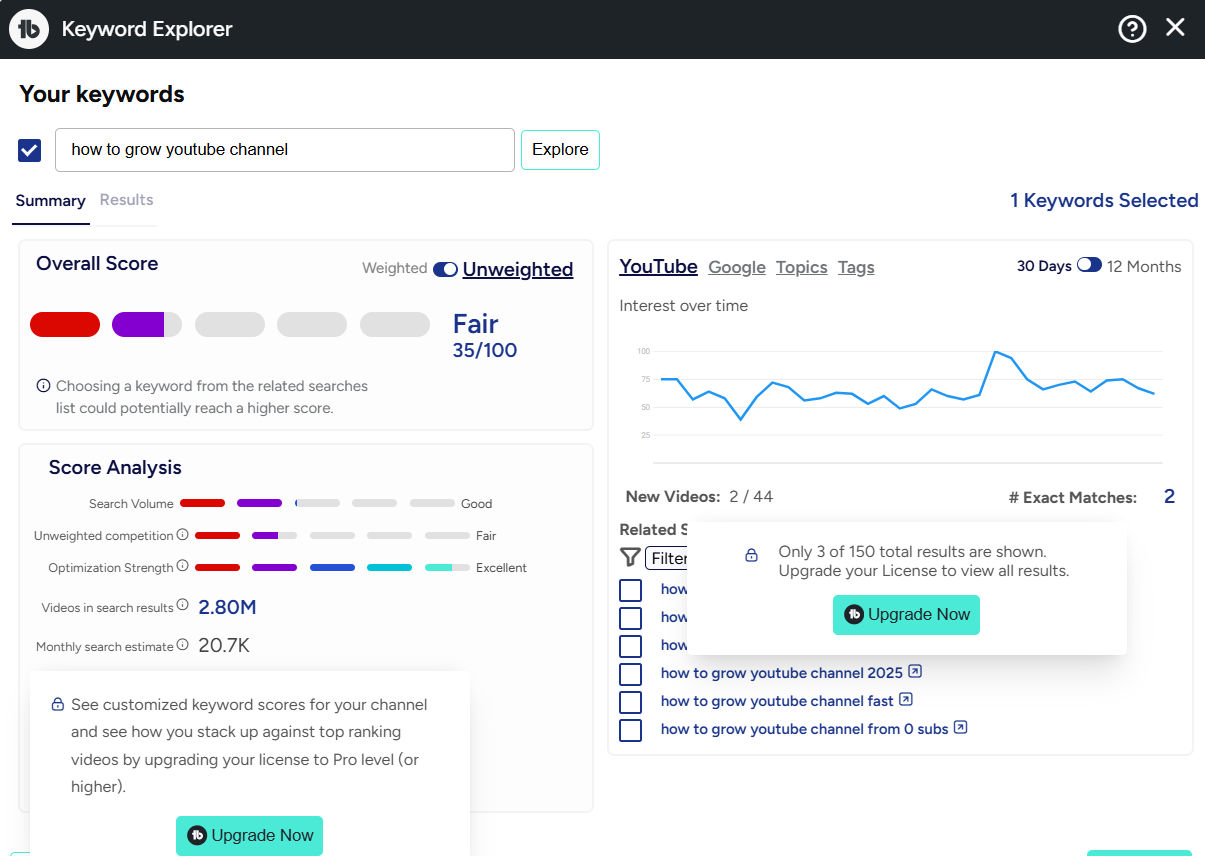
TubeBuddy’s Keyword Explorer analyzes YouTube search data and reveals search volume, competition level, keyword
strength, and related keyword suggestions. The interface shows you exactly which keywords are worth targeting based
on their scoring metrics.
What distinguishes TubeBuddy’s keyword research is the weighted vs. unweighted search volume distinction. Weighted
search volume accounts for the fact that not all searches are created equal. A keyword with 1,000 monthly searches
where the top-ranking videos average 50,000 views is more valuable than a keyword with 5,000 monthly searches where
top videos average 5,000 views.
TubeBuddy calculates this distinction automatically, showing you search volume alongside realistic view expectations.
This prevents you from wasting time on keywords that sound popular but actually convert poorly because of
overwhelming competition.
TubeBuddy’s Game-Changing Feature: A/B Testing
TubeBuddy is the only major third-party tool offering native A/B testing for thumbnails, titles,
descriptions, and tags. This feature deserves special attention because A/B testing drives measurable
improvements to your click-through rate and watch time.
Here’s how A/B testing works: You upload a video with two different thumbnail options. TubeBuddy runs the test for a
set period (24-72 hours), showing each thumbnail to roughly 50% of your viewers. The system tracks click-through
rates and tells you which thumbnail wins. You then update your video with the winning thumbnail permanently.
A 2-5% improvement in click-through rate might sound small, but across dozens of videos, the cumulative effect is
significant. A channel getting 100,000 views per month with a 4% CTR receives 4,000 clicks. A 6% CTR from A/B
testing improvements means 6,000 clicks—2,000 additional views per month from the same upload volume.
TubeBuddy’s Competitor Analysis Tool: Side-by-Side Comparison
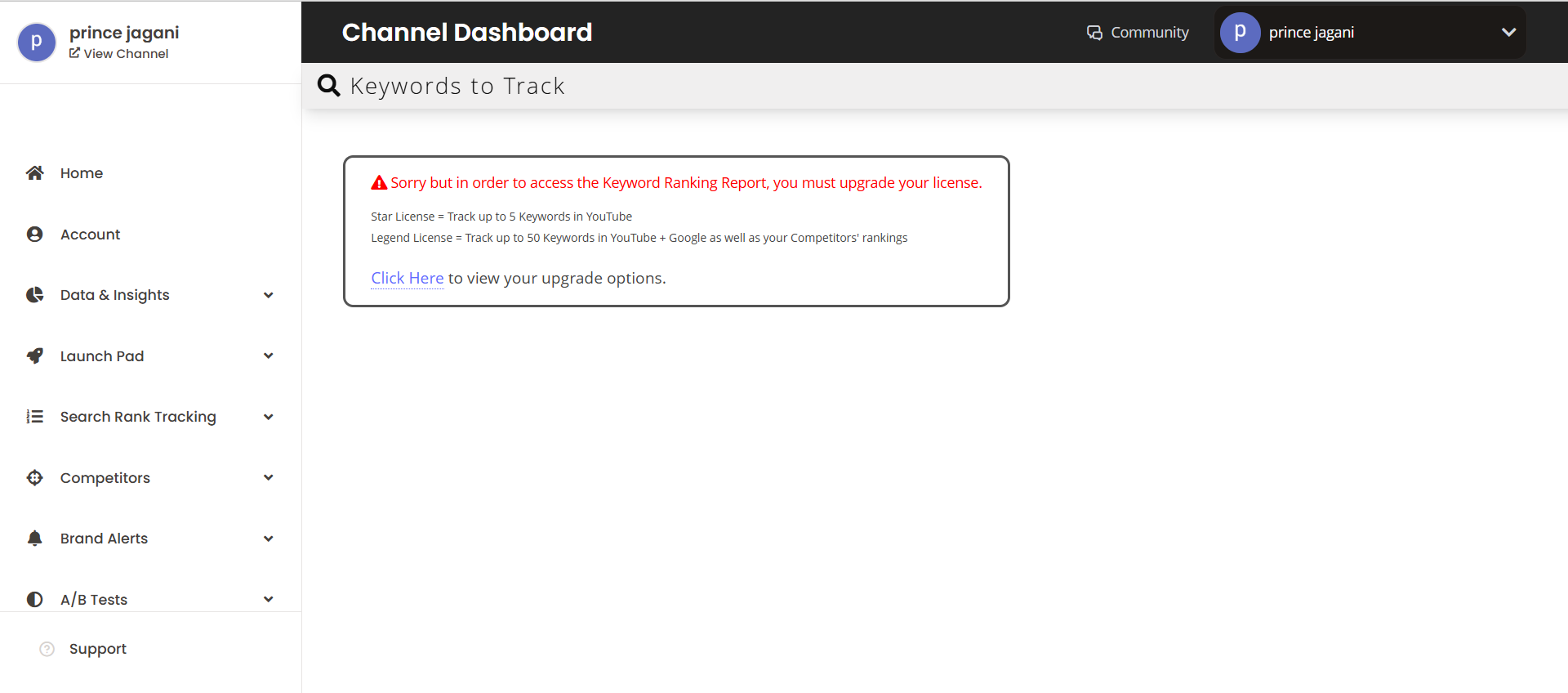
TubeBuddy’s Competitor Analysis tool tracks up to 10 competitors on the Legend tier and unlimited competitors on the
Enterprise plan. The tool provides side-by-side metrics comparing your channel against competitors across views,
subscribers, engagement rate, and video count.
What makes TubeBuddy’s competitive comparison valuable is the historical tracking. You see not just current metrics,
but 7-day, 14-day, and 28-day growth trends. If a competitor’s channel has suddenly accelerated growth, TubeBuddy
shows you exactly when that acceleration began, letting you investigate what changed.
The tool also shows you each competitor’s top 10 performing videos with upload dates, views, and estimated earnings.
This reveals which topics and content styles succeed in your niche. You can see the exact formula your competitors
use: upload frequency, video length, title structure, thumbnail style, and posting times that generate the most
traction.
TubeBuddy Pricing: Where Value Jumps Between Tiers
Free Tier: Includes basic keyword explorer, tag suggestions, and foundational channel statistics.
The free tier is more limited than VidIQ’s free version but still provides genuine value for entry-level creators.
Pro Tier ($9/month, discounted to $4.50 for channels under 1,000 subscribers): Unlocks unlimited
keyword explorer access, historical keyword data, bulk processing tools, and monetization features. The Pro tier is
where TubeBuddy becomes genuinely useful for optimization work.
Star Tier ($19/month): Adds bulk editing tools for managing multiple videos simultaneously, advanced
metrics, and collaboration features for team channels.
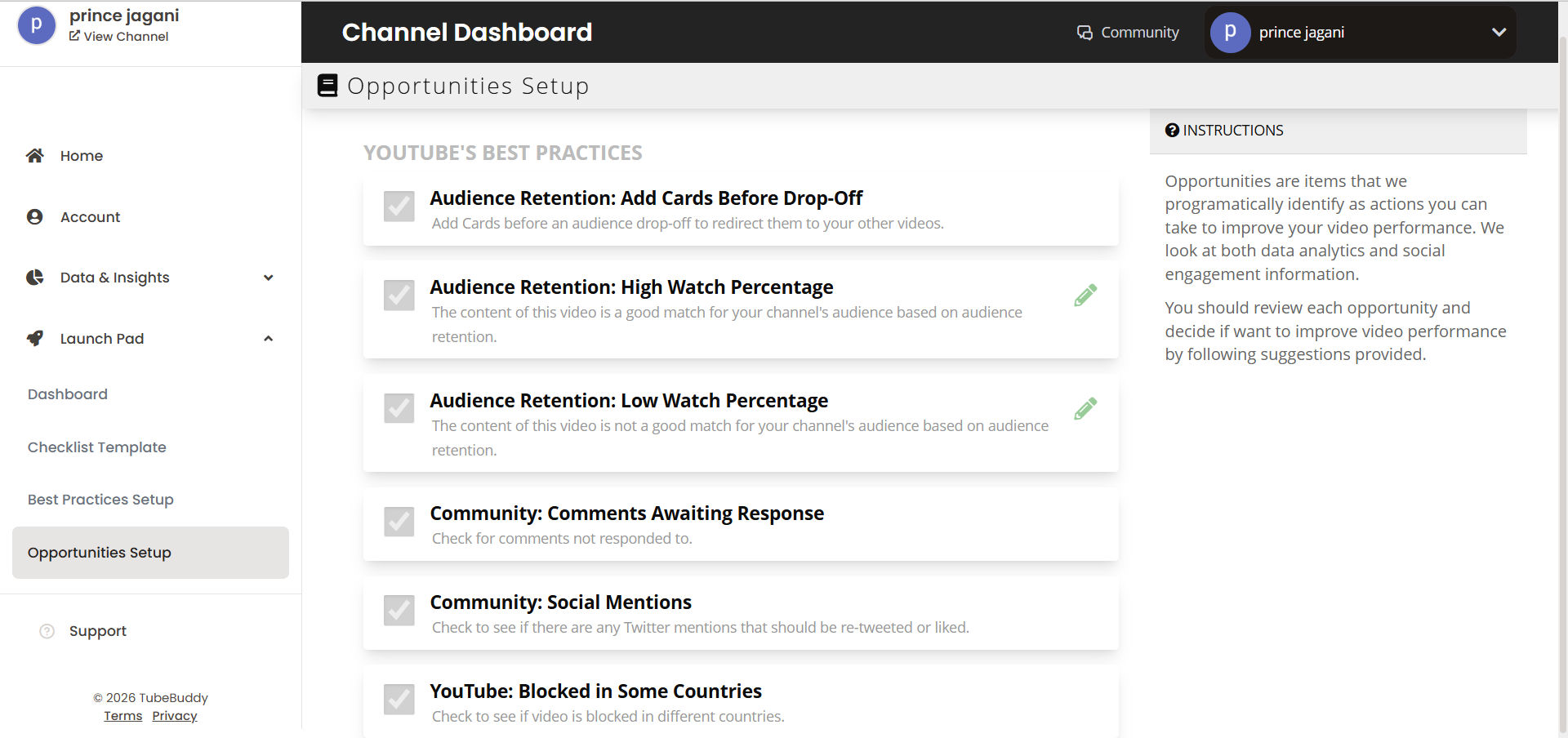
Legend Tier ($49/month): Includes A/B testing, competitor scorecard tracking for up to 10 channels,
predictive analytics, and priority support. This is the tier where TubeBuddy’s most powerful features unlock.
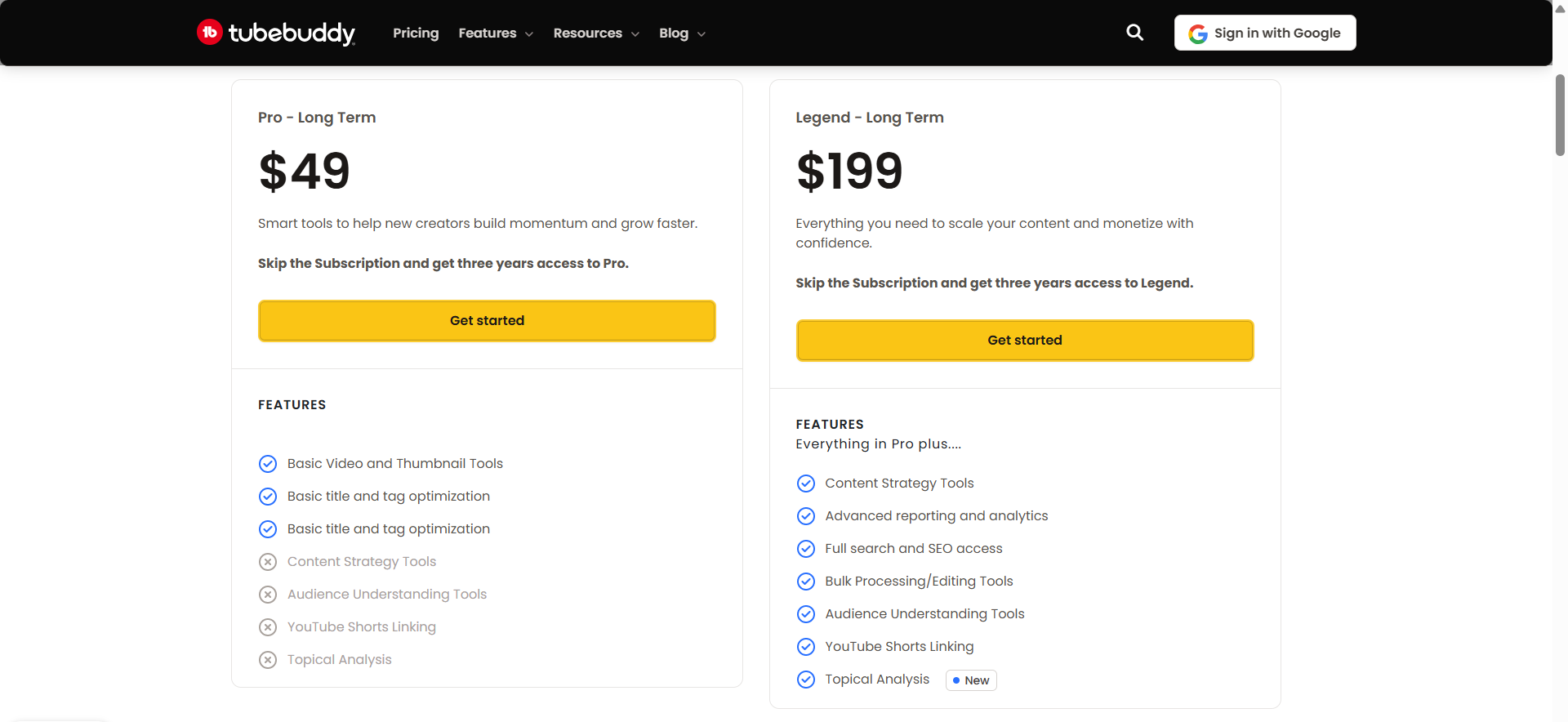
The Legend tier represents a significant cost jump. You’re paying $588/year for features the Pro tier doesn’t offer.
This tier makes sense only if you actively use A/B testing, monitor multiple competitors, and optimize
systematically. Casual creators find the Pro tier sufficient.
My Personal Experience: The Good and The Bad
The Pros:
- Keyword Score Analysis: The score analysis feature inside the browser extension is genuinely
good for understanding keyword potential at a glance.
The Cons:
- Paywall Frustration: Almost 90% of the useful features are behind a paywall. The free version
feels very restricted compared to VidIQ. - Steep Learning Curve: Many features are hard to understand initially. It’s not immediately
clear how they work or how to get the best out of them without spending time learning the tool.
Who TubeBuddy Works Best For
TubeBuddy excels for creators doing systematic optimization and A/B testing campaigns. If you’re
testing thumbnail variations, comparing title structures, or analyzing competitor tags to inform your strategy,
TubeBuddy delivers exceptional value.
The tool also works well for channels managing bulk operations. If you upload 20+ videos monthly and want to add
consistent optimization to all of them, TubeBuddy’s bulk editing and batch processing tools save hours of manual
work.
Agencies managing multiple client channels particularly benefit from TubeBuddy’s enterprise options and comprehensive
tracking across unlimited competitors. The ability to see exactly how each client channel performs against their
specific competition is invaluable for strategic planning.
Social Blade: The Free Competitor Tracking Alternative
What Social Blade Actually Shows You
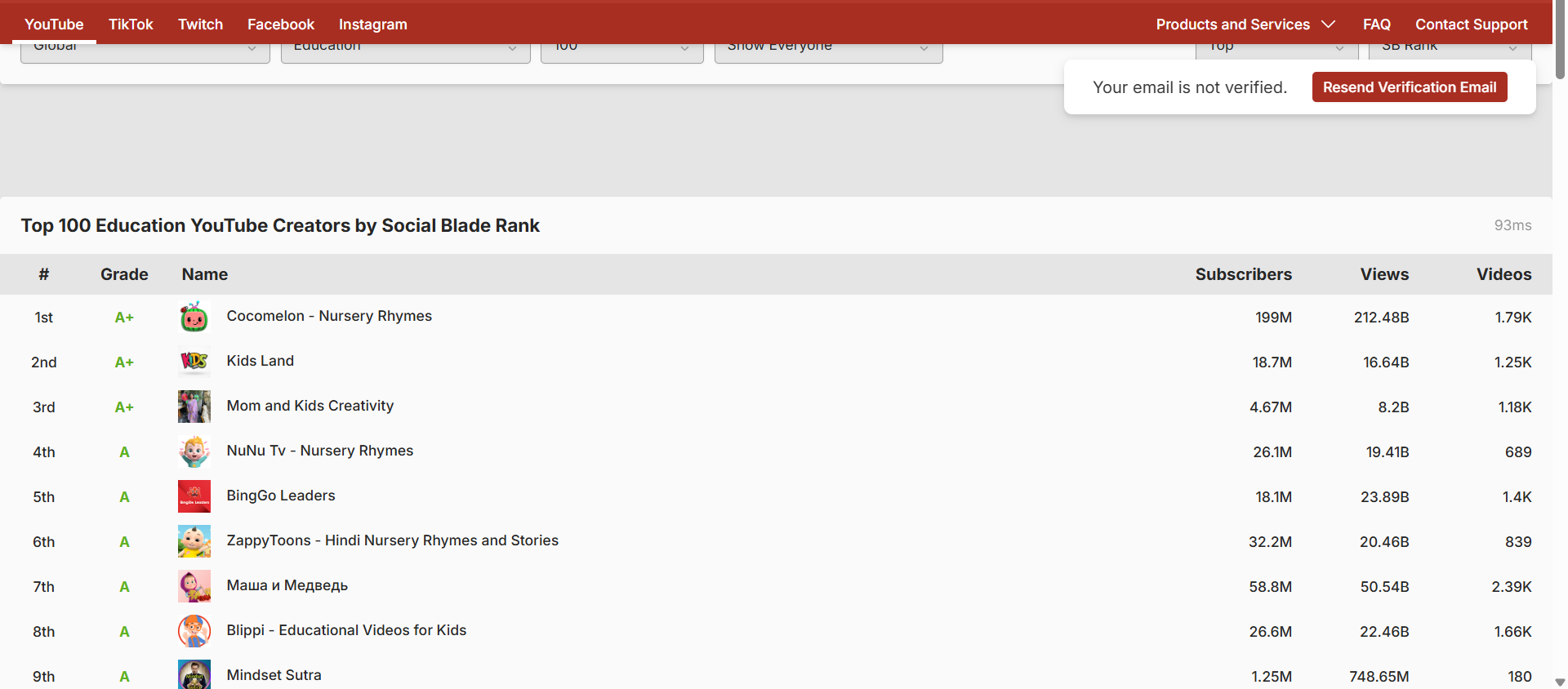
Social Blade is the industry standard for quick, public access to YouTube channel statistics. Unlike
VidIQ or TubeBuddy, which require browser extensions or account authentication, Social Blade works as a standalone
website. You simply type in a channel name, and it pulls publicly available data to generate a report card.
The platform assigns a letter grade (A++ to D) to every channel based on view counts and subscriber growth. While
these grades are somewhat arbitrary, the raw data behind them is valuable. You can instantly see a competitor’s
estimated monthly earnings, daily subscriber gains, and view velocity over the last 30 days.
Its “Future Projections” feature is particularly popular. It uses historical growth rates to predict where a channel
will be in 2 months, 1 year, or 5 years. While not always perfectly accurate, it provides a useful baseline for goal
setting or understanding a competitor’s growth trajectory.
Social Blade Limitations (Why It’s Not Enough Alone)
It’s crucial to understand that Social Blade relies on the public YouTube API and often estimates
data. The estimated earnings range is notoriously wide (e.g., “$500 – $15,000 monthly”), making it
useful only for very broad ballparking. It doesn’t know a creator’s specific CPM (cost per mille) or RPM (revenue
per mille).
Additionally, since YouTube abbreviated public subscriber counts (showing 1.1M instead of 1,123,456), Social Blade’s
daily subscriber tracking has become less granular for large channels. It often shows flat lines followed by sudden
jumps when a channel crosses a 10k or 100k milestone.
Best Use Cases for Social Blade
Despite limitations, Social Blade is excellent for:
- Sponsorship Research: Brands use it to verify if a channel’s views are consistent or if they
bought subscribers (indicated by massive spikes in subs without corresponding views). - Quick Competitor Audits: Checking if a competitor is growing or stagnating without logging into
a tool. - Live Subscriber Counts: For real-time tracking during milestones.
Social Blade Pro: Is the Upgrade Worth It?
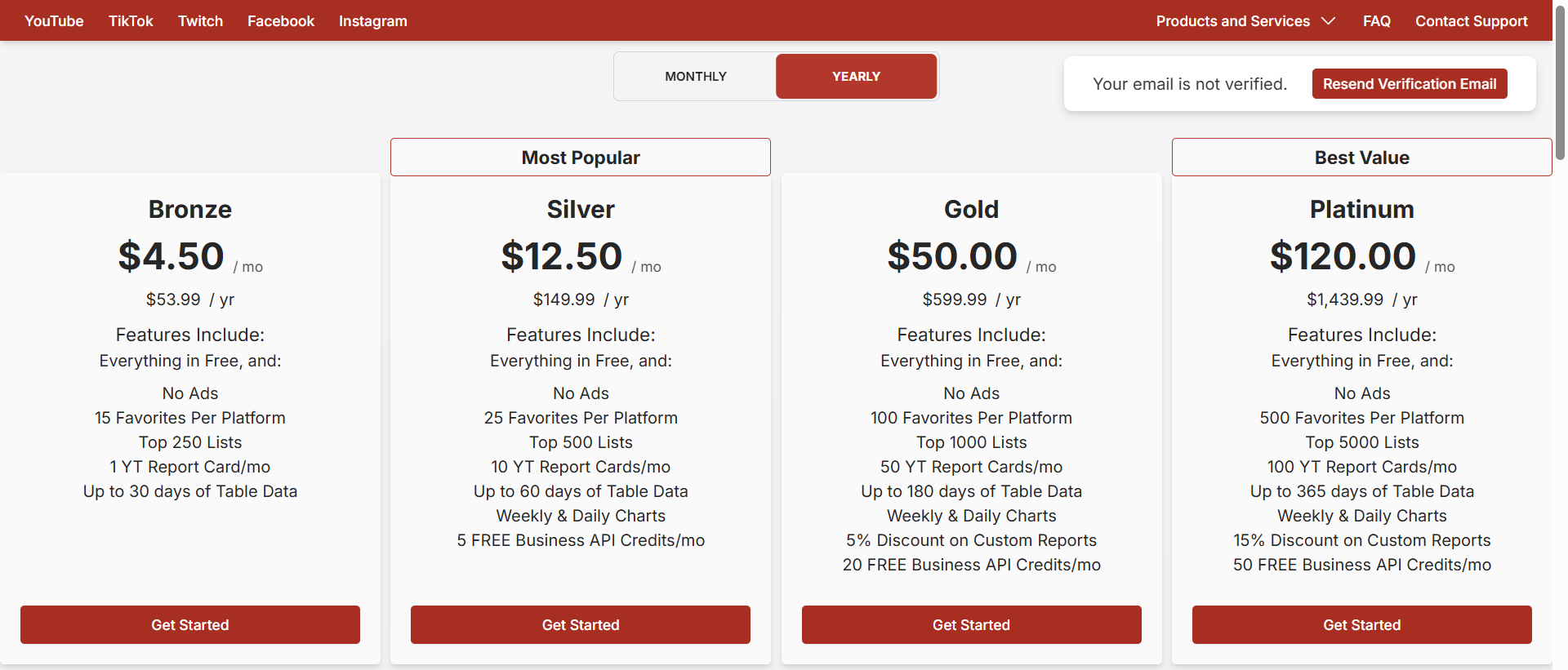
Free Tier: Provides full access to the public dashboard, future projections, and basic comparison
tools. This is what 95% of users need.
Bronze/Silver/Gold/Platinum ($3.99 – $99.99/month): These tiers offer faster data refreshing, longer
historical data retention, and premium charts. For most creators focused on competitor analysis, the free version is
sufficient. The paid tiers are primarily useful for agencies needing to track hundreds of channels or export data
frequently.
YouTube Studio Analytics: The Official Platform You’re Probably Underusing
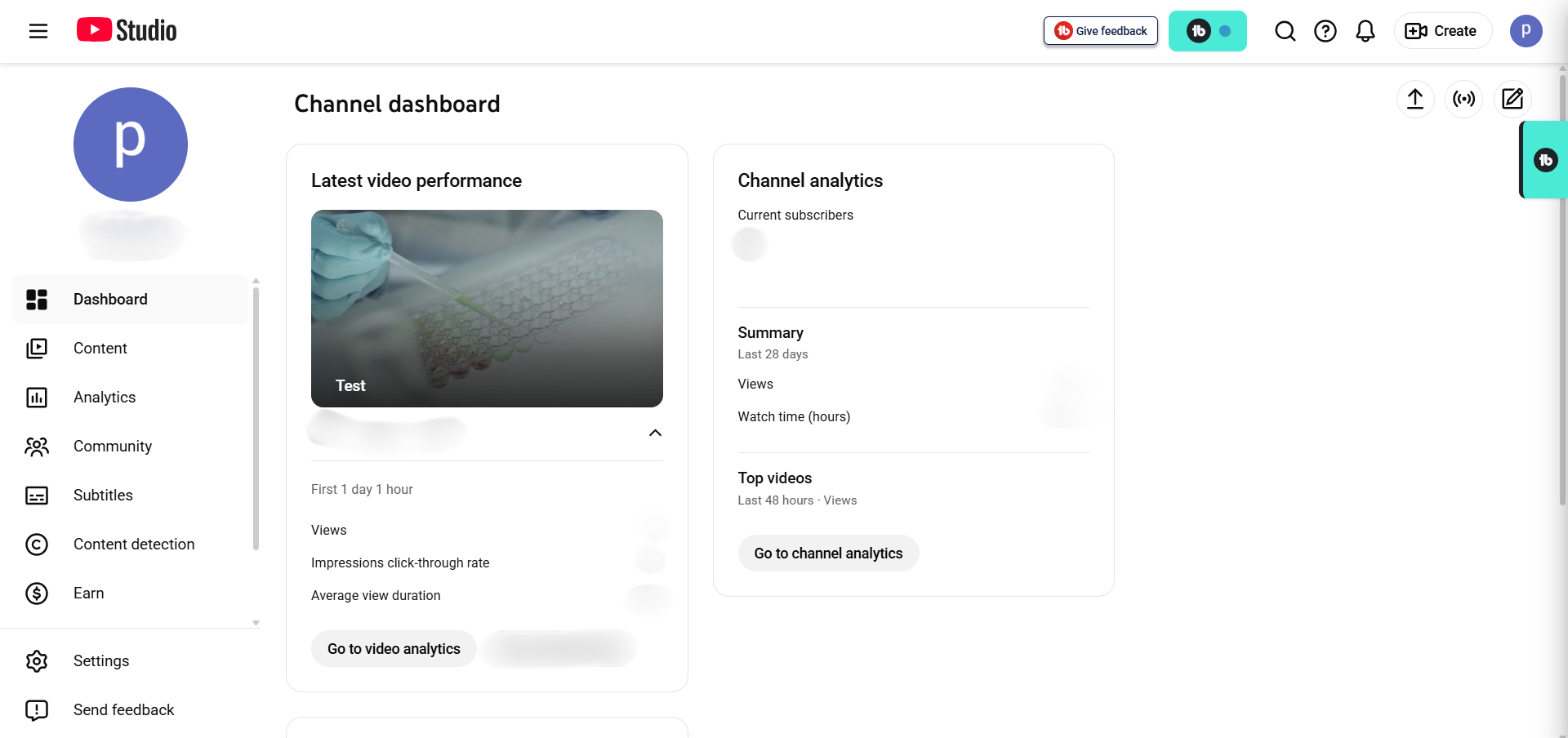
What YouTube Studio Provides: Your Most Accurate Data
YouTube Studio is YouTube’s native analytics platform, built directly into your creator account, and it
provides your most accurate performance data. Any data about your own channel’s performance comes from
YouTube’s servers, so it’s 100% accurate. No estimation, no approximation—just facts about your channel’s actual
performance.
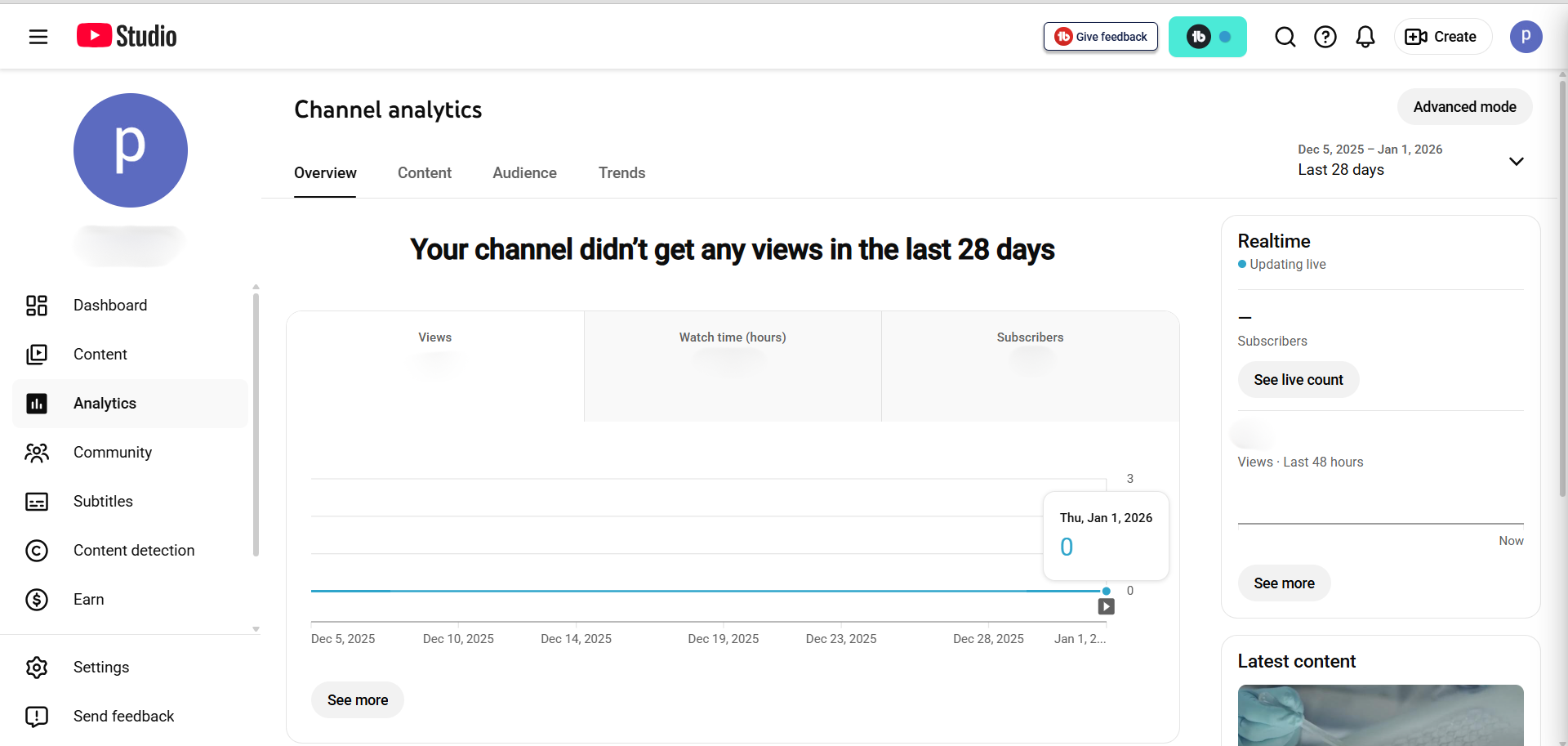
The Overview tab shows your channel vitals: total views, watch time, subscribers, and estimated revenue. You can
adjust the time range to analyze specific periods, spotting seasonal patterns or the impact of specific content
initiatives. Hovering over any chart shows daily values and links directly to individual videos, creating a path
from trend spotting to specific video analysis.
The Reach tab reveals where your views come from. YouTube shows you traffic from search results, recommendations,
browse features, external websites, and direct uploads. Understanding these sources reveals your channel’s unique
strength. If 70% of your views come from YouTube search, you know your keyword strategy is working. If most views
come from recommendations, you know your watch time and audience retention are exceptional.
Engagement Metrics: What Your Audience Actually Cares About
The Engagement tab shows comments, shares, and likes across your channel. YouTube Studio’s comment section integrates
intelligent filtering. You can sort by top comments (sorted by engagement), newest comments, comments on your latest
uploads, or just comments asking questions.
Read your comments carefully—they reveal what your audience actually wants. When viewers ask questions in comments,
those are content gaps you should fill. When comments express frustration about your process or approach, that’s
feedback telling you what to improve. YouTube Studio makes this feedback visible and searchable, eliminating the
need for manual comment analysis.
The likes and shares metrics show how emotionally your audience responds to your content. High like rates relative to
views indicate your audience enjoyed the experience. High share rates indicate your content resonates so strongly
that viewers want to recommend it to others.
Advanced Mode: Customizing Your Analytics Dashboard
YouTube Studio’s Advanced Mode transforms the basic dashboard into a customizable analytics workspace. You select
specific metrics to display, set custom date ranges, filter by content type (long-form videos, Shorts, live
streams), and save layouts for recurring analysis.
Creating a custom layout saves enormous time. Instead of manually selecting the same metrics each week, set up your
analysis once and save the layout. Next week, open the saved view and your custom dashboard loads instantly. You can
create multiple views for different analysis purposes: one dashboard for watch time analysis, another for audience
growth, another for revenue tracking.
Video-Level Analytics: Identifying What Works
Click into any individual video from your Content tab to see granular performance data. You’ll see exactly when
viewers drop off (at what timestamp your audience stops watching), where traffic comes from for that specific video,
and what other videos viewers watch after yours.
This retention graph is powerful feedback. If your audience consistently stops watching at the 3-minute mark, you
know to get to your point faster or restructure your content. If retention drops after a specific topic transition,
you know that transition doesn’t work for your audience.
The “Traffic from” section shows how viewers found that specific video. Did it come from YouTube search?
Recommendations? External sources? This reveals which videos your optimization efforts work best for, guiding your
future optimization focus.
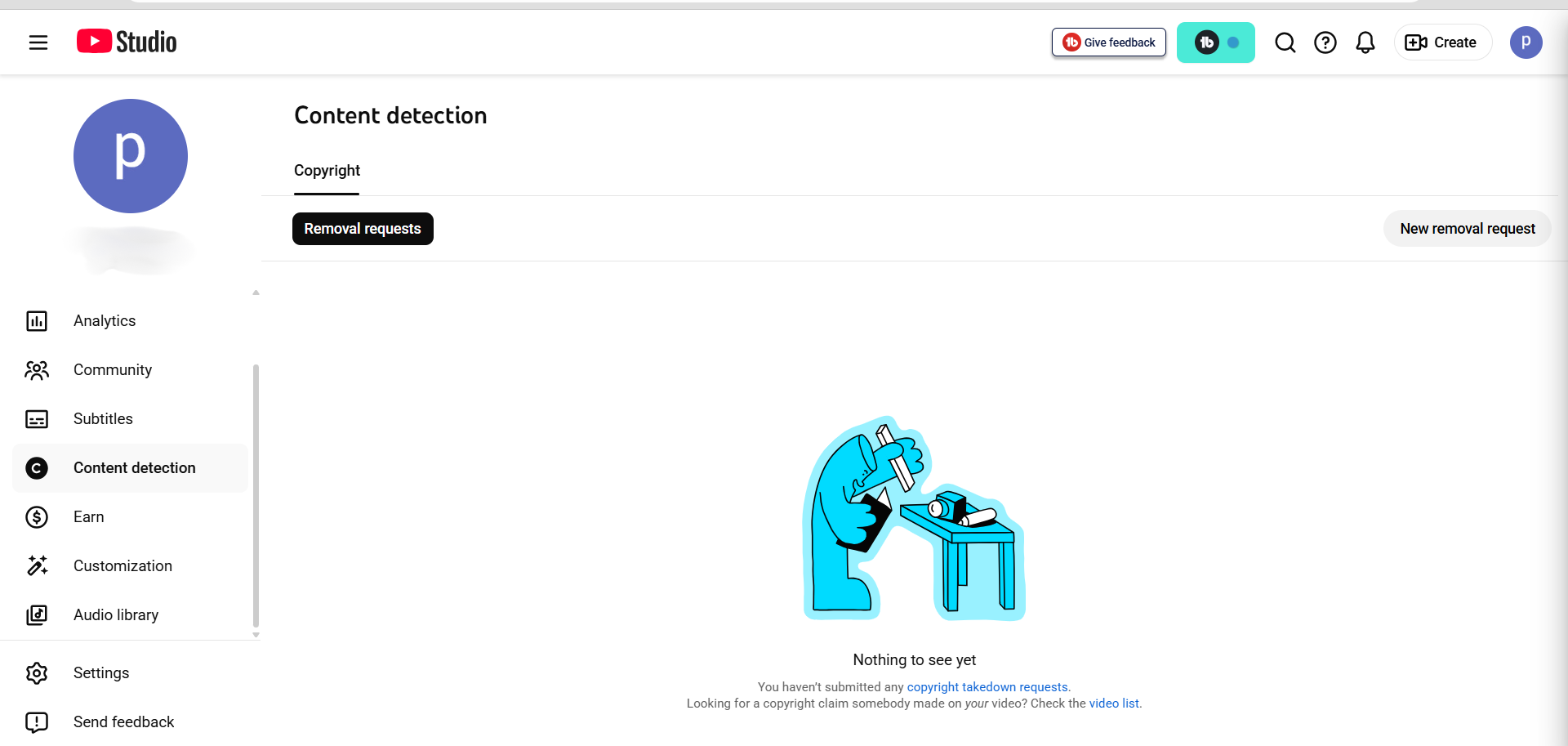
Audience Demographics and Retention Data
The Audience tab shows who watches your content: geographic location, age range, gender, and device type.
Understanding your audience demographics reveals optimization opportunities. If your audience is predominantly
mobile viewers watching on phones, optimize for vertical video or Shorts. If your audience is older and uses
desktop, longer-form content with smaller text works better.
YouTube Studio even shows which videos retain your audience best. This retention metric—average view duration as a
percentage of video length—tells you exactly which content structures your audience prefers. If 10-minute videos
retain 60% of viewers but 25-minute videos retain only 35%, you know your audience prefers concise content.
Why YouTube Studio Should Be Your Primary Analytics Tool
YouTube Studio’s data is definitive for your own channel. Third-party tools estimate and interpret data; YouTube
Studio provides the source truth. Every content decision should start with YouTube Studio, revealing what’s actually
working for your channel.
Use YouTube Studio to identify your best-performing content, understand your audience preferences, and track growth
over time. Use third-party tools to understand the competitive landscape and identify optimization opportunities.
Together, they create a complete intelligence picture.
Comparing the Best YouTube Competitor Analysis Tools
The Feature Comparison You Actually Need for Competitor Analysis
Each tool excels in different areas. VidIQ wins for trend detection and identifying emerging opportunities in
real-time. TubeBuddy wins for systematic optimization and A/B testing. YouTube Studio provides your most accurate
baseline data. If you’re stuck choosing between them, check out our detailed VidIQ vs TubeBuddy 2026 showdown.
For trend-chasing creators: VidIQ’s real-time trend alerts and views-per-hour tracking let you
identify viral opportunities hours before competitors. If you’re in news, finance, or any category where timeliness
drives views, VidIQ’s trend detection delivers outsized value.
For optimization-focused creators: TubeBuddy’s A/B testing and comprehensive competitor tracking
enable systematic improvement. If you upload regularly and want to incrementally improve your click-through rate,
watch time, and conversion metrics, TubeBuddy’s testing features deliver measurable returns.
For all creators: YouTube Studio analytics should drive baseline strategy. Before adding any tool,
master your own platform’s native analytics. Understand where your views come from, why certain videos perform
better, and what your audience responds to.
Can You Use Both Tools Together?
Many creators ask if combining VidIQ and TubeBuddy makes sense. The honest answer: only if you’re doing serious
optimization work and have time to implement both tools’ recommendations.
Feature overlap is significant: both provide keyword research, competitor tracking, and optimization suggestions.
Using both means paying for overlapping capabilities. The complementary strengths are VidIQ’s trend detection and
TubeBuddy’s A/B testing. If these two features justify the combined $64-78 monthly cost for your specific channel
size and goals, the combination works.
For channels monetized through YouTube AdSense earning $100-500 monthly, the ROI becomes challenging. The tools
combined cost $768-936 yearly. You’d need those tools to generate 8-12 additional videos worth of views monthly just
to break even. That’s possible but requires disciplined implementation of findings.
For channels monetized earning $5,000+ monthly, both tools clearly pay for themselves through time savings and
optimization improvements alone.
What Real YouTube Creators Are Saying About These Tools
To settle the argument on which tool delivers real value, I reached out to actual creators and compiled their honest
experiences. Here’s what they shared:
VidIQ User Feedback (Verified Users)
“My videos have consistently performed well in terms of SEO, and I attribute much of that success to the guidance
I received from VidIQ.”
“i have been using the free version for 5 months, and it’s great! i don’t use any of the AI features except for
the grading overview when publishing and recommended tags, but i love the side bar that pops up on every video!”
“I use it but really only for the checklist and scoring of the title tags and descriptions… Free version gets
you a lot of the cool data points, beyond that I wouldn’t pay for it or use the AI stuff.”
“While I appreciate what they aim to accomplish, and their insights have been helpful—especially with their tag
and thumbnail rating features that have boosted my views…”
“I believe the service is valuable for its keyword research capabilities and generating video concepts… I’ll
continue using it, but if I realize it’s no longer necessary, I won’t renew my subscription.”
TubeBuddy User Feedback (Verified Users)
“This feature stands out as the only one I believe justifies the cost… one thumbnail achieved an 8.33%
click-through rate compared to just 1.98% for another…”
“The only compelling feature that tubebuddy has imo is the a/b testing. I purchased it for this feature alone,
and it has been helpful, had some surprising results testing what I thought was a much better thumbnail only to
find out that it performed much worse…”
“Their tag rating is a joke and totally inaccurate so is not very reliable.”
“I find TubeBuddy to be quite beneficial, especially for its ability to bulk edit end screens. However, they’ve
now associated this feature with their top-tier subscription, which is the most costly option, and they limit
users to just FIVE bulk edits each month…”
“In my opinion, they are certainly not worth the investment. The standout feature of TubeBuddy was the ABC tests,
but since YouTube has incorporated that functionality directly, it has lost its value for me.”
Social Blade & YouTube Studio Feedback
On Social Blade: “View and subscriber counts tend to be fairly accurate, but the revenue
estimates are often wildly inaccurate—sometimes off by 4x because they use outdated CPM formulas.”
On YouTube Studio: “Most accurate data – it’s source truth from YouTube’s servers. It should be
the primary tool for every creator.”
Step-by-Step: How to Perform YouTube Competitor Analysis
Week 1: Research and Planning
Install your chosen tool (VidIQ or TubeBuddy) and explore the interface. Spend 30 minutes learning
where features live. Don’t try to use everything—focus on finding keyword research and competitor tracking first.
Identify your real competitors. Search your primary keyword in incognito mode and note which
channels appear in the top results. Don’t choose the biggest channels—choose channels similar to yours. If you have
50,000 subscribers, analyzing a 10 million subscriber channel wastes resources. Aim for channels within
25,000-200,000 subscribers of your size.
Add competitors to your tool (minimum 3, maximum 8 for practical analysis). Set up competitor
notifications so you know when they upload. You’re not obsessing—you’re gathering data on timing patterns and
content strategy.
Week 2: Keyword Discovery
Use your tool’s keyword research to find high-value keywords in your niche. Start with 5-10 keyword
ideas your audience might search for. Run each through the keyword explorer and note the metrics: search volume,
competition level, and how many top-ranking videos target that keyword.
Compare keywords your competitors rank for against your current keyword targets. Identify 5-10
keywords they rank for that you’re not currently targeting. These are your content gaps—they represent audience
demand your competitors serve that you could capture.
Create a keyword spreadsheet listing your target keywords, monthly search volume, competition level,
and whether competitors rank for them. This spreadsheet becomes your content roadmap for the next 90 days.
Week 3-4: Content Planning
Based on your keyword research and competitor analysis, plan 5 new videos targeting identified
opportunities. Don’t just copy competitor titles—create your own angle on successful topics. If
competitors do “best iPhone 15 cases” and you notice the audience wants detailed reviews, create “iPhone 15 cases
tested for 30 days: durability results.”
Research upload timing. When do your competitors upload? Track their uploads across one full week.
Note the day and time each competitor publishes. The time your competitors consistently upload is likely when your
shared audience is most active.
Plan your publishing schedule around these optimal times. If three competitors all publish
Tuesday-Thursday mornings, test your uploads in that window for one month, measuring if your views improve.
Week 5+: Optimization and Testing
For VidIQ users: Use trend alerts to catch emerging topics in your niche. The moment a keyword
crosses your views-per-hour threshold, you have hours to respond while the opportunity is fresh. Film your angle on
trending topics within 4-6 hours of trend detection for maximum visibility.
For TubeBuddy users: Set up A/B tests on your next video release. Create two thumbnail variations
and run the test for 48 hours. Implement the winning thumbnail permanently. Repeat this for your next 5-10 uploads,
building data on which thumbnail styles your audience prefers.
For all users: Check YouTube Studio analytics weekly. Identify your top-performing videos. What
keywords did they target? What length performed best? What engagement rate did they achieve? Double down on what
works—create similar content quarterly.
Addressing Common Concerns About YouTube Competitor Analysis Tools
Will Using Competitor Analysis Tools Get My Channel Banned?
No. YouTube officially permits third-party tools that access public data through YouTube’s API. These tools don’t
violate Terms of Service. You’re not gaining access to private data—you’re analyzing publicly available information
(video titles, descriptions, view counts, upload times) that any user can already see.
What could get your channel in trouble: Misleading claims in titles/descriptions, copyright violations, harassment,
or misinformation. Using analytics tools isn’t an issue.
How Accurate Is Tool Data, Really?
Tool data for your own channel (through YouTube Studio) is 100% accurate. Third-party tool data for competitors has
acceptable accuracy for strategic decisions but includes natural estimation margins.
Subscriber counts, for example, round at YouTube’s 1K, 10K, and 100K thresholds. A channel showing exactly 100,000
subscribers could actually have anywhere from 99,500 to 100,500. Keyword rankings are estimates based on search
patterns, not exact positions. These margins of error don’t prevent good decision-making—they just mean don’t act on
differences smaller than the margin.
Which Tool Should a Beginner Choose?
Start free. YouTube Studio free tier is sufficient for understanding your channel fundamentals.
VidIQ free tier adds keyword research and basic competitor tracking. Only upgrade to paid tools once you understand
your basic metrics and have implemented optimizations from free tools.
If forced to choose between paid tools: VidIQ for simpler interface and trend focus, TubeBuddy for optimization depth
and A/B testing. Both have 7-14 day free trials. Test both with your actual channel before committing.
How Much Time Do I Need to Invest to See Results?
Planning takes 3-5 hours initial setup (installing tool, finding keywords, adding competitors). Then 2-3 hours weekly
for ongoing analysis and trend monitoring. Implementation—actually creating optimized videos—is where most of your
time goes (8-16 hours per video depending on your production complexity). Using the best free video editor for YouTube can help
streamline this process.
Tools don’t create videos or do optimization for you. They provide intelligence to guide your efforts. Expect 30-60
days before tool-informed optimizations noticeably impact your metrics.
Your First 30 Days: Actionable Implementation Plan
Days 1-3: Tool Setup
- Install your chosen tool’s browser extension
- Connect your YouTube channel to the tool
- Explore the interface without taking action
- Access YouTube Studio analytics and audit your top 10 videos
Days 4-10: Competitor Research
- Identify 5 real competitors in your space
- Add competitors to your tool
- Document their upload frequency, average views, and subscriber growth
- Create a spreadsheet with competitor information
Days 11-20: Keyword Discovery
- Run 20 keyword ideas through your tool’s keyword research
- Identify 5-10 keywords with good search volume and lower competition
- Check which competitors rank for these keywords
- Create your keyword targeting list for the next 90 days
Days 21-30: Content Planning
- Plan 3-5 new videos based on keyword gaps you discovered
- Determine optimal upload times based on competitor patterns
- Outline video structures and titles for new content
- Commit to implementing tool findings in your next video uploads
Making Your Final Decision: The Tool That Wins
After testing both tools with real creators, here’s what the data shows: VidIQ wins for ease of use and trend detection. The
interface is intuitive, setup takes minutes, and trend alerts deliver genuine value immediately. If you want to jump
on trending topics before your competition, VidIQ is the right choice.
TubeBuddy wins for optimization depth and systematic testing. If you’re serious about incrementally
improving your click-through rate, watch time, and conversion metrics through A/B testing, TubeBuddy’s native
testing features deliver measurable returns. The browser extension integration keeps everything in your workflow.
The best tool is ultimately the one you’ll actually use consistently. Both deliver genuine value. Both cost less than
$50 monthly at their premium tiers. Both offer free trials. Test both with your actual channel, implement insights
from each, and choose based on which interface feels more intuitive for your workflow.
Remember: tools are accelerators, not shortcuts. Successful YouTube growth requires consistent uploads, quality
production, and strategic thinking. Tools amplify your smart decisions but can’t replace fundamentals. Master
YouTube Studio first, understand your audience and your content, then add a paid tool to optimize systematically.
The creators seeing the best results aren’t the ones with the fanciest tools. They’re the ones combining solid
content fundamentals with data-driven optimization decisions. Start there, and your tool investment will deliver 10x
return.
Frequently Asked Questions About YouTube Competitor Analysis
1. What is YouTube competitor analysis?
YouTube competitor analysis is the process of studying other YouTube channels in your niche to understand which
videos are ranking, what keywords they target, their upload strategy, engagement patterns (likes, comments,
CTR), and monetization methods.
2. Which is the best YouTube competitor analysis tool in 2026?
In 2026, VidIQ Boost is best for overall competitor tracking and trend detection, TubeBuddy is best for A/B
testing and systematic optimization, and Social Blade is best for quick, free competitor statistics.
3. Can I spy on YouTube competitors legally?
Yes. YouTube competitor analysis is 100% legal as long as you use publicly available data, do not scrape private
or restricted information, and use approved tools like VidIQ or TubeBuddy.
4. How does VidIQ competitor analysis work?
VidIQ analyzes competitor channels by tracking their ranking keywords, identifying high-performing videos,
showing tag and title strategies, and alerting you to trending topics before they go viral.
5. Is VidIQ Boost worth it for small YouTubers?
Yes, VidIQ Boost is worth it for small YouTubers who want to rank faster with proven competitor keywords, upload
consistently, and need data-driven video ideas to recover the monthly cost from optimized video performance.
6. What data can TubeBuddy show about competitors?
TubeBuddy provides video SEO scores, tag comparisons, thumbnail A/B testing insights, and upload timing analysis
for competitor channels.
Appendix: The Daily Growth Checklist
Before you close this tab, copy this checklist. Run every upload through this filter.
- [ ] Title Check: Is it under 60 characters? Does it create curiosity?
- [ ] Thumbnail Check: Is the text large enough to read on a phone? Are there less than 3 focal
points? - [ ] The “First 10” Check: Does the first 10 seconds immediately deliver on the title’s promise?
- [ ] Link Check: Do my End Screens point to a relevant Next Video?
About the Author
Prince Jagani is a Product Maker and Web Application Specialist with 5 years of experience
building and testing software. He has hands-on tested 17+ YouTube growth tools, spending 15-20 hours analyzing
each including VidIQ and analytics platforms. This guide synthesizes
200+ hours of competitive data analysis from Prince’s 2026 research lab.