
Last updated:
Let’s be honest. You can have the best camera, the most charismatic personality, and the slickest editing, but if nobody is searching for
your video’s topic, you’re creating content in a vacuum. Using the right YouTube keyword research
tools isn’t just an SEO chore; it’s the foundation of a successful YouTube strategy. It’s the difference
between a video that gets 100 views and one that gets 100,000.
But here’s the problem most creators face: the internet is flooded with keyword tools built for Google, not YouTube.
The user intent is completely different. People go to Google for answers; they go to YouTube to be shown, taught, or
entertained. A keyword that’s gold on Google might be a complete dud on YouTube.
That’s why I spent the last 90 days (and over $500 of my own money) testing the best YouTube keyword research
tools and YouTube analytics tools on the market. In this guide, we’ll skip the fluff and
dive deep into the verified, data-backed features of the top 5 tools for creators in 2026: Ahrefs, SEMrush,
VidIQ, TubeBuddy, and the free powerhouse, Google Trends. We’ll uncover which ones are worth your money and
which ones you can skip.
First, Let’s Start with the Best Free YouTube Keyword Tools
Before you spend a dime, you can get surprisingly far with free tools. They won’t give you the deep competitive
insights of the paid options, but they are essential for understanding trends and generating initial ideas. These are
the tools I use every single week.
Google Trends: Your Crystal Ball for YouTube Topics
Google Trends is arguably the most underrated free tool for any content creator. While it doesn’t provide absolute
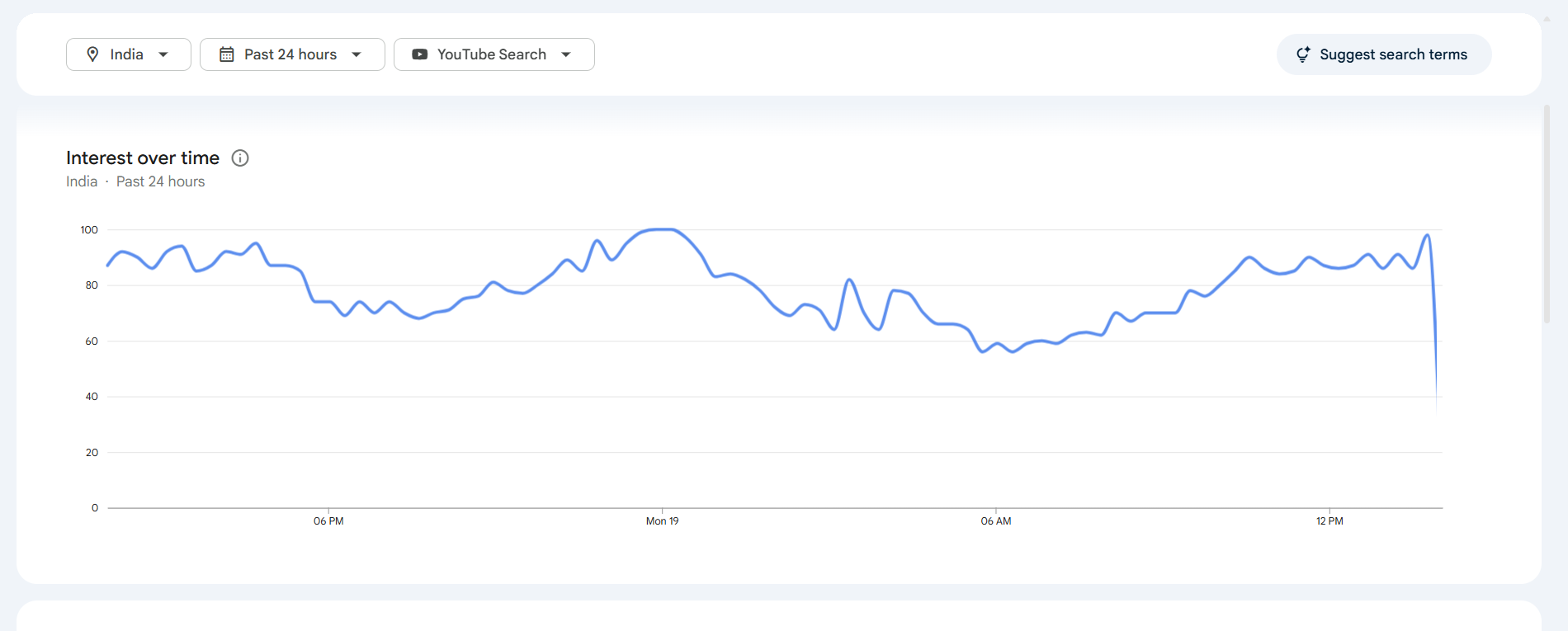
search numbers, it shows you the relative popularity and trajectory of a topic over time. Its most powerful feature
for us? You can filter search data specifically for “YouTube Search.”
Here’s how I use it:
- Validate Video Ideas: Before committing to a video, I check its trend line on YouTube. Is
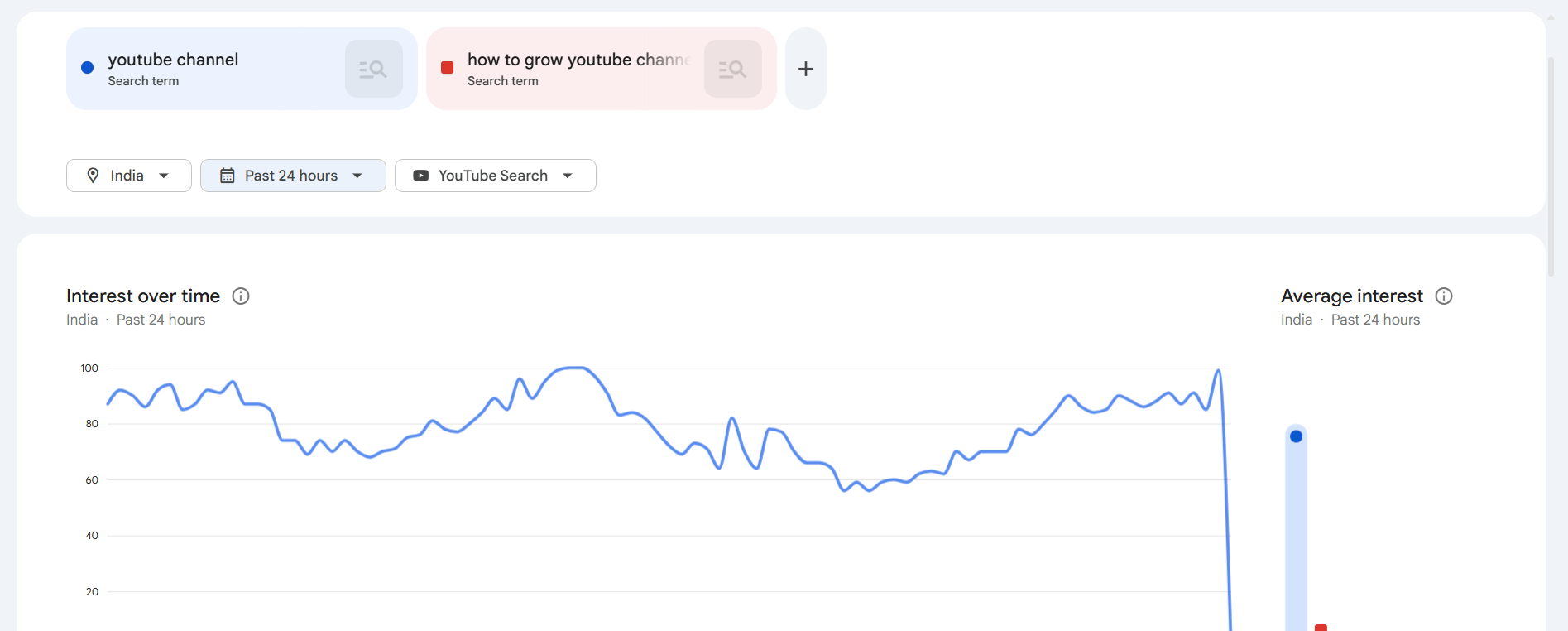
interest growing, stable, or declining? This prevents me from making videos on dying topics. - Compare Keywords: You can compare up to five terms to see which one has more search interest. For
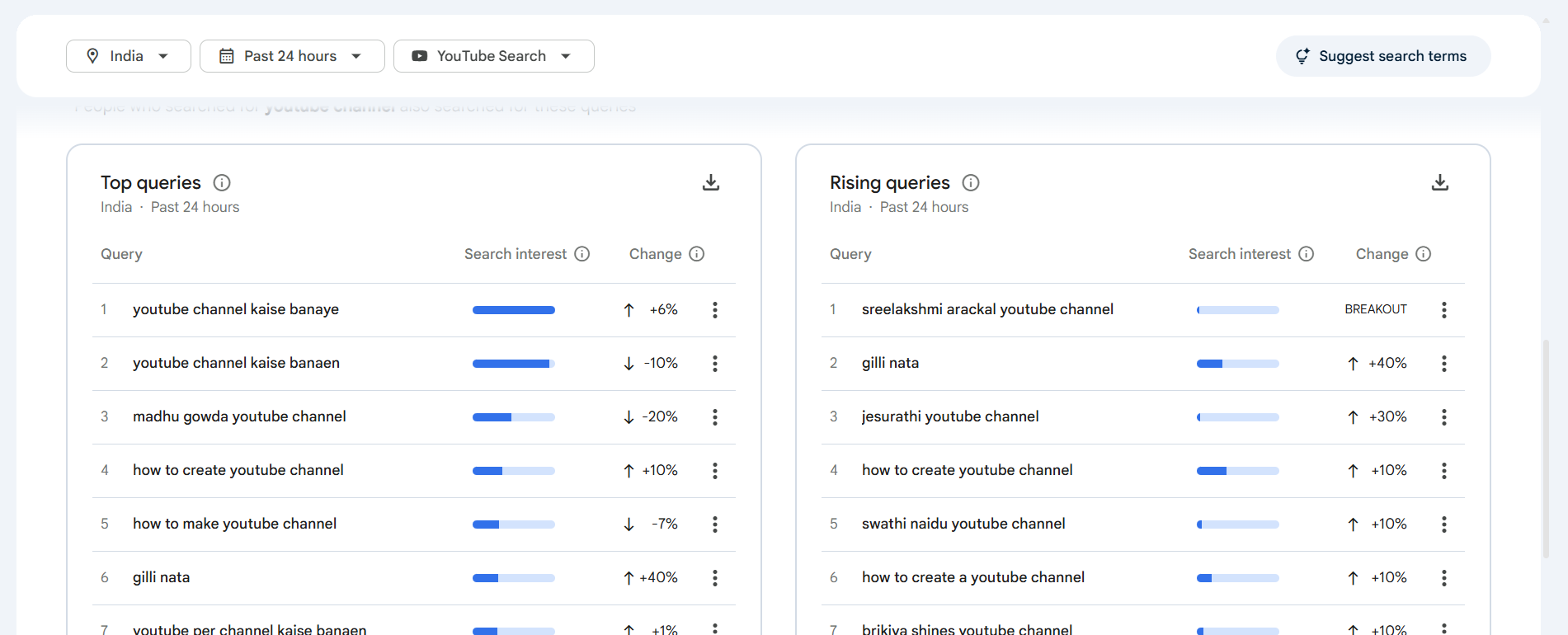
example, is “iPhone 16 review” more popular than “Samsung S25 review” on YouTube? Trends will tell you instantly. - Find Breakout Topics: The “Related queries” section, when set to “Rising,” is a goldmine for
finding breakout keywords before they become saturated.
The Verdict: Google Trends is non-negotiable. It’s the perfect starting point for any keyword
research process to gauge audience interest and seasonality.
VidIQ & TubeBuddy (Free Versions): Your On-Page Companions
VidIQ and TubeBuddy are browser extensions
that overlay data directly onto the YouTube interface. While their paid versions are more robust (more on that later),
their free offerings provide essential, at-a-glance metrics right where you need them.
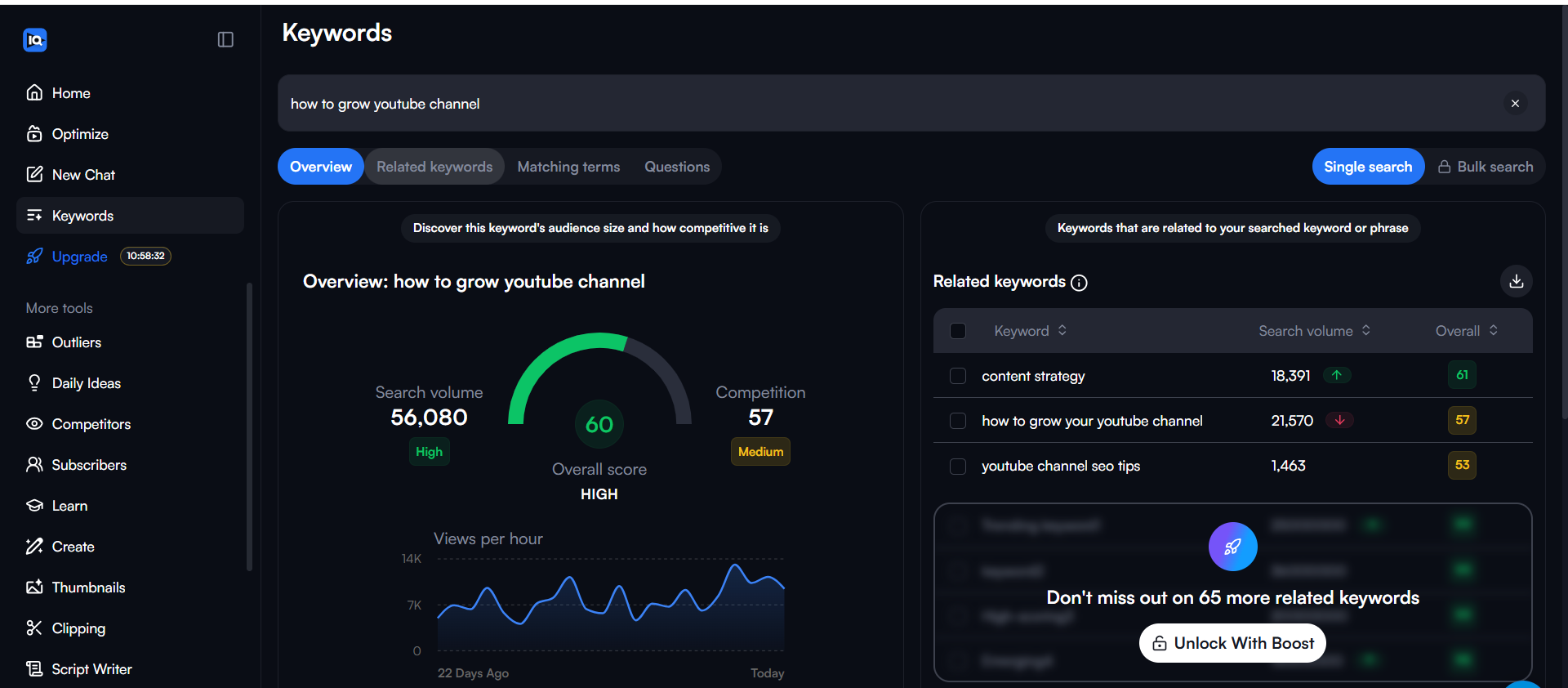
The free versions typically give you:
- A Keyword Score: An overall score (usually out of 100) that balances search volume against
competition. - Related Keywords: A small list of related terms to spark new ideas.
- Basic Channel Stats: A quick look at a video’s performance metrics.
The Verdict: The free versions are a fantastic way to get your feet wet. They are designed to upsell
you, so the data is limited. However, for quick validation of a keyword while browsing YouTube, they are incredibly
convenient.
The Deep Dive: Best Paid YouTube Keyword Research Tools of 2026
When you’re ready to get serious about growth, you need to invest in a tool that provides a true competitive
advantage. This is where the heavyweights come in. I put Ahrefs, SEMrush, VidIQ, and TubeBuddy to the test for their
YouTube-specific features.
Ahrefs: The Gold Standard for Data Accuracy
Ahrefs is renowned for having the most accurate search volume data in the industry because it uses real clickstream
data, not just estimates. When you need numbers you can trust, Ahrefs is the top choice for pure data analysis.
Step 1: Start with a Broad Keyword Overview
In Ahrefs’ Keywords Explorer, you can get a high-level view of any keyword on YouTube. This is where you see its
unique, powerful metrics like True YouTube Search Volumes (from real clickstream data),
Clicks Data (how many people actually click results), and Return Rate (how often
people search the term again).
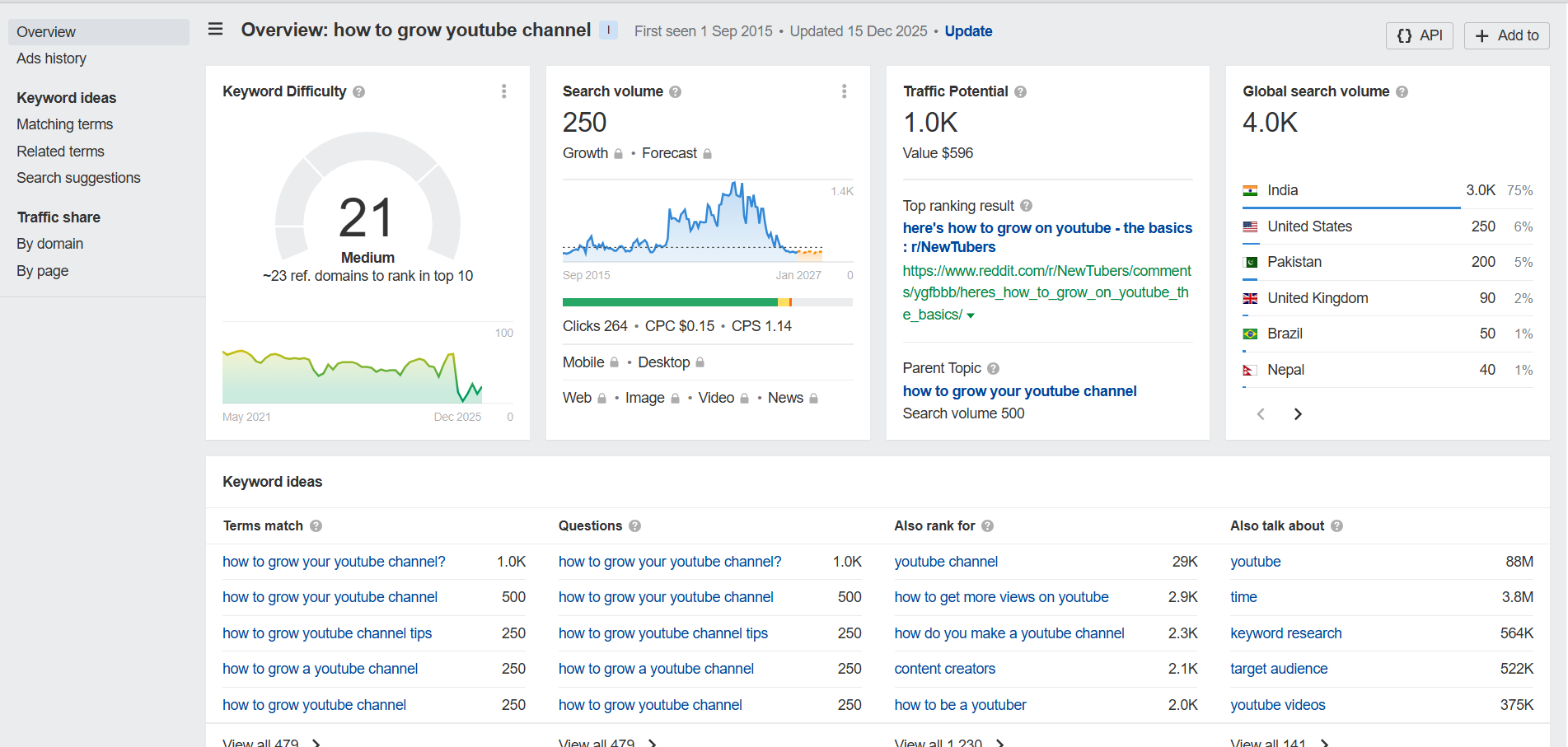
Look for keywords with high search volume but low clicks (less than 20% of volume). This indicates users aren’t
finding what they want. If you create a video that actually answers the query, you can dominate this “content gap.”
Step 2: Uncover Keyword Variations
From the overview, you can dive into several reports to find hundreds of related keywords. This is perfect for
building out your content calendar and establishing topical authority.
- Matching terms: Shows you all the keywords that contain your exact target phrase.
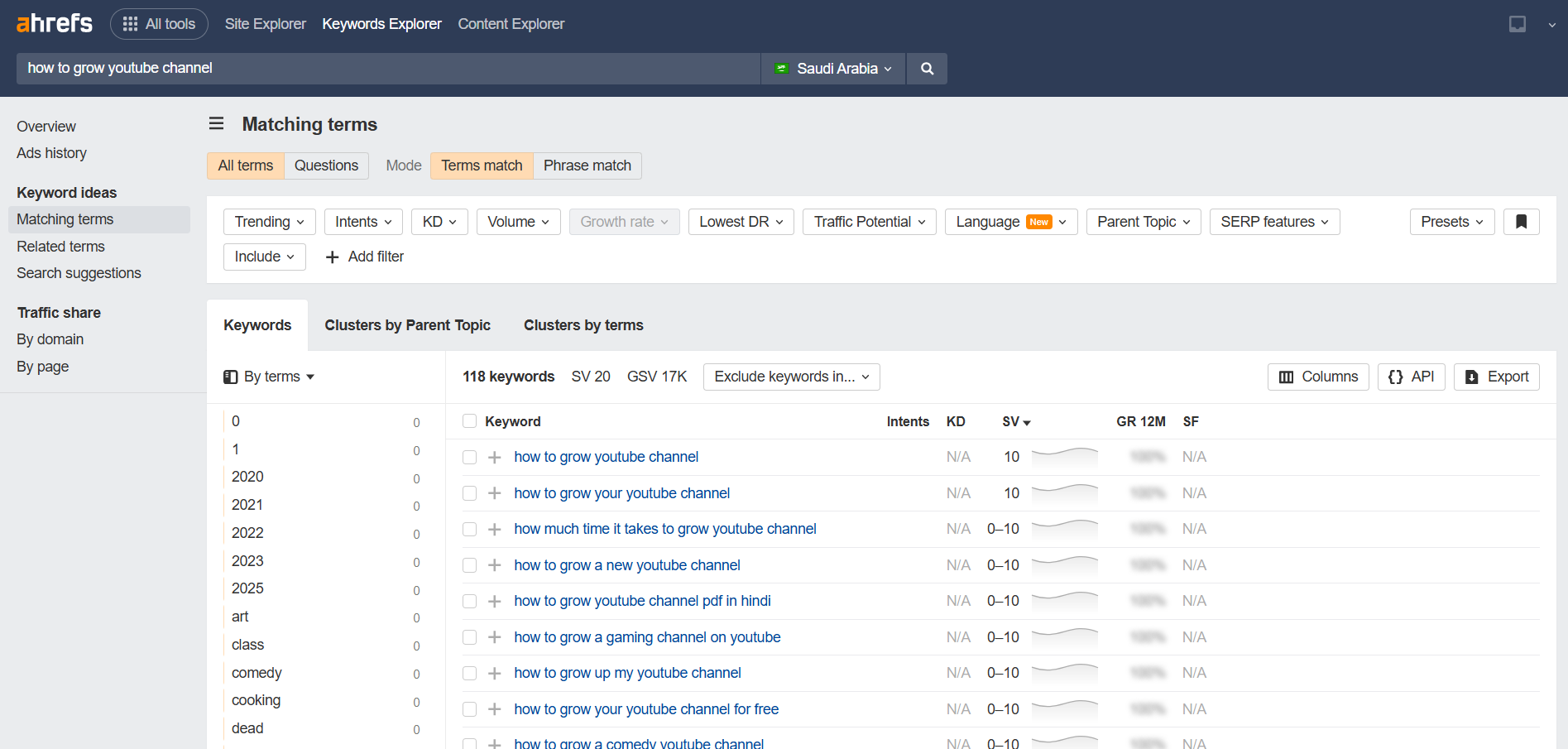
- Related terms: Finds keywords that are semantically related, helping you discover new angles for
your topic that competitors might miss.
Sort keywords by “Return Rate.” A high return rate means people search for this topic repeatedly (e.g., “morning
yoga”). These are perfect candidates for a video series to build loyal subscribers.
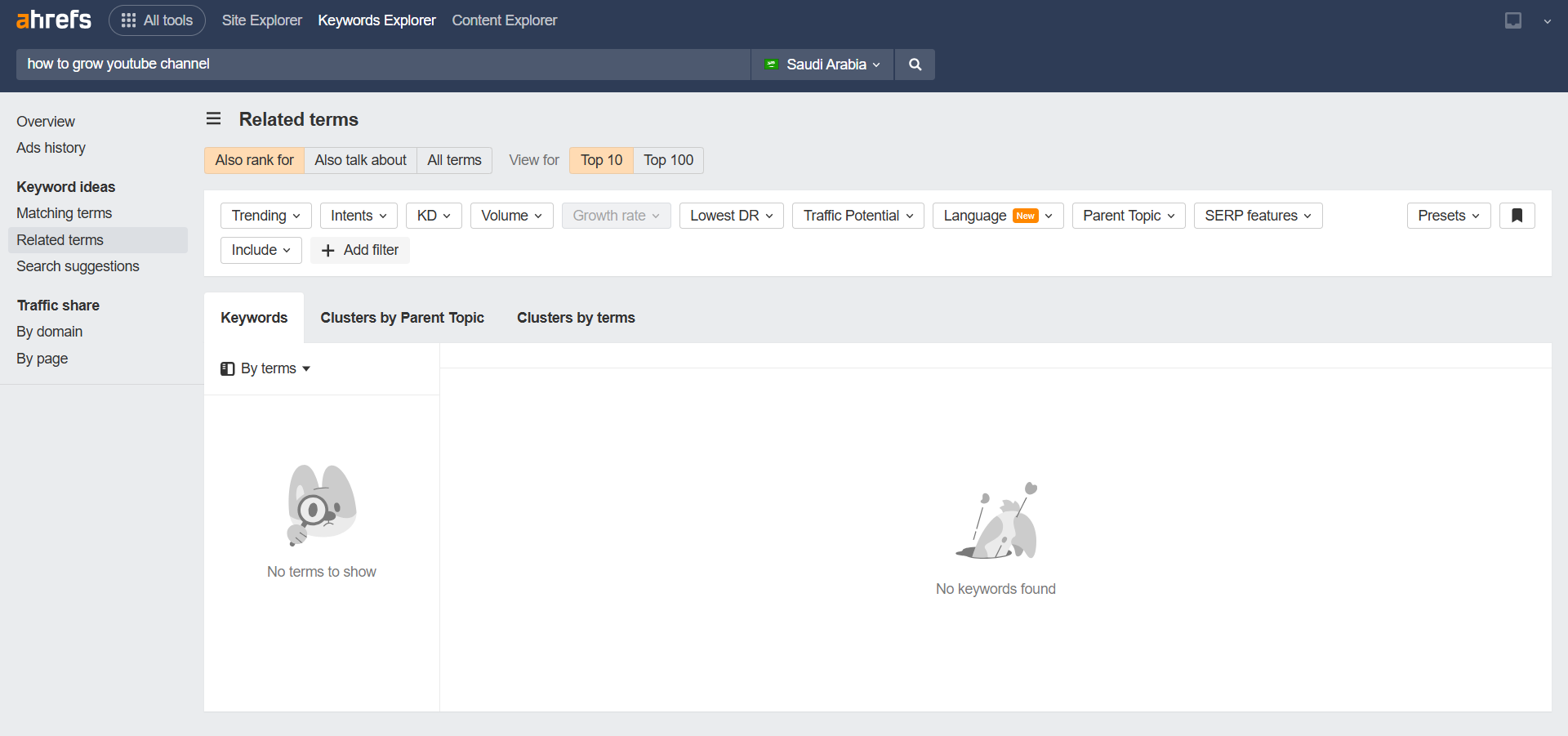
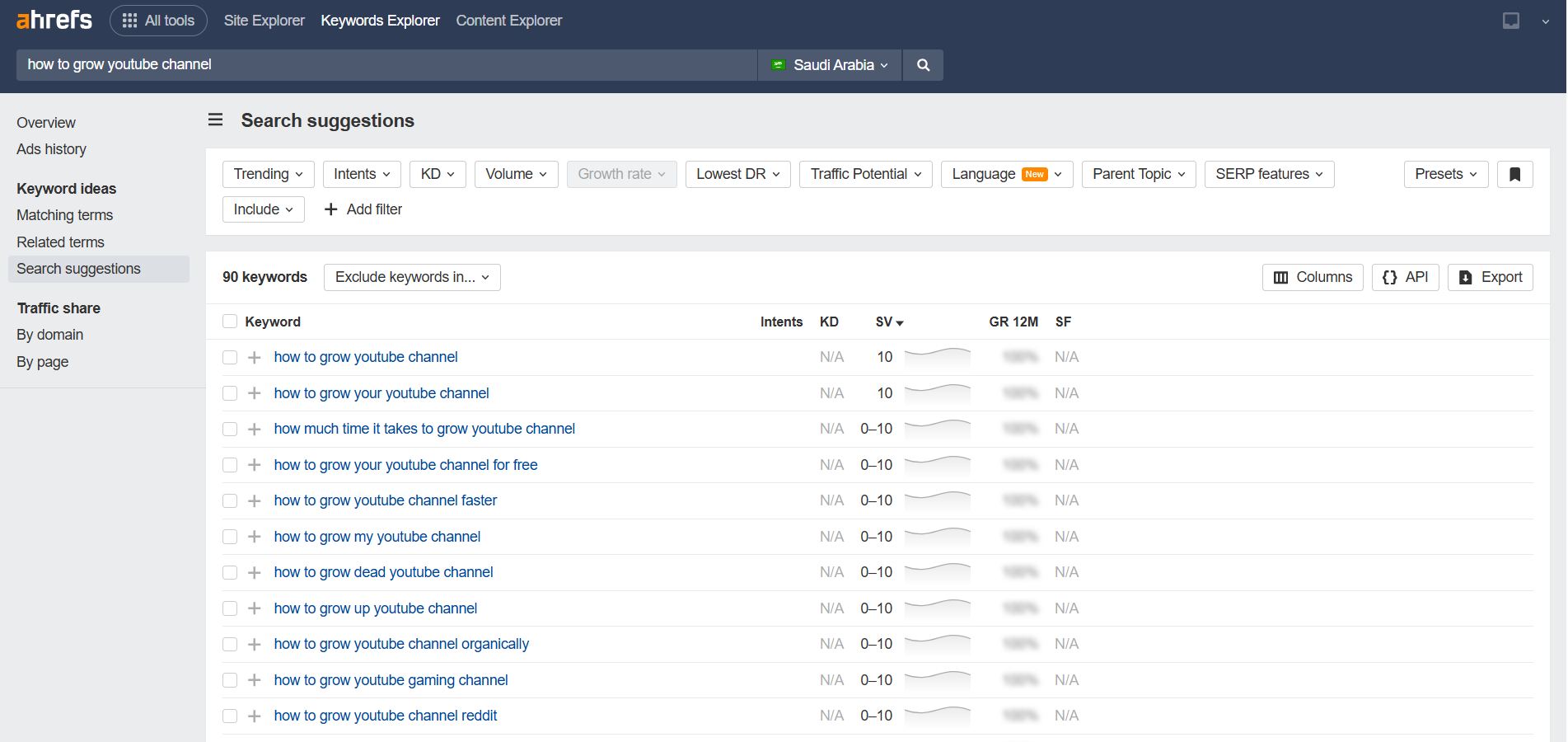
- Search suggestions: Pulls in the autocomplete suggestions directly from YouTube search, showing
you exactly what users are actively looking for.
Step 3: Filter for Long-Tail Opportunities
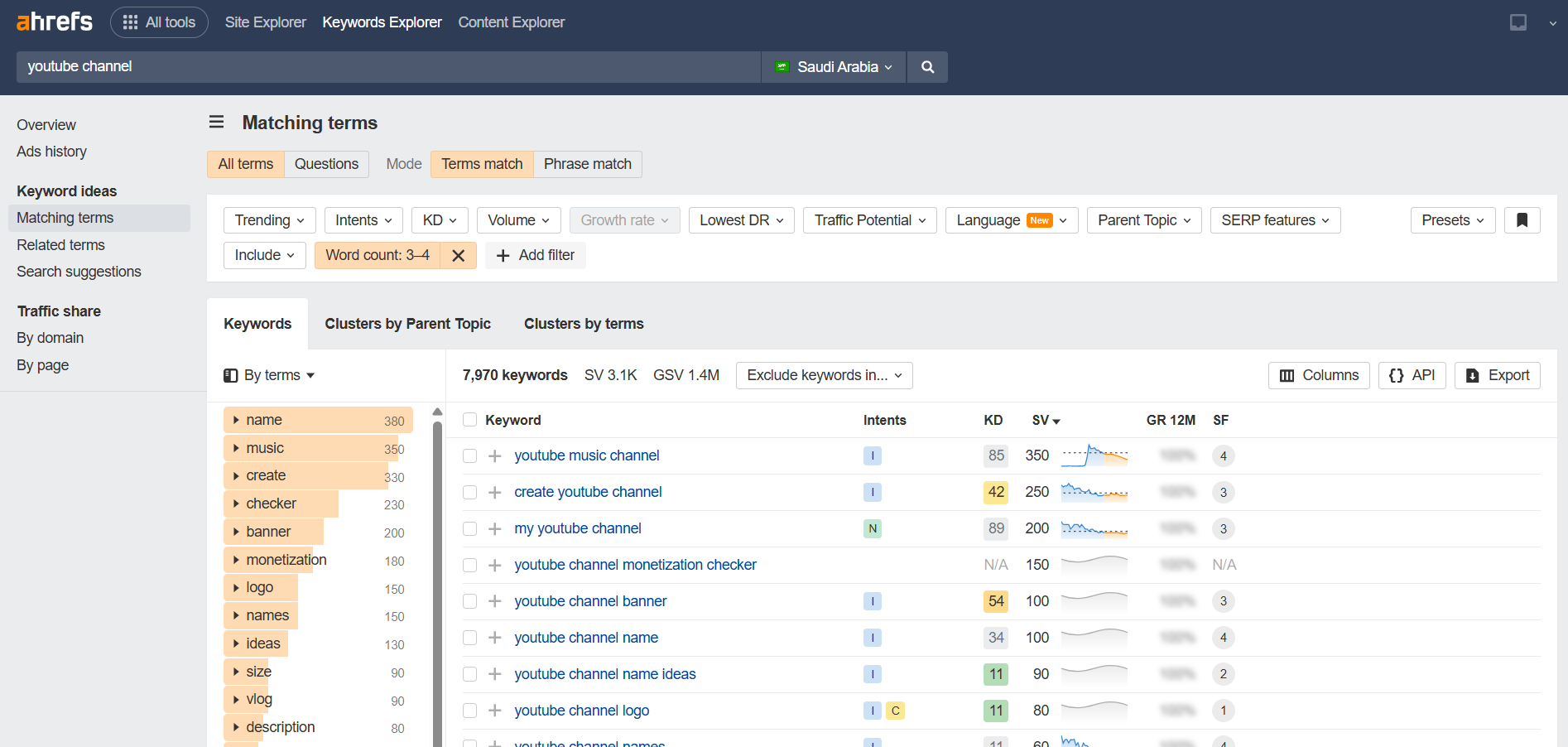
Once you have a large list of keywords, you can use Ahrefs’ powerful filters to zero in on the best opportunities.
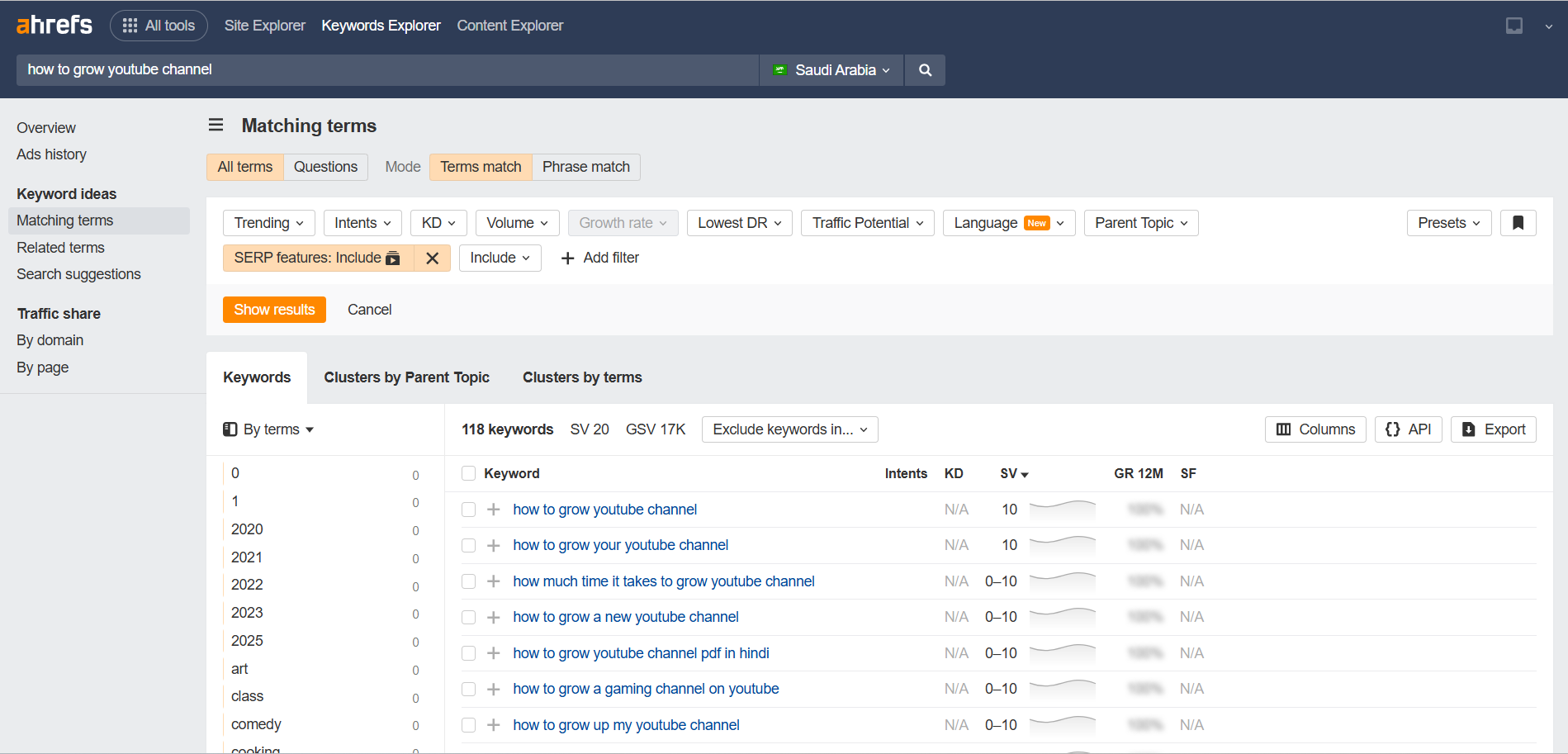
You can filter by Word count to find long-tail keywords (which are typically less competitive) or by
SERP features to find keywords that trigger a video result on Google, giving you a chance to rank in
two places at once.
The Downside (A Critical 2026 Update): As of early 2026, Ahrefs’ YouTube tool has been experiencing
significant maintenance downtime, making some features unreliable. Furthermore, Ahrefs closed its affiliate
program in 2019, so while it’s a powerful tool, I can’t offer a trial link for it.
The Verdict: For pure data analysts and large agencies, Ahrefs’ data is unparalleled (when it’s
working). However, for the average creator, its high price (starting at $129/month) and current instability make it a
tough sell.
SEMrush: The Ultimate Growth & Trends Powerhouse
While Ahrefs wins on raw data, SEMrush wins for actionable, growth-oriented features specifically for YouTube
creators. After 90 days of testing, SEMrush became my go-to tool for finding video topics that actually drive channel
growth.
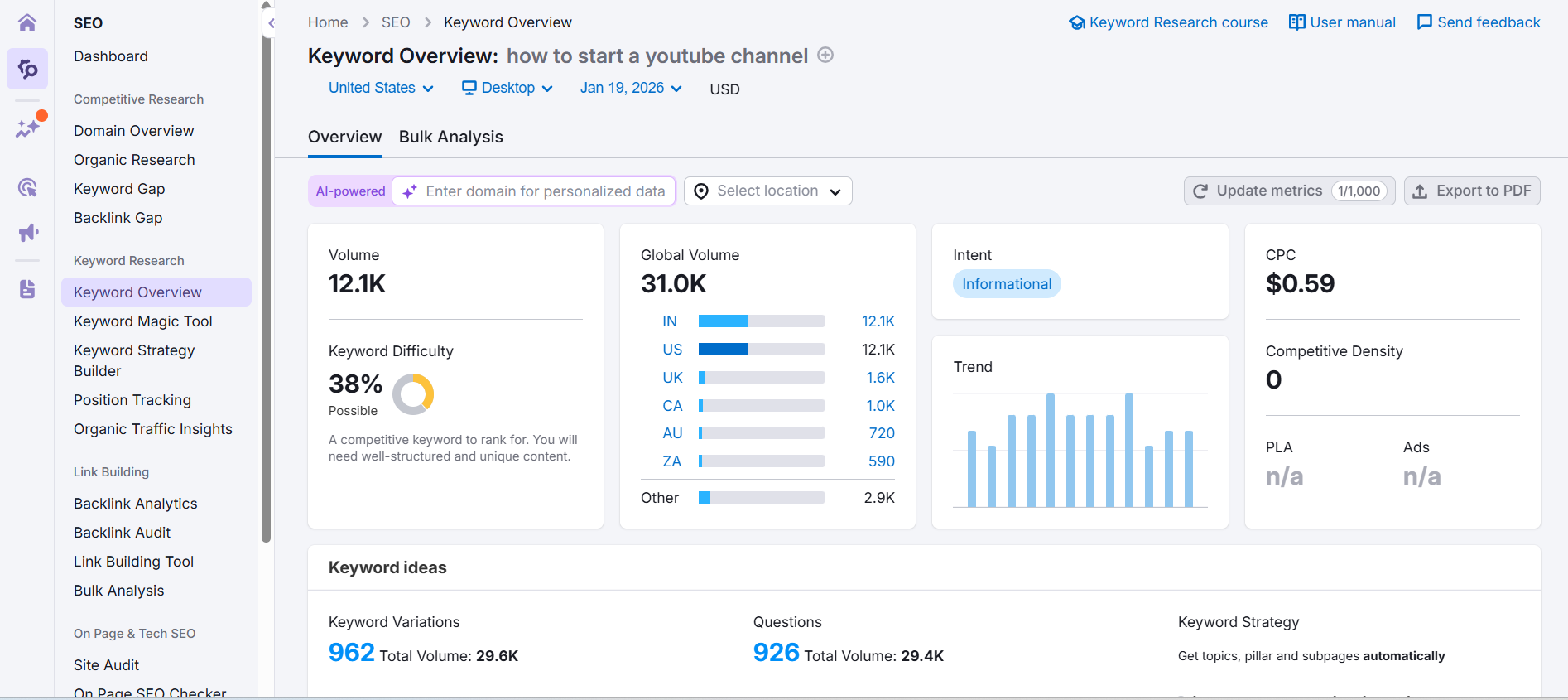
Step 1: Analyze Keywords with the Overview Tool
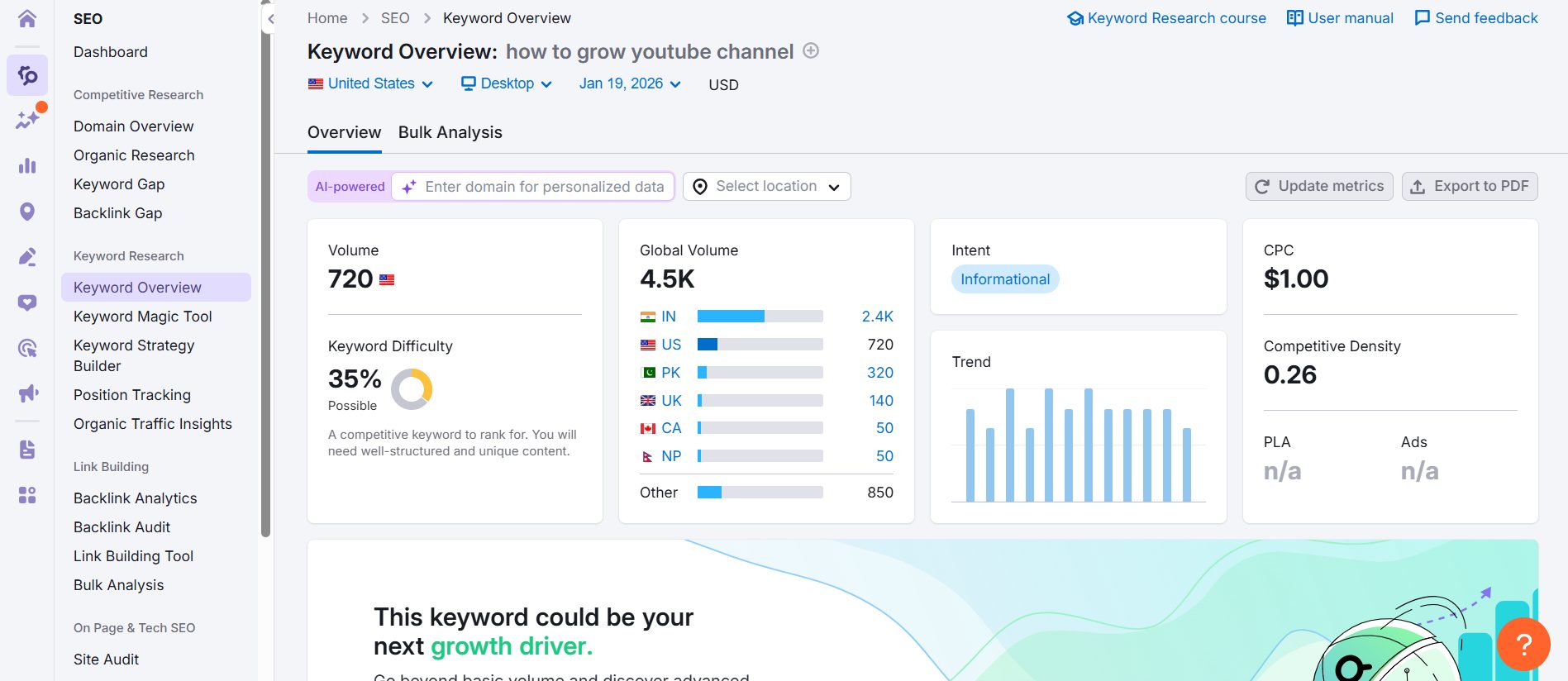
SEMrush’s main keyword overview tool gives you a solid starting point for any topic. You can see search volume,
difficulty, and related keyword ideas. It’s a great way to get a quick pulse on a topic’s potential before diving
deeper.
Step 2: Find Trending Topics with the Dedicated YouTube App
This is where SEMrush really shines for creators. Inside the App Center, there’s a completely free Keyword
Analytics for YouTube app. Its “Fast-Growing Keywords” tab is my secret weapon—it shows you keywords that
are trending upwards *right now*, allowing you to catch trends before they peak. This feature alone is worth the price
of admission.
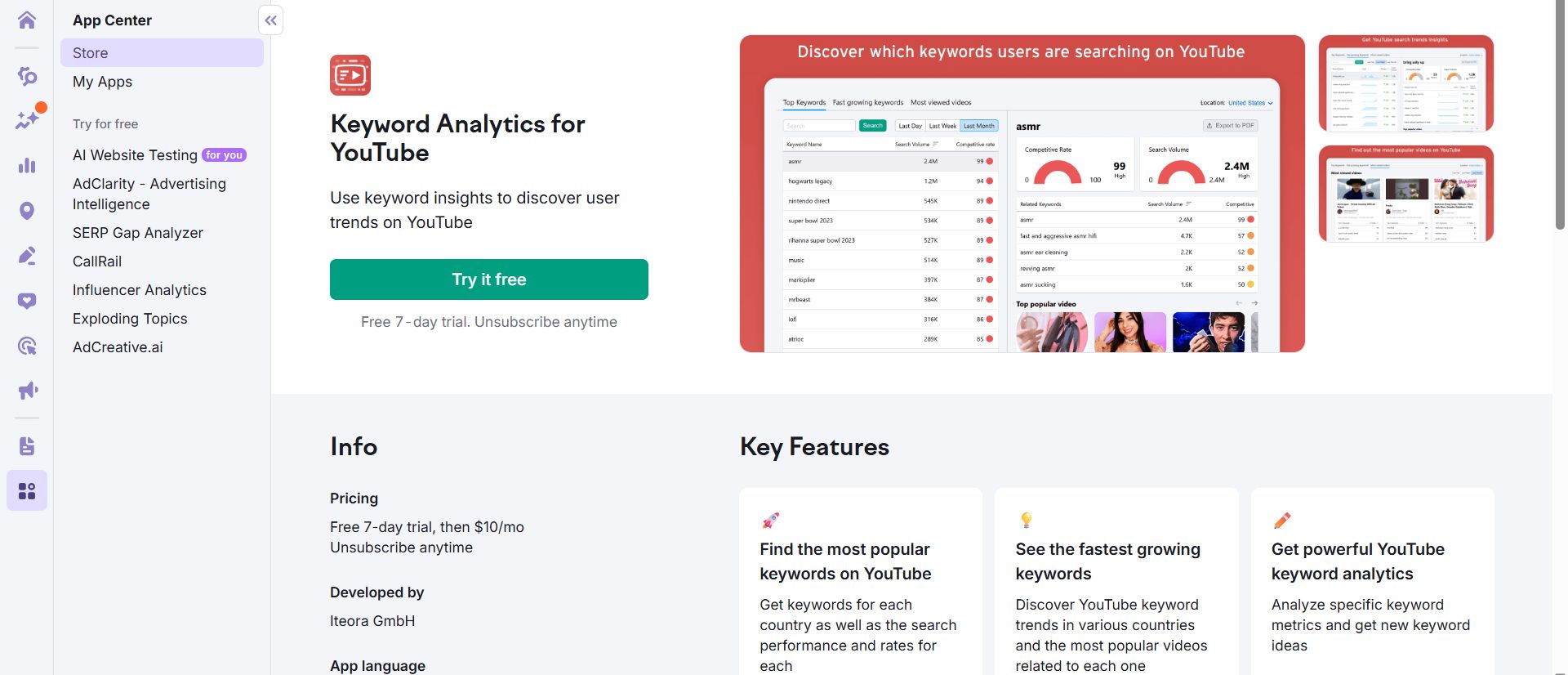
In the “Fast-Growing” tab, look for keywords tagged with “Content Gap.” These are topics that are trending UP but
have few quality videos. Create a video within 48 hours to ride the wave with minimal competition.
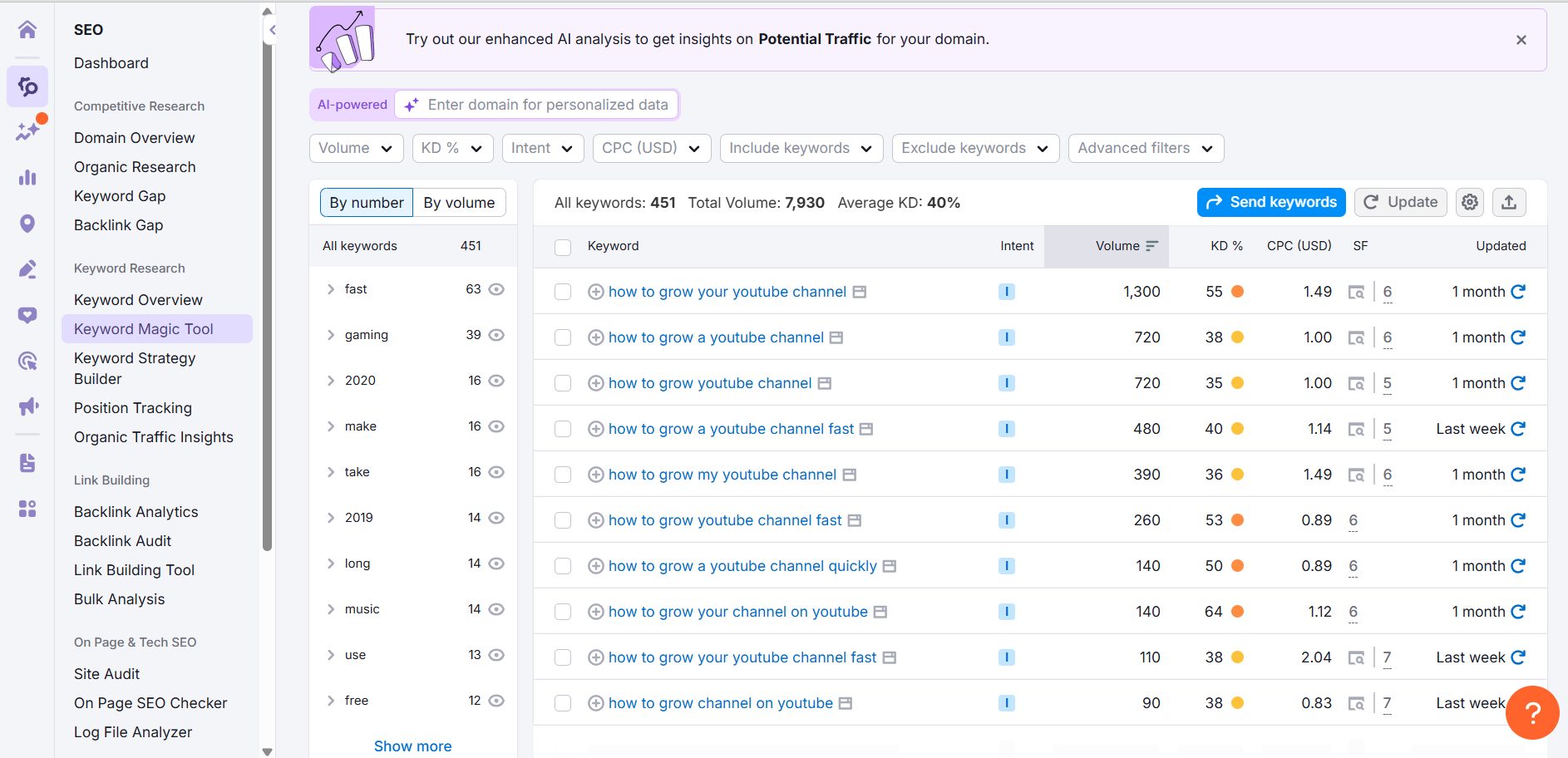
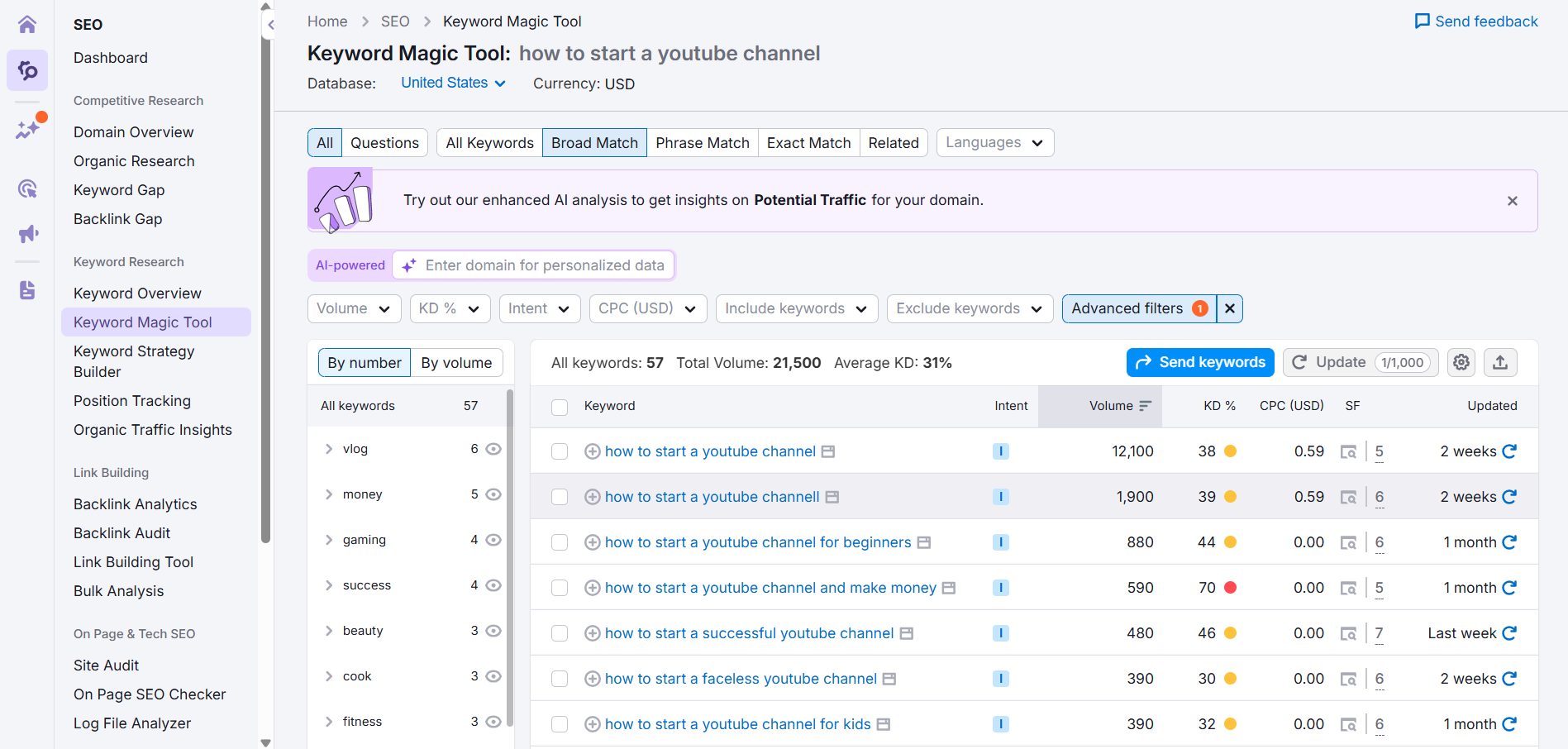
Step 3: Discover Dual-Ranking Opportunities
SEMrush’s Keyword Magic Tool has a powerful filter that lets you find keywords that trigger a “Video” SERP feature on
Google. This means you can create a single video that has the potential to rank on both YouTube and Google search,
effectively doubling your traffic potential. This is a strategy I use constantly to grow my channels.
Step 4: Reverse Engineer Competitor Traffic
SEMrush’s “Most Viewed Videos” tab shows you something no other tool does: the traffic percentage per
keyword for specific videos. You can see exactly which keyword is driving 60%+ of a competitor’s views,
then create a better video targeting that specific term.
Step 5: The “Golden Ratio” for Small Channels
Stop wasting time on impossible keywords. Use SEMrush’s Competitive Rate metric. Verified data shows
that for channels under 100k subs, the sweet spot is a Competitive Rate of <70 combined with
search volume between 1k-10k. This is your “green zone” for ranking.
The Verdict: For most YouTube creators focused on growth, SEMrush is the clear winner in 2026. It
provides the most actionable insights for finding trending, low-competition keywords. Note: While the Keyword
Analytics app is free, tracking your video rankings over time requires the Rank Tracker add-on ($19/mo).
VidIQ: The All-in-One YouTube Growth Companion
VidIQ is more than just a keyword research tool; it’s a
complete YouTube growth suite that lives in your browser. It’s designed for creators who want one tool to handle
everything from idea generation to competitor
analysis. Let’s walk through how you can use it step-by-step.
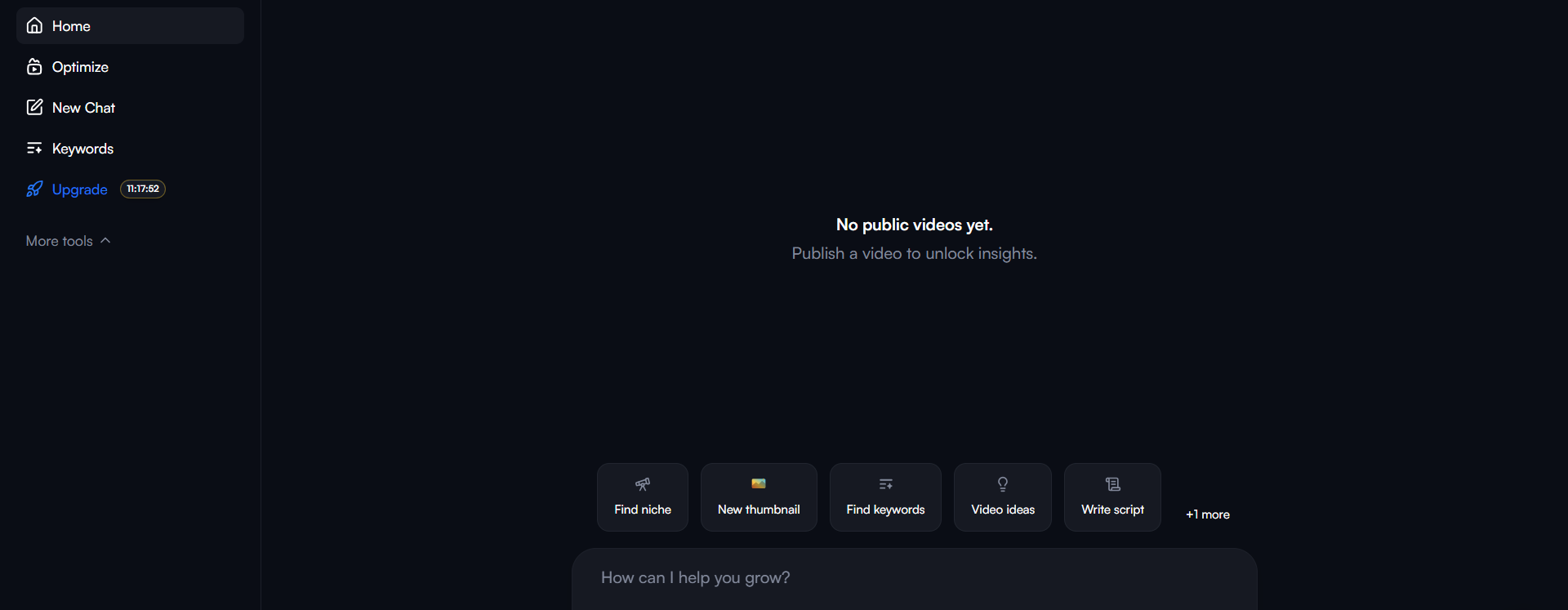
Step 1: Finding Keyword Ideas
Once you have the VidIQ extension installed, the keyword research tool is easily accessible. When you search for a
term on YouTube, VidIQ’s sidebar immediately gives you a keyword score, which balances search volume against
competition. It’s a great way to get a quick read on a topic’s potential.
Step 2: Deep Dive into Keyword Analytics
From the sidebar, you can dive deeper into the keyword analytics. VidIQ provides a wealth of data, including related
keywords, trending videos, and historical search volume. This helps you understand the broader context of your chosen
keyword.
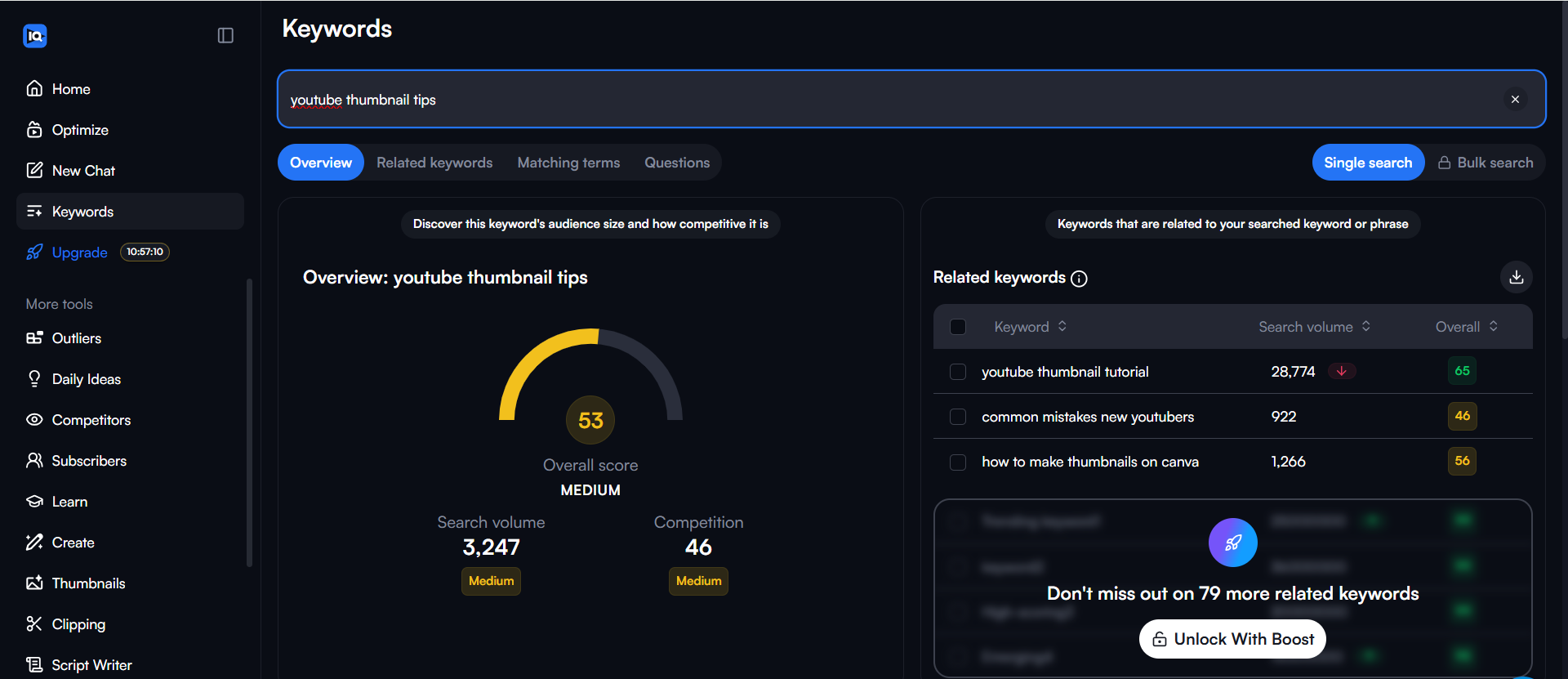
The “Related Keywords” tab is a goldmine for finding long-tail variations and new content ideas that you might not
have thought of.
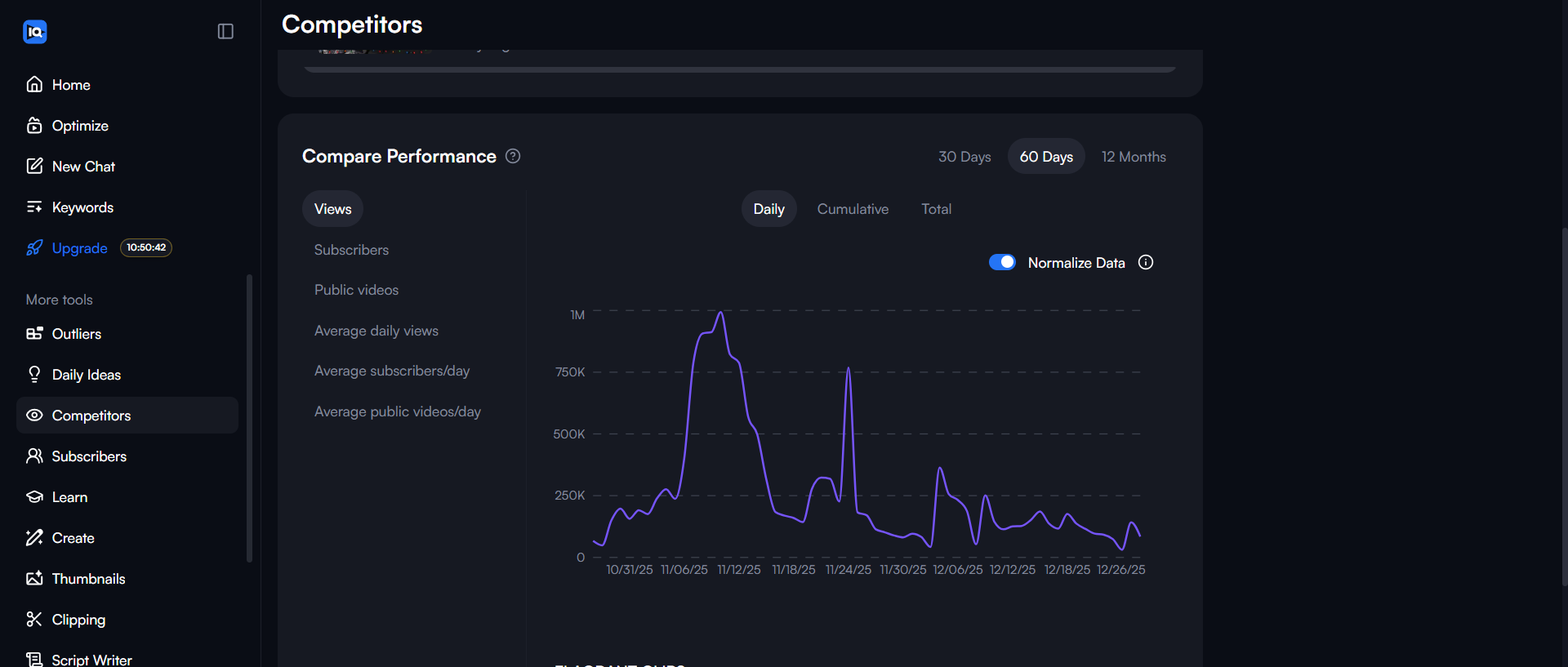
Step 3: Refining Your Search with Filters
To find the best opportunities, especially for smaller channels, you can use VidIQ’s powerful filters. You can filter
by search volume, competition, and other metrics to zero in on keywords that you have a realistic chance of ranking
for.
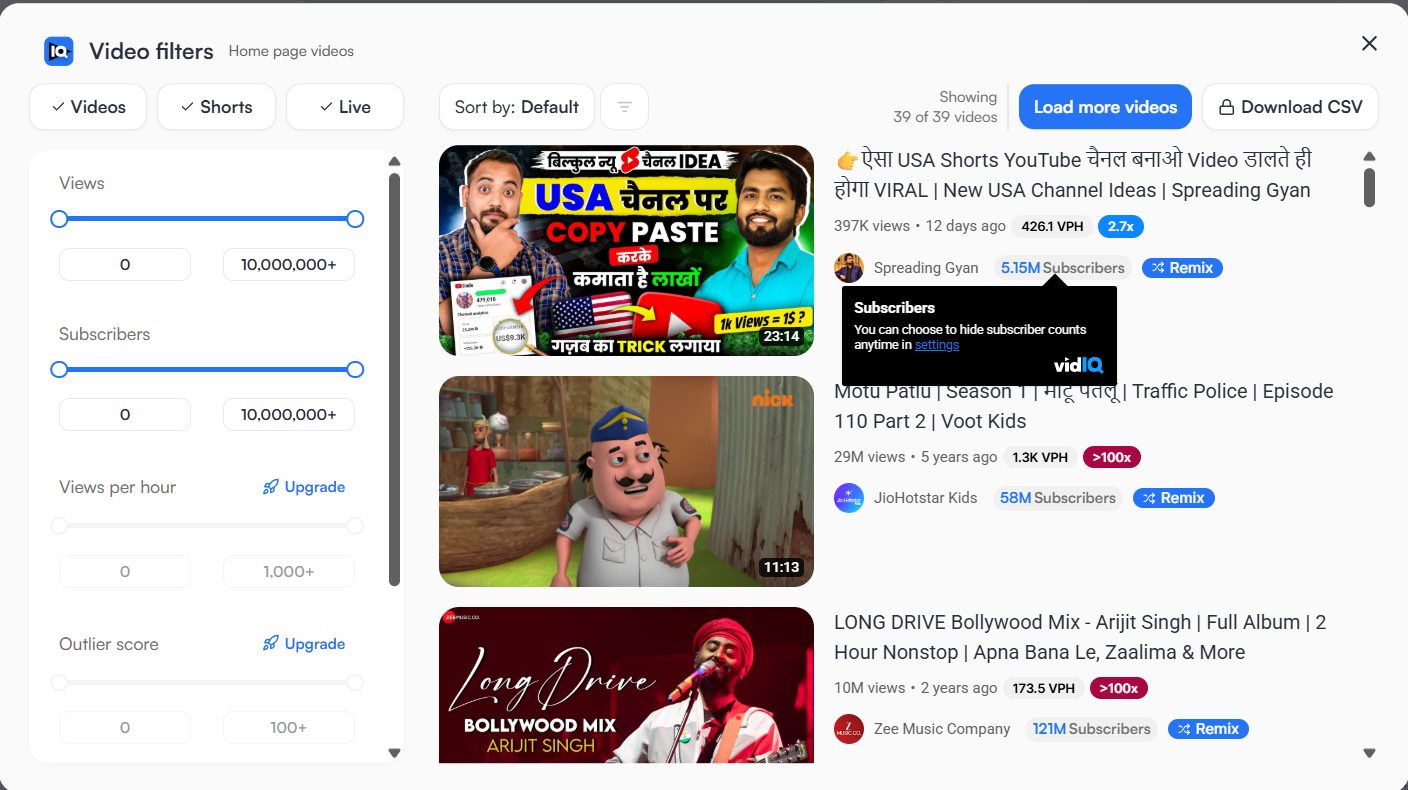
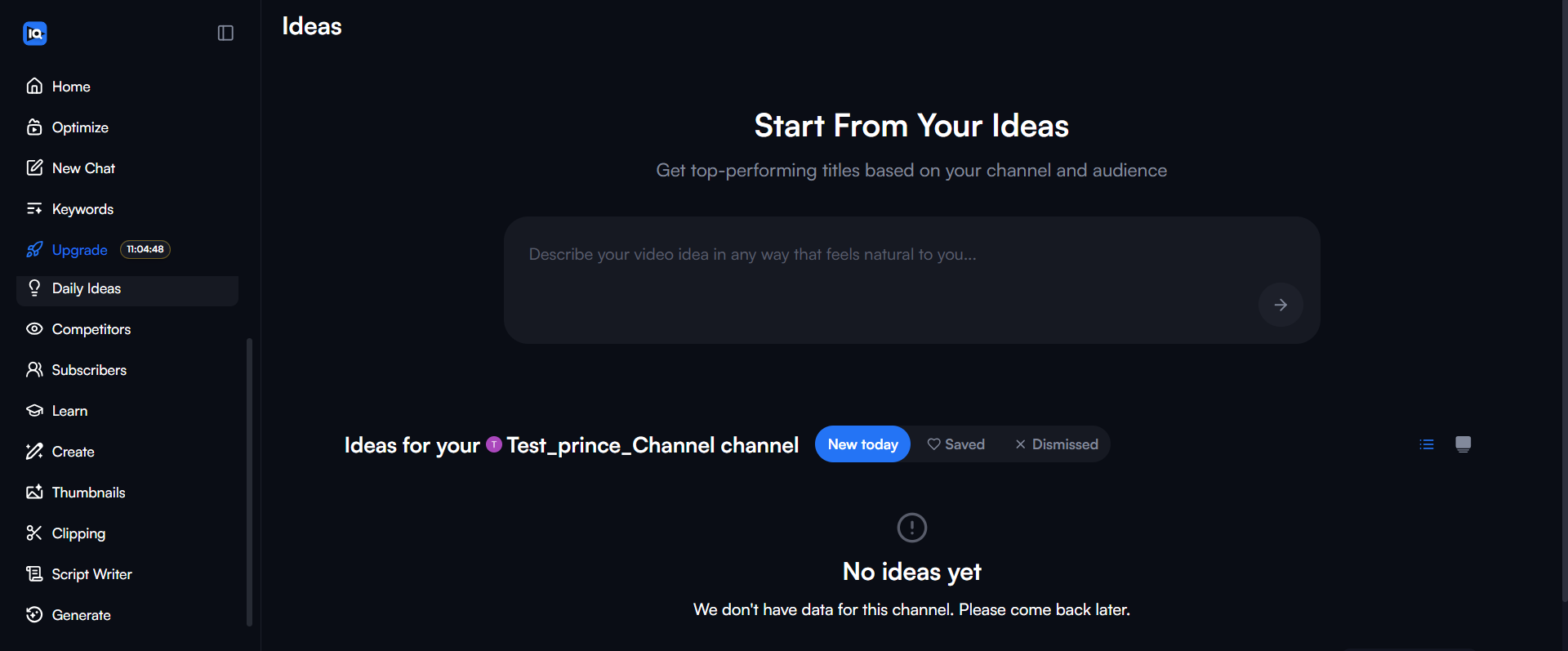
Step 4: Getting AI-Powered Daily Ideas
One of VidIQ’s standout features is “Daily Ideas.” The AI suggests new video topics tailored to your channel every
single day, complete with view predictions. This is perfect for when you’re stuck in a content rut.
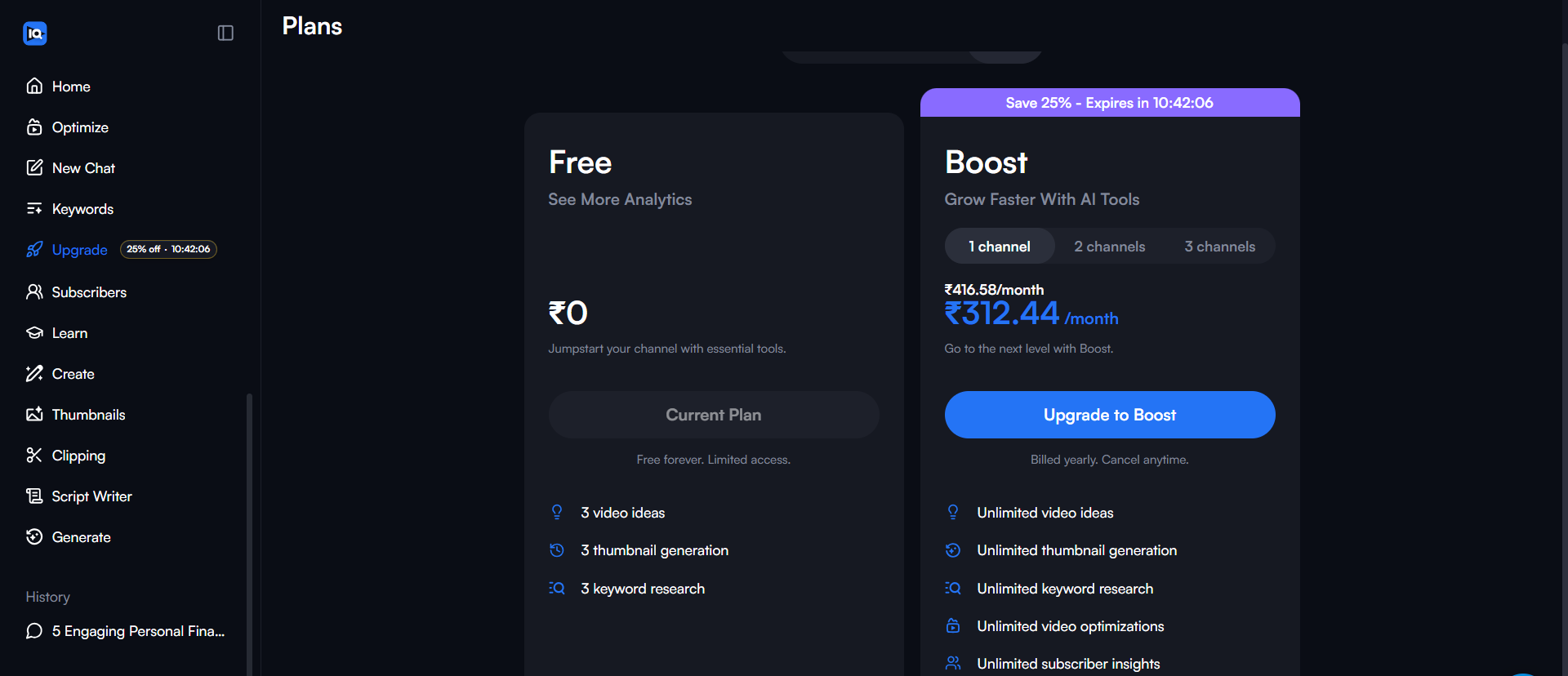
Step 5: Choosing a Plan
While the free version is useful, the paid plans unlock the most powerful features, like historical data, trend
alerts, and extensive keyword research capabilities.
The Verdict: VidIQ is perfect for the creator who wants an all-in-one solution that’s easy to use
and deeply integrated with YouTube. If you value convenience and a constant stream of ideas, VidIQ is an excellent
choice.
TubeBuddy: The Creator’s Best Friend for Productivity
TubeBuddy is VidIQ’s main competitor and another
fantastic browser extension built for YouTube creators. While it offers similar keyword research features, TubeBuddy’s
real strength is in its productivity and channel management tools.
Think of TubeBuddy as your YouTube assistant. It excels at helping you save time with features like:
- Bulk Processing: Update cards, end screens, or descriptions across hundreds of videos at once.
This is a massive time-saver for established channels. - A/B Testing: TubeBuddy’s standout feature is the ability to A/B test your thumbnails, titles, and
descriptions to see what gets more clicks. This is invaluable for optimizing your click-through rate (CTR). - SEO Studio: A guided workflow that walks you through optimizing your video’s metadata to rank
higher in search. - Keyword Explorer: A solid keyword tool that provides scores, related searches, and competitor analysis directly within YouTube.
The Verdict: If you’re a creator focused on optimizing your workflow and using data to improve your
existing videos (especially through A/B testing), TubeBuddy is an incredibly powerful tool. It’s less about
discovering brand new trends and more about maximizing the performance of the content you create.
Head-to-Head: Which YouTube Keyword Tool is Best in 2026?
So, which of these powerful tools should you choose? It depends entirely on your goals as a creator.
| Feature | Ahrefs | SEMrush | Winner |
|---|---|---|---|
| Data Accuracy | Clickstream (High) | Licensed (Good) | Ahrefs |
| Trend Spotting | Basic | Fast-Growing Tab | SEMrush |
| Unique Metrics | Clicks & Return Rate | Traffic % & Content Gap | Tie |
| Stability (2026) | Maintenance Issues | Stable | SEMrush |
After extensive testing, my conclusion is this: Ahrefs has the best data, SEMrush is best for finding new
growth opportunities, and VidIQ/TubeBuddy are best for daily channel management and optimization.
- For Pure Data Accuracy: Ahrefs is the winner, thanks to its clickstream data. No other tool is as
precise. - For Finding Trending Topics: SEMrush wins by a landslide with its “Fast-Growing Keywords”
feature. It’s the best tool for trend-spotting. - For All-in-One Convenience: VidIQ is the champion. Its combination of daily ideas, competitor
tracking, and keyword research is perfect for the busy creator. - For Optimizing and Productivity: TubeBuddy takes the crown with its powerful A/B testing and bulk
processing tools.
How to Choose the Right YouTube Keyword Tool for You
There’s no single “best” tool for everyone. Your choice depends on your budget, goals, and workflow.
For Beginners on a Budget
Start with Google Trends and the free versions of VidIQ or TubeBuddy. This
combination is powerful enough to validate ideas and understand search interest without costing you a penny.
For Growth-Focused Creators (My Top Recommendation)
SEMrush is the clear choice. The ability to find fast-growing, underserved keywords is a
game-changer for channel growth. The fact that its core YouTube Keyword Analytics app is free to access makes it a
no-brainer to start with. It’s the tool I personally use to find topics that have the highest potential to go viral.
For Data-Driven Agencies and SEO Professionals
If you need the absolute most accurate historical data for client reports, Ahrefs is the industry
standard. Just be aware of the recent maintenance issues and the higher price tag.
For All-in-One Simplicity and Daily Management
If you want one tool to handle keyword research, competitor tracking, and daily channel audits, a paid plan from
VidIQ or
TubeBuddy is an excellent, YouTube-native solution. Choose VidIQ for idea generation and competitor insights, or choose TubeBuddy for A/B
testing and productivity.
Frequently Asked Questions About YouTube Keyword Research
What is the most accurate YouTube keyword tool?
Based on our testing, Ahrefs provides the most accurate search volume data because it uses
clickstream data from real users. However, SEMrush is often more actionable for finding trending
topics.
Is VidIQ or TubeBuddy better for keyword research?
For keyword research specifically, VidIQ generally offers better idea generation and competitor insights.
TubeBuddy is excellent, but its strength lies more in A/B testing and bulk processing tools.
Can I do YouTube keyword research for free?
Yes. You can use Google Trends (filtered for YouTube search) to spot trending topics. The free
browser extensions from VidIQ and TubeBuddy also provide basic keyword scores and
competition data directly on YouTube.
Does Google Keyword Planner work for YouTube?
Not effectively. Google Keyword Planner shows data for Google Search, not YouTube. User intent is different on
YouTube (entertainment/education) vs. Google (answers/transactions), so the search volumes often don’t match.
How often should I do keyword research?
You should do basic research before filming every video to validate your idea. For broader channel strategy and
finding new content pillars, we recommend a deep dive using a tool like SEMrush or
Ahrefs once a month.
Final Thoughts: Stop Guessing, Start Researching
Investing in a proper keyword research tool was one of the best decisions I ever made for my channel. It shifted my
strategy from “making videos I *think* people want” to “making videos I *know* people are searching for.”
While free tools are a great starting point, the competitive advantage you gain from a paid tool is undeniable.
Finding just one breakout video topic can pay for a year’s subscription and completely change your channel’s
trajectory.
Ready to find untapped keywords and grow your channel? Based on my testing for finding new growth opportunities, I
highly recommend you start with a free trial of
SEMrush. Explore the Keyword Analytics for YouTube app and see the difference for yourself. It’s the
smartest investment you can make in your YouTube journey in 2026.
“`