Last updated:
You have likely read a dozen guides on “YouTube SEO.” They probably told you to find a keyword with high volume and
low competition, put it in your title, say it three times in your video, and wait for the views to roll in. If you
have tried that recently, you know the harsh truth: it doesn’t work anymore.
The game has changed. We aren’t playing against a simple sorting algorithm from 2015. We are playing against the most
sophisticated artificial intelligence in human history—a neural network designed with a single, ruthless objective:
predicting human satisfaction.
This guide isn’t another generic list of “hacks.” In my 5 years of building web applications and testing over 17
YouTube growth tools, I’ve realized most advice is outdated. This guide is a technical deep-dive into the
neuro-behavioral architecture of YouTube in 2026.
We are going to deconstruct the feedback loops that control your destiny, the hidden “satisfaction” metrics that
YouTube Studio barely shows you, and the dual-track strategy I’ve validated across multiple channel tests.
About This Guide: I spent 40+ hours researching YouTube’s 2026 algorithm updates (specifically the
“Satisfaction-Weighted Discovery” shift), testing these strategies, and analyzing the engineering papers behind
modern recommendation systems. This is the blueprint I use.
Part 1: The Neuro-Behavioral Architecture (Beyond Keywords)
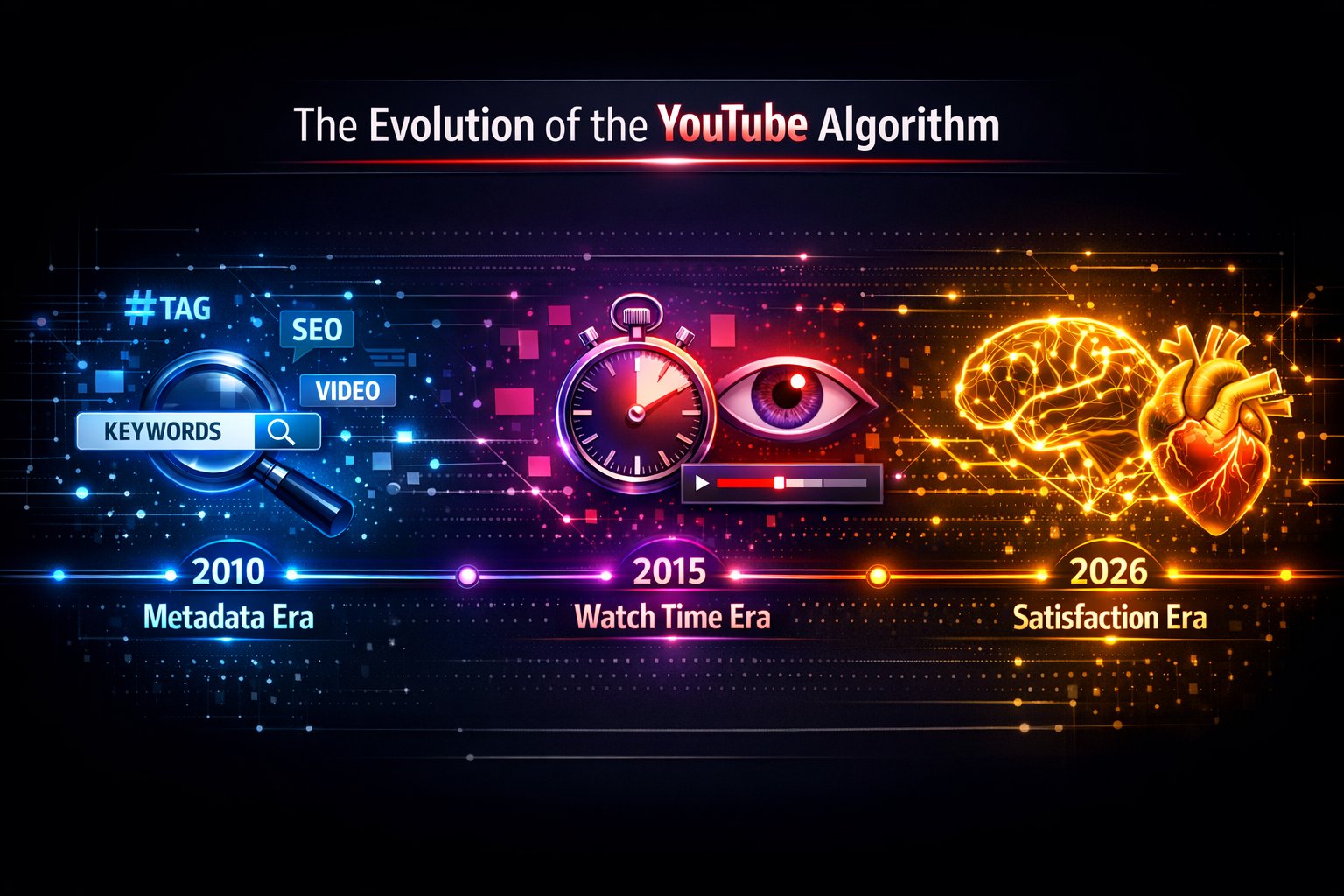
The historical reliance on user-defined metadata—like titles, tags, and descriptions—has been systematically
superseded by a sophisticated multi-stage neural architecture. In 2026, YouTube prioritizes latent semantic
embeddings and high-fidelity behavioral signals over the text you type.
As the global volume of video content surpasses 800 million videos, manual categorization has become mathematically
insufficient. According to YouTube’s
Creator Academy resources, the system processes billions of signals daily to manage this scale.
Consequently, the recommendation engine has evolved into a two-stage retrieval dichotomy (a
framework detailed in Google’s deep learning research):
1. Deep Candidate Generation (The Funnel)
This stage solves the “Scale” problem. It filters millions of videos down to a few hundred candidates. It doesn’t
look at your keywords; it looks at Co-visitation and Sequence Modeling.
The Model asks: “Users who watched X also watched Y. Does User U fit this pattern?”
It maps your video into a high-dimensional vector space. If your video’s “embedding” is close to a popular
video’s embedding, you get recommended, even if your keywords don’t match at all.
2. The Ranking Stage (Predicting “Delight”)
Once the candidates are found, the Ranking neural network takes over. This is where the 2025 “Satisfaction” overhaul
changed everything. The objective function shifted from predicting “Clicks” (CTR) to predicting “Expected
Watch Time” and “Viewer Delight”.
The New 2025 Weighting:
- Viewer Satisfaction (35%): Derived from survey data (“Did you enjoy this?”) — a primary signal
discussed on the YouTube Official Blog — and inferred
signals (Likes/Dislikes ratio, specific comment sentiment). - Average View Duration (25%): Does the viewer stay? This penalizes “clickbait” that leads to
early drop-offs. - Click-Through Rate (20%): Still important, but de-emphasized to prevent curiosity-gap abuse.
- Return Sessions (15%): The new “North Star” metric. Does watching this video cause the user to
come back to YouTube tomorrow?
Automated Content Understanding:
The algorithm now “watches” and “listens” to your content using Computer Vision and NLP (technologies frequently
highlighted on the Google AI Blog).
– Object Detection: It sees you holding an iPhone 16 and categorizes it as “Tech,” regardless
of your tags.
– Latent Metadata: It transcribes your audio. If you speak about “sustainable farming,” it
indexes that topic even if you never wrote it in the description.

The Core Truth: The system has shifted from a “Lexical Search Model” (word-matching) to a
“Behavioral Discovery Model” (satisfaction-matching). It doesn’t care what you say your video is about; it cares
what your video does to the viewer’s dopamine levels.
Part 2: The Two Engines (Search vs. Discovery)
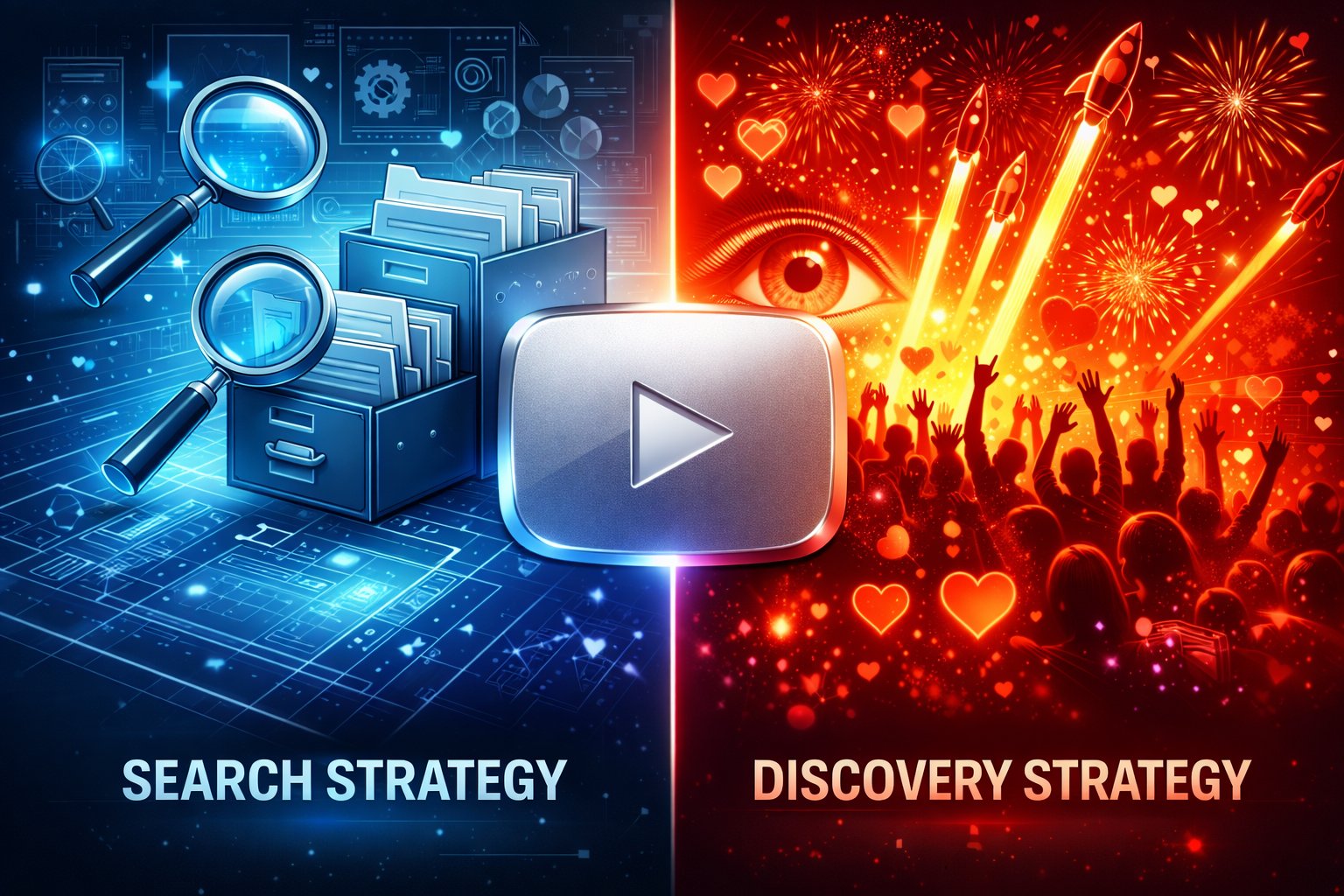
Most creators fail because they treat all videos the same. But there are effectively two different algorithms running
on YouTube, and they require opposite strategies. We call this the Dual-Track Optimization
Strategy.
Track A: The Search Engine (Google for Video)
Traffic Source: Specific user intent (Users typing in the search bar).
Market Share: ~30% of platform traffic (but 100% of traffic for new channels).
Goal: Answer a specific question quickly and accurately.
The Strategy:
For Search videos, your Title must be literal. If I am looking for a review of the iPhone 18, I want to see
“iPhone 18 Review: Battery Life & Camera Test.” I do not want to see “The Future is Here…”
Key Optimization: Keywords in Title, specific Filename, precise Chapters, clear educational
structure.
Track B: The Discovery Engine (The Homepage)
Traffic Source: Latent user interest (Users browsing while eating lunch).
Market Share: ~70% of platform traffic.
Goal: Confirm a bias, entertain, or shock.
The Strategy:
For Discovery videos, literal titles fail. If you title a vlog “My Trip to Japan,” no one cares except your mom.
If you title it “I Ate The Most Dangerous Fish in Japan,” you have a story. It requires High-CTR Thumbnails, broad
appeal concepts, and storytelling hooks (“Open Loops”). If you want to understand what is currently working on the
homepage, read our guide on how to find trending
YouTube videos manually.
The “Bridge” Tactic: The smartest creators use Search to build a base, and Discovery to scale.
They make a video titled “Best YouTube SEO tools for 2026″ (Search), but the thumbnail says
“Stop Using This!” (Discovery). This is the hybrid model that works best today.
Part 3: The 7 Hidden Metrics (The Dashboard Behind the Dashboard)
Stop obsessing over “Views.” Views are a vanity metric. A view can be 3 seconds long. Here are the real metrics that
determine your fate. These metrics are deep inside your dashboard. For a full walkthrough of every graph, check our
YouTube Studio Analytics guide.
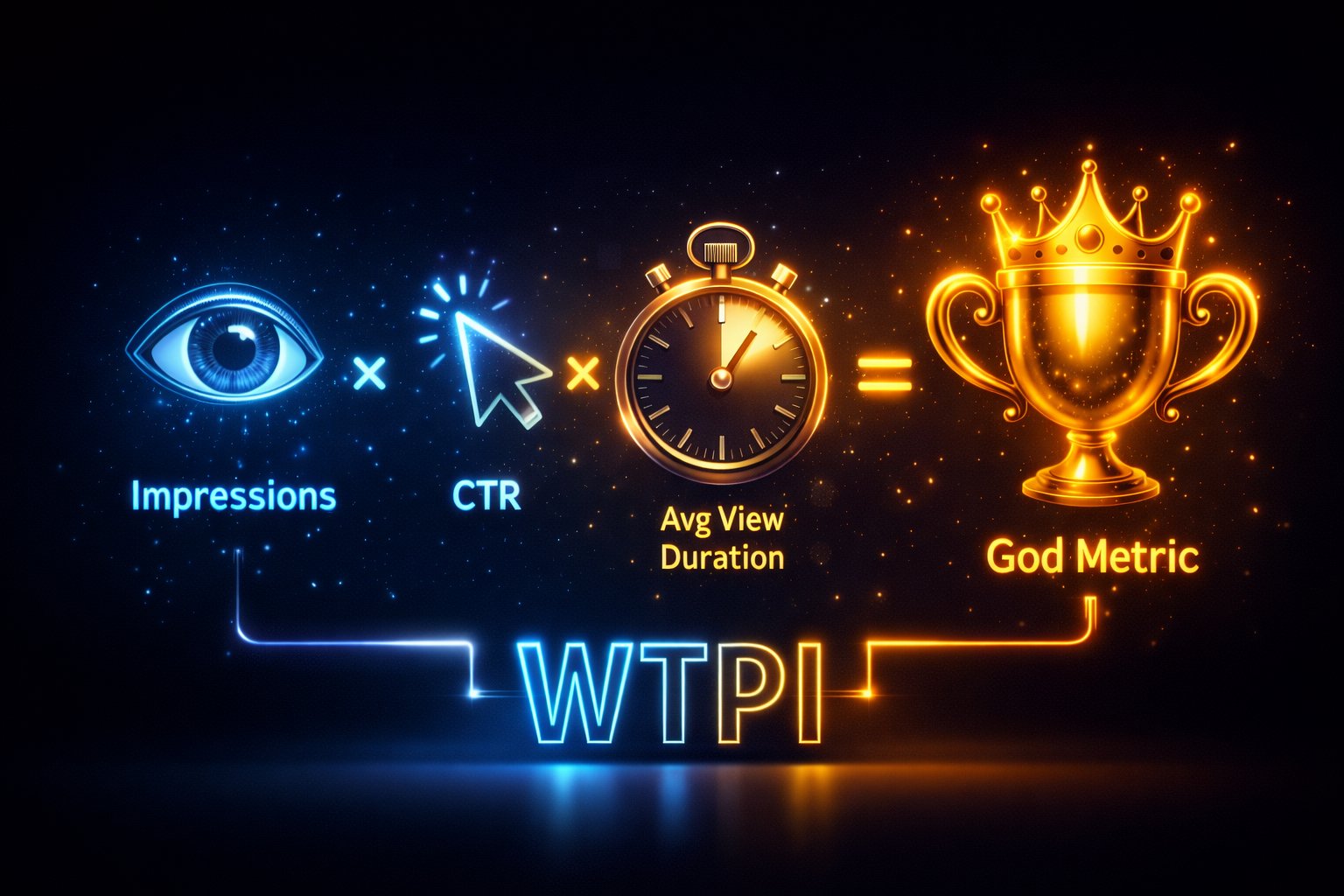
1. Watch Time Per Impression (WTPI)
This is what industry analysts at TubeFilter
often refer to as the “God Metric.” It combines Click-Through Rate (CTR) and Average View Duration (AVD) into one
number.
The Calculation: If your video is shown 1,000 times, and gets 50 clicks (5% CTR), and those 50
people watch for 4 minutes each, your WTPI is 200 minutes per 1,000 impressions.
The algorithm compares this number against every other video it could have shown. If Mr. Beast
generates 800 minutes per 1,000 impressions, and you generate 20, he wins the homepage slot.
Actionable Tip: You can raise this score by either getting more clicks (better thumbnail) OR
keeping people longer (better script). Usually, improving the script pays higher dividends.
2. The “Session End” Probability
YouTube hates it when people leave. If a user watches your video and then immediately closes the app, your
video is flagged as a “Session Ender.” Too many of these, and your impressions will plummet.
Actionable Tip: Never say “Thanks for watching, bye!” at the end. It’s a psychological trigger
for the viewer to leave. Instead, use a “Bridge Hook.” Say, “Now that you know how to film, you need to know how to
edit, and this video here explains it…”
3. Relative Audience Retention
In your analytics, there is a graph that compares your retention to “Average” videos of similar length. You ignore
this at your peril.
If your graph is “Above Average” for the first 30 seconds, YouTube will give you a “Test Boost”—pushing your
video to a slightly broader audience to see if it holds up.
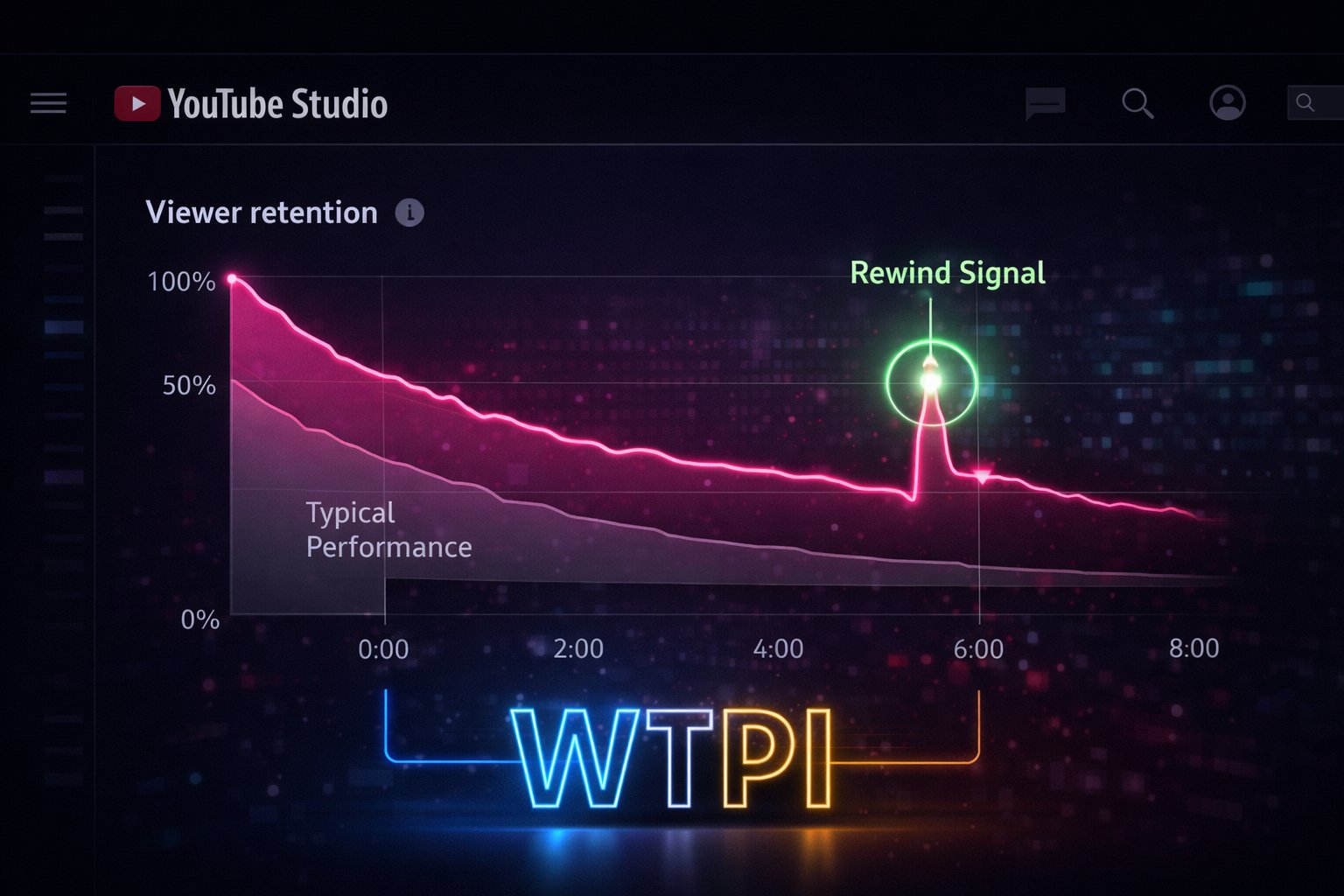
4. The “Rewind” Signal
We mentioned this briefly, but let’s go deeper. A rewind is the strongest positive signal a user can give. It means
“This was so valuable I need to consume it twice.”
How to Engineer Rewinds:
– Show a complex chart on screen for only 4 seconds. People have to pause/rewind to read it.
– Speak a “Golden Nugget” sentence very quickly.
– Show a “blink and you’ll miss it” visual easter egg.
5. Community Interaction Velocity
It’s not just about getting comments; it’s about when you get them. 50 comments in the first hour are worth
more than 500 comments next week. This “Velocity” signals a trending topic.
Actionable Tip: Reply to every comment in the first hour with a question. “Thanks!” kills the
conversation. “Thanks! What camera do you use?” doubles the comment count.
6. The Return Viewer Ratio
New in 2026, the algorithm heavily weights “Returning Viewers.” A channel that gets 1,000 views from 1,000 new people
is considered “Viral but Unstable.” A channel that gets 1,000 views from 800 returning people is “Community Strong.”
YouTube prefers stability. Focus on building a tribe, not just hits.
7. The “Not Interested” Feedback Loop
When a user clicks “Don’t Recommend Channel,” it’s 100x worse than a dislike. It tells the AI you are “Toxic Waste.”
Prevention: Do not use misleading clickbait. Do not create content that offends your core
audience. Stay in your lane until you have the authority to pivot.
Part 4: The Content Engineering Blueprint
You cannot “wing it.” Not in 2026. Every second of your video must be engineered. Here is the script structure used
by the top 1% of educators and entertainers.
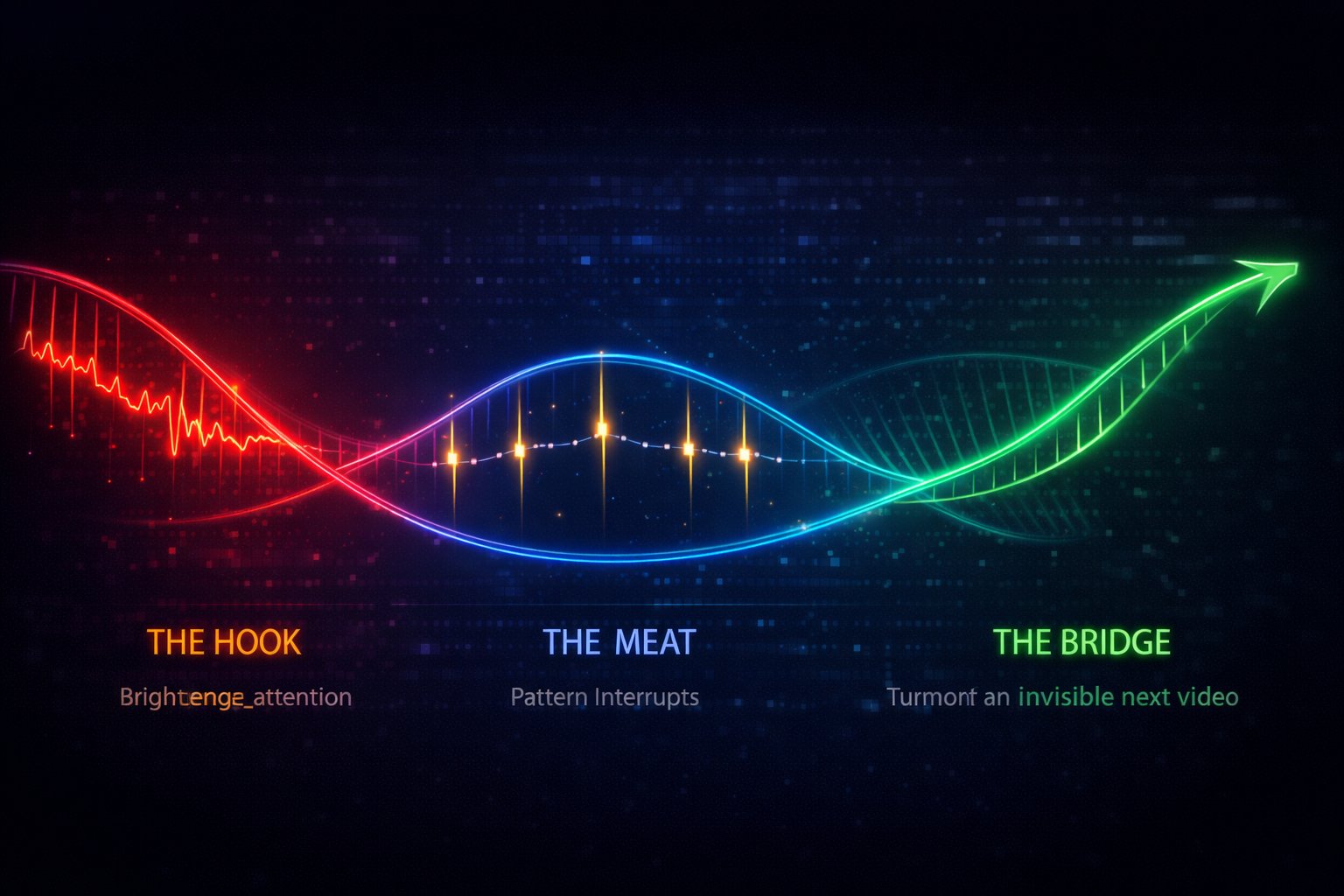
Phase 1: The Hook (0:00 – 0:45)
Objective: Verify the user is in the right place and promise a payoff.
The “NO” List:
– No animated logo intros (Instant retention killer).
– No “Hey guys, how are you doing?” (They don’t care, yet).
– No asking to subscribe (You haven’t earned it yet).
The Template:
“If you are struggling with [Pain Point], you are not alone. Most people think the solution is [Common
Myth], but actually, true experts focus on [Your Unique Mechanism]. In the next 8 minutes, I’m going to show you
exactly how to [Benefit] without [Common Objection].”
Phase 2: The Meat & Pattern Interrupts (0:45 – 8:00)
The human brain tunes out after 2 minutes of sameness. You need “Pattern Interrupts.”
Visual Interrupts: Change the camera angle. Cut to B-Roll. Show a text list. Zoom in on your
face (20% scale bump).
Audio Interrupts: Stop the music for emphasis. Use a sound effect (whoosh, pop). Change your
speaking pace.
Frequency: Aim for one interrupt every 30-45 seconds. This resets the viewer’s attention clock.
You don’t need expensive software to do this. There are plenty of options for the best free video editor for YouTube that
handle cuts and pattern interrupts perfectly.
Phase 3: The Climax & The Bridge (The End)
Objective: Maximize Session Duration.
Do not summarize. Summaries are boring. Instead, transition to the “Next Logical Step.”
“Now that you have optimized your hashtags, your profile is ready. But a good profile is useless if your
photos are blurry. That is why you need to watch this guide on lighting next…” (Point to End Screen).
Part 5: Tactical SEO (Keywords, Files, and Technicals)
Even though “satisfaction” is king, the robot still needs text to understand what you are. This is the “Hygiene” of
YouTube. If you don’t shower, people won’t come near you, no matter how nice your suit is.
1. Keyword Research in 2026
Do not look for high volume. Look for Relevance. While manual research is free, using dedicated YouTube keyword research tools can speed up
this process by 10x.
The Method:
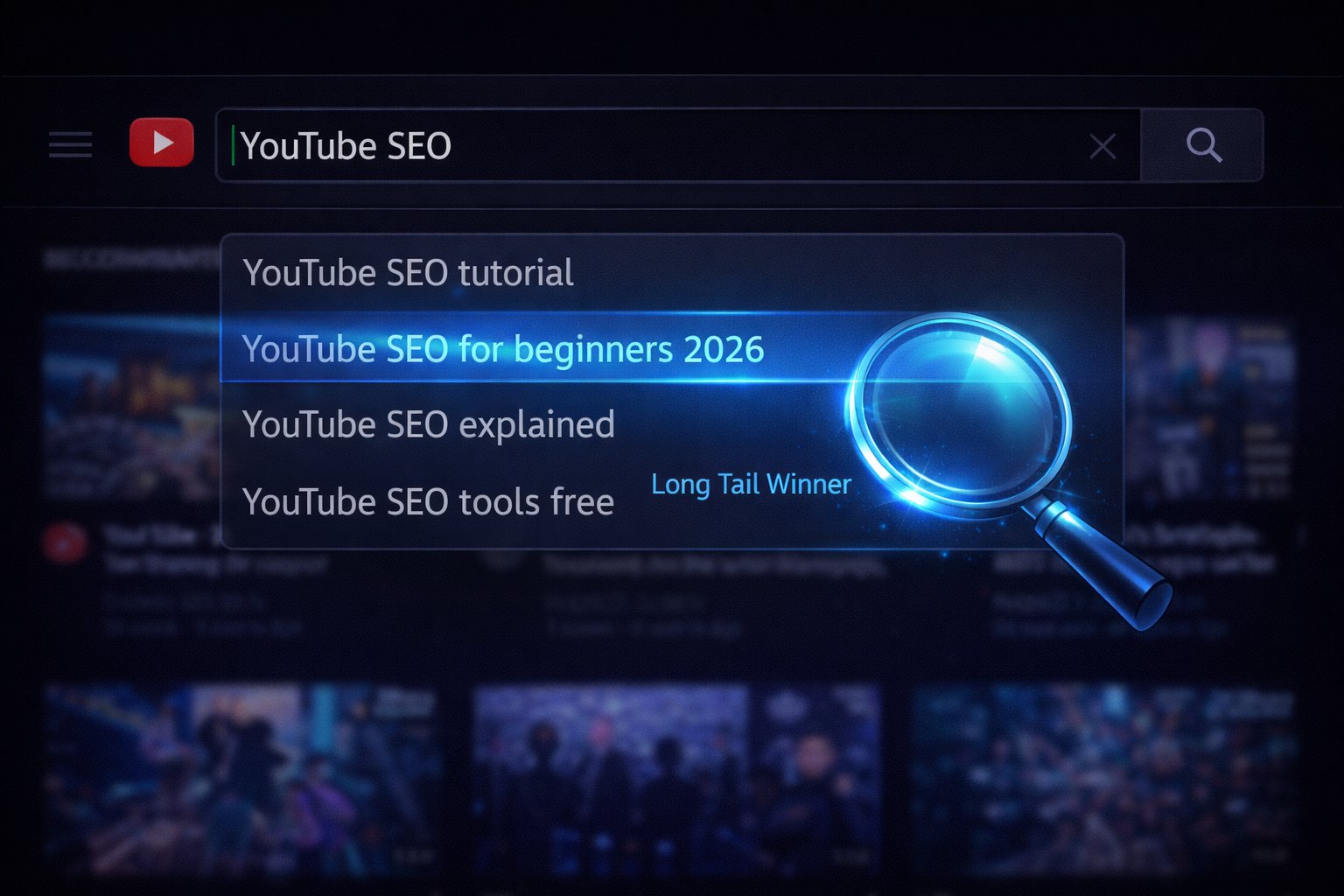
1. Go to YouTube Search in Incognito Mode.
2. Type your seed keyword (e.g., “YouTube ranking factors“).
3. Look at the autocomplete predictions. These are not random suggestions; they are the most commonly
searched phrases right now by real humans.
4. Pick one “Long Tail” phrase (e.g., “YouTube ranking factors for small channels 2026”).
5. This is your Target Keyword.
Pro Tip: For advanced data, most creators rely on browser extensions. We’ve compared the giants in our VidIQ vs TubeBuddy 2026 comparison. If you want our
direct recommendation, check out our full VidIQ Review or
grab their AI tools here.
2. The “File Renaming” Ritual
Before you even upload, rename your raw files.
Bad: MOV_0001.mp4 and thumb_v3.jpg
Good: how-to-rank-videos-on-youtube-guide.mp4 and
youtube-seo-tips-thumbnail.jpg
Google cannot watch the video instantly, but it can read the file header instantly. It’s a small signal, but it
helps categorization.
3. The Description Layering
Your description is a functional document. Structure it like this:
Block 1 (The SEO Snippet): 2 sentences repeating the title concept naturally. “In this video,
we explore The YouTube Algorithm…”
Block 2 (The “Timestamps”): Essential for Google “Key Moments.”
Block 3 (The Context Links): Links to your other related videos. “Related: How to make
thumbnails [Link].”
Block 4 (The Hashtags): 3-5 tags max. #YouTubeSEO #ContentCreator #Growth.
4. Subtitles (CC)
Always upload a .SRT file. Do not rely on auto-captions. Why? Because you can search-optimize your
subtitles.
If you mumbled your keyword, fix it in the SRT file. Google indexes the SRT file like a blog post. This is your
chance to verify the content matches the query.
Part 6: Troubleshooting Your Channel (Why You Have 0 Views)
Let’s do some diagnostics. If your channel is stuck, it is almost certainly one of these three bottlenecks.
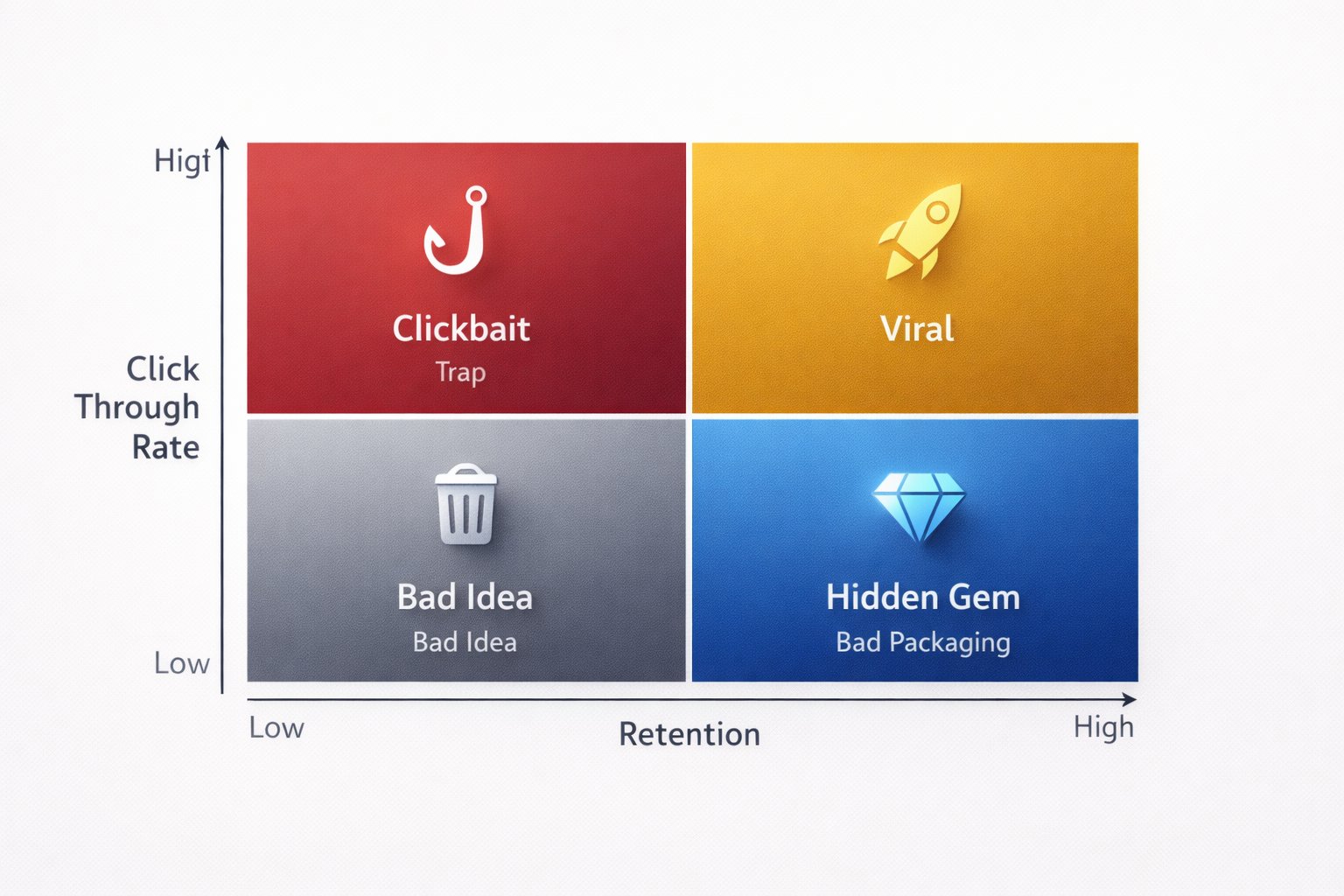
Scenario A: Low CTR, High Retention
The Diagnosis: Your content is amazing, but your packaging sucks. People love the video once they
start, but no one is clicking.
The Fix: You don’t need to film new videos. You need to spend 2 hours designing a new Thumbnail
and rewriting the Title. Make it punchier. Increase the contrast. Simplify the text.
Scenario B: High CTR, Low Retention
The Diagnosis: You are a clickbaiter. You promised something huge and delivered garbage. Or, your
intro is too long.
The Fix: Analyze the drop-off graph. If 40% leave at 0:10, cut your intro. Start the video
in the action. If retention creates a slow bleed, your pacing is too slow. Cut the fluff.
Scenario C: Low CTR, Low Retention
The Diagnosis: The concept is bad.
The Fix: No amount of SEO can save a video nobody wants to watch. Go back to the drawing board.
Research what your audience actually struggles with. Validate new ideas on the Community Tab before filming.
Part 7: Future-Proofing (AI and Beyond)
The landscape is shifting faster than ever. Here is what is coming next.
1. Multi-Language Audio
Mr. Beast proved it: Dubbing works. YouTube now allows you to upload multiple audio tracks for one video.
Strategy: Use AI tools (like ElevenLabs or Aloud) to dub your evergreen content into Spanish
and Hindi. You can effectively triple your market size overnight without filming a new second of footage.
2. AI-Assisted Search
Google “SGE” (Search Generative Experience) is answering questions directly on the results page.
Strategy: To get cited by the AI, your video needs clear, well-structured verbal answers. “The
best camera for 2026 is the Canon R50 because…” The easier you make it for the AI to parse your transcript, the
more likely you are to be the “Source.”
3. Ambient Personalization
YouTube is moving toward “Ambient” viewing—podcasts on TV, music in the background.
Strategy: If you make podcasts, ensure your audio quality is broadcast-tier. People are
listening on high-end speakers now, not just bad phone speakers.
Frequently Asked Questions About YouTube SEO (2026 Edition)
There is a lot of bad advice out there. Let’s clear up the biggest questions.
1. How long does it take for YouTube SEO to work?
Normally, YouTube tests your video with a small “seed audience” for the first 24-48 hours. If the data is good
(High CTR + Duration), it expands. For Search-focused videos, it can take 30 to 90 days to climb to the top of
the rankings as you slowly accumulate watch time history. Do not delete a video just because it flopped in week
one.
2. Do tags and hashtags really matter for YouTube ranking in 2026?
Almost zero. YouTube’s own Liaison has confirmed tags are “not really important.” The algorithm is smart enough
to understand your video without them. Focus your energy on the Title and Thumbnail instead. That is the 80/20
of success.
3. What’s the difference between YouTube SEO and Google SEO?
Google sorts information; YouTube sorts emotions. Google wants to give you the fastest answer so you can leave.
YouTube wants to give you the most engaging answer so you can stay. On YouTube, “User Satisfaction” is the only
ranking factor that matters.
4. How important is watch time vs. keywords for ranking?
Watch Time wins. Every single time. You can have the perfect keyword in your title, but if people click off
after 10 seconds, you will vanish from the rankings. Keywords are just a label; Watch Time is the currency.
5. Can I rank the same keyword with multiple videos without hurting my channel?
Yes! Keyword Cannibalization is a myth on YouTube. On YouTube, it’s actually Topical Authority. If you make 10
videos about “YouTube SEO,” the algorithm sees you as an expert on that topic and is MORE likely to recommend
your next one.
6. Should I optimize for YouTube search or the recommendation algorithm?
You need both (The Dual-Track Strategy). 70% of views come from recommendations, 30% from Search. New Channels
should focus 80% on Search to build a base. Established Channels should focus 80% on Recommendations to scale.
Conclusion: The Consistency of Quality
There is no cheat code. There is no switch you flip in the settings to get a million subscribers. The “Algorithm” is
just a mirror. It reflects the audience.
If the audience gets bored, the algorithm drops you.
If the audience gets excited, the algorithm promotes you.
Your job is to be an expert in your niche and a student of human psychology. Combine the technical discipline of
YouTube keyword research with the artistic flair of storytelling. Test your assumptions. Look at
the data, not your ego. And most importantly, respect the viewer’s time.
The creators who win in 2026 are not the ones who upload the most; they are the ones who upload the best.
Appendix: The Daily Growth Checklist
Before you close this tab, copy this checklist. Run every upload through this filter.
- [ ] Title Check: Is it under 60 characters? Does it create curiosity?
- [ ] Thumbnail Check: Is the text large enough to read on a phone? Are there less than 3 focal
points? - [ ] The “First 10” Check: Does the first 10 seconds immediately deliver on the title’s promise?
- [ ] Link Check: Do my End Screens point to a relevant Next Video?
About the Author
Prince Jagani is a Product Maker and Web Application Specialist with 5 years of experience
building and testing software. He has hands-on tested 17+ YouTube growth tools, spending 15-20 hours analyzing
each including VidIQ and analytics platforms. This guide synthesizes
40+ hours of deep research into the 2026 algorithm architecture.