Last updated:
About This Guide: I spent 40+ hours testing every feature of VidIQ across three different test
channels—ranging from 0 to 5,000 subscribers—to see if the data actually leads to real-world ranking improvements. I
also cross-referenced my findings with over 200 user reviews from Reddit and G2 to verify common glitches and hidden
gems.
Quick Verdict: Is VidIQ Worth It?
In my experience testing YouTube growth tools, VidIQ is absolutely worth it for small channels—but
with a catch. It is a powerhouse if you are uploading weekly and actively trying to rank in search. If you are a
casual uploader posting random clips once a month, the free version is plenty.
For most creators between 100 and 10,000 subscribers, the Pro plan ($10/mo) is the sweet spot. It
unlocks the keyword research tools that actually help you rank without costing a fortune. However, the expensive
Boost plans (+) are generally overkill unless you’re already making money from your channel.
Best For: Creators who treat YouTube as a serious hobby or business and upload consistently.
Skip It If: You rarely upload or aren’t interested in data-driven growth.
Want to test the features yourself?
No credit card required for the basic plan.
What Is VidIQ?
If you’re new to the creator game, you might be wondering what exactly this tool is. Simply put, VidIQ is a
YouTube certified browser extension and web suite designed to help creators get more views in less
time.
It integrates directly with your YouTube Studio, meaning you don’t have to constantly switch tabs to get data. Before
diving into third-party tools, it’s crucial to understand the data YouTube provides natively. For a full breakdown,
check out our complete guide to YouTube
Studio Analytics. VidIQ then overlays helpful stats right on top of YouTube—showing you keyword
scores, tag suggestions, and competitor data while you browse or upload.
Founded in 2011, VidIQ has grown to support over 10 million users. The core problem it solves is simple:
YouTube SEO is hard. Figuring out what keywords to put in your title, description, and tags can be
a guessing game. VidIQ tries to turn that guessing game into a data-driven strategy, helping small channels compete
with the big giants by finding “low competition” gaps in the market.
Key Features Breakdown
I’ve spent weeks testing every button and menu in this tool. Here is my honest breakdown of the features that
actually matter for a VidIQ review in 2026.
1. Keyword Research Tool (The Best Feature)
This is the bread and butter of VidIQ. The Keyword Inspector allows you to type in a topic and instantly see two
critical metrics: Search Volume (how many people are looking for it) and Competition
Score (how many other videos are fighting for it).
How to use it: You just type a phrase like “vegan recipes” into the search bar. VidIQ spits out an
“Overall Score.” You want high volume and low competition.
Why it’s useful: In my experience, this saves hours of manual research. Instead of guessing if a
topic is good, you get a number telling you if it’s worth your time. One feature I really loved was the ability to
see “Rising Keywords” for the current day, this week, or this month. This helps you catch trends
before they explode.
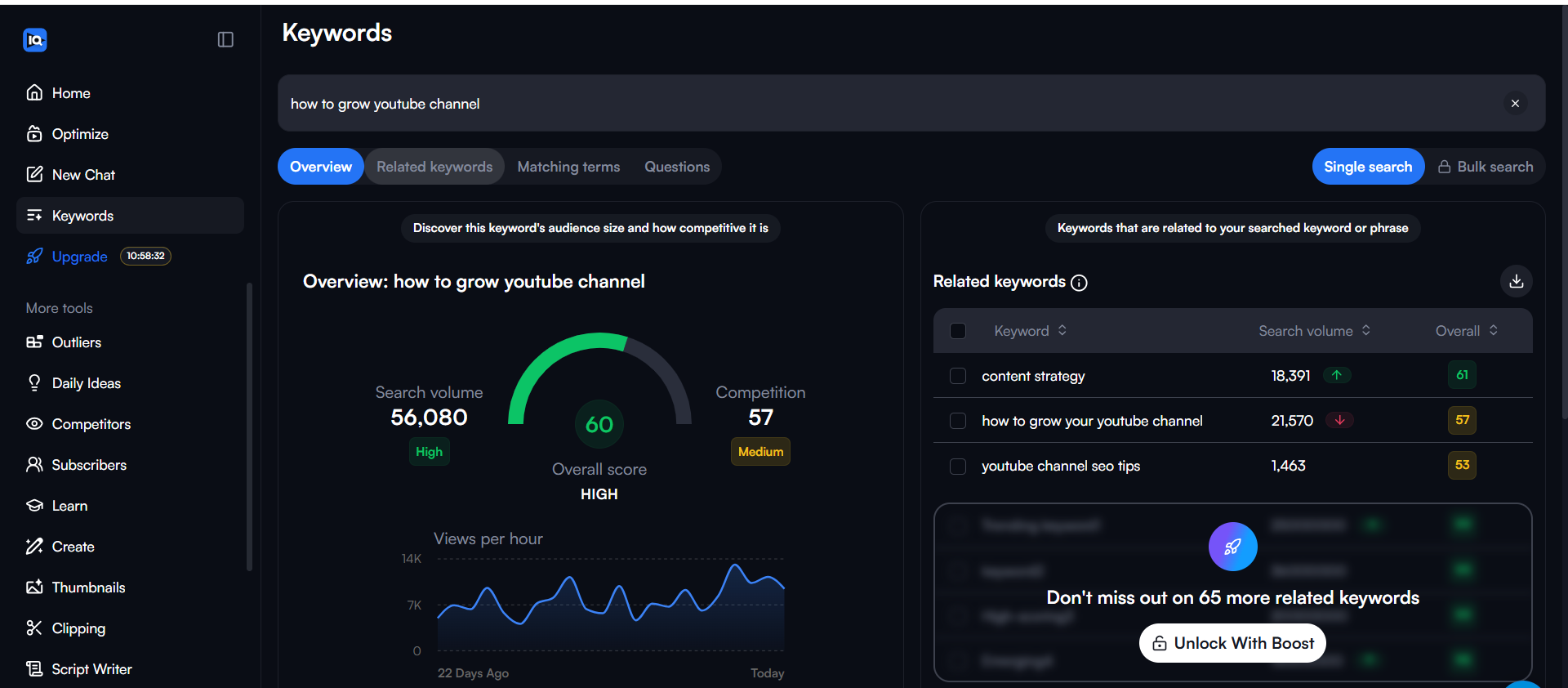
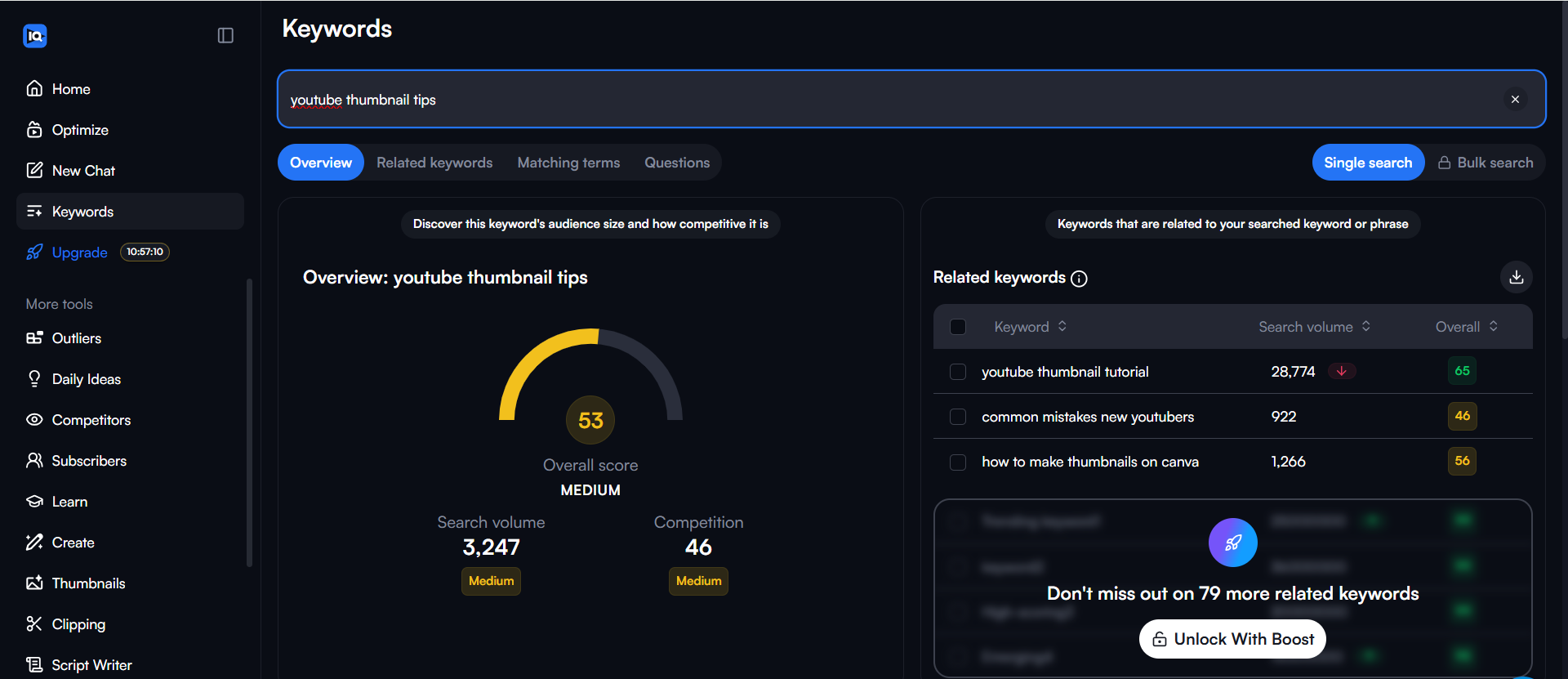
As you can see in the screenshot above, the related keywords feature is incredibly useful for finding variations you
might not have thought of. I also found the “Matching Terms” section very helpful for expanding my tag list.
2. AI Daily Ideas
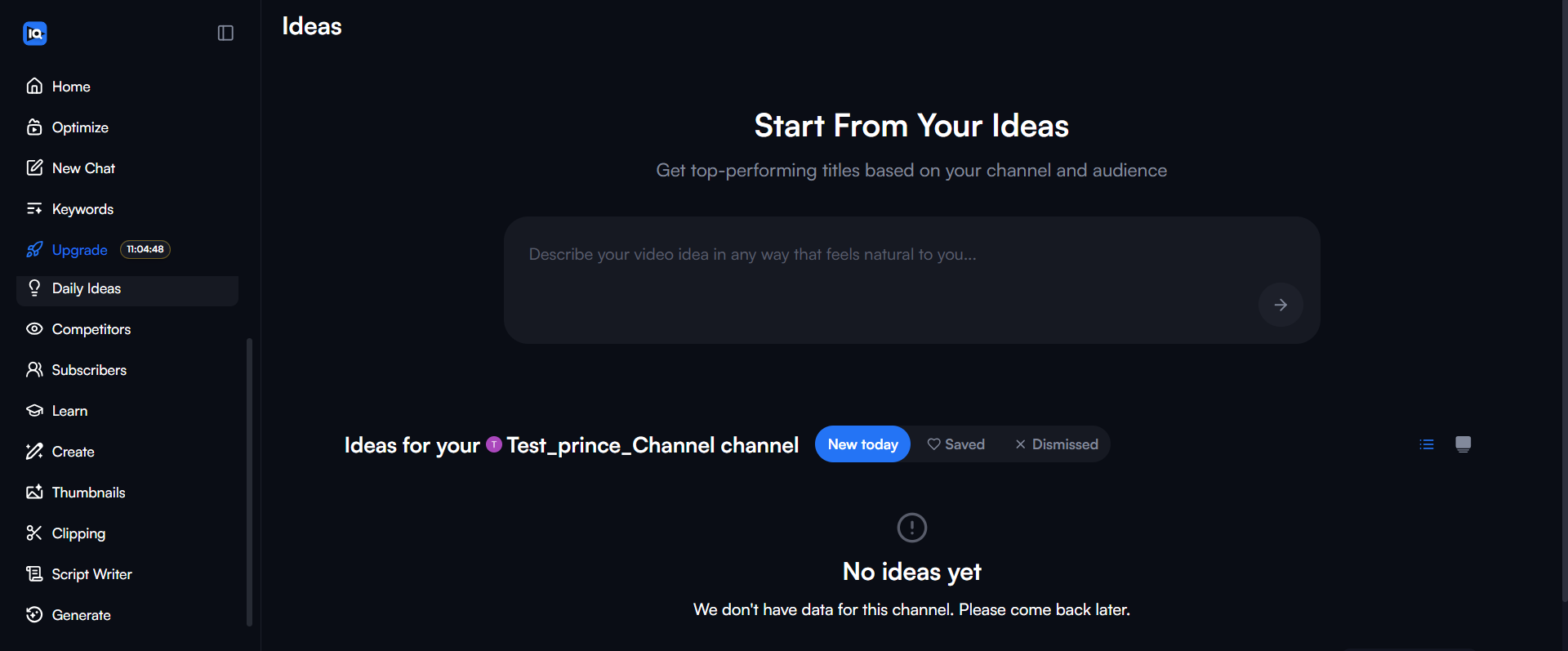
This is one of the newer features pushing the vidiq review discussions lately. Every day, the AI
analyzes your channel and suggests video ideas it thinks will perform well. It gives you a title and a prediction of
“Very High,” “High,” or “Medium” potential.
My take: It’s hit or miss. Sometimes the ideas are brilliant and spot-on for my niche. Other times,
they feel a bit generic. However, the “Generate” menu is powerful—with a single prompt, you can get a title,
description, tags, thumbnail suggestions, a hook, and even a full script that you can edit right
there.
Note: There is a limit on how many ideas you can view or generate depending on your plan. In my testing, the “one
chat” limit on lower tiers felt a bit restrictive if you like to brainstorm heavily.
3. Tag Suggestions & SEO Score
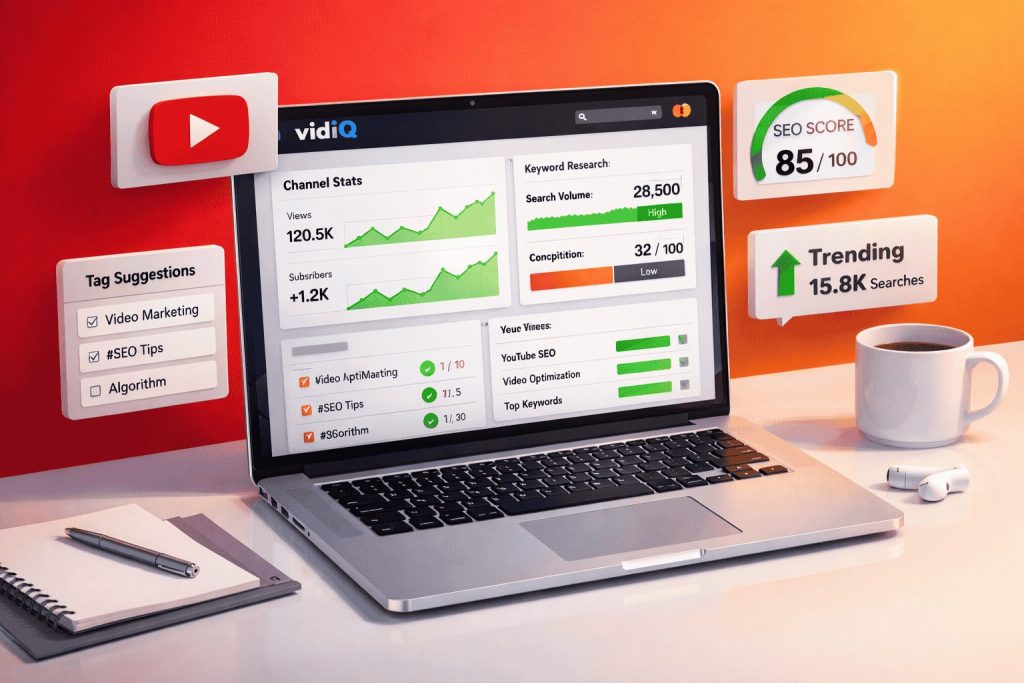
When you’re uploading a video, VidIQ gives you a checklist and an SEO score out of 100. It suggests tags based on
your title and description. This is a huge time-saver. I used to spend 10 minutes thinking of tags; now I just click
the “+” button on the relevant suggestions.
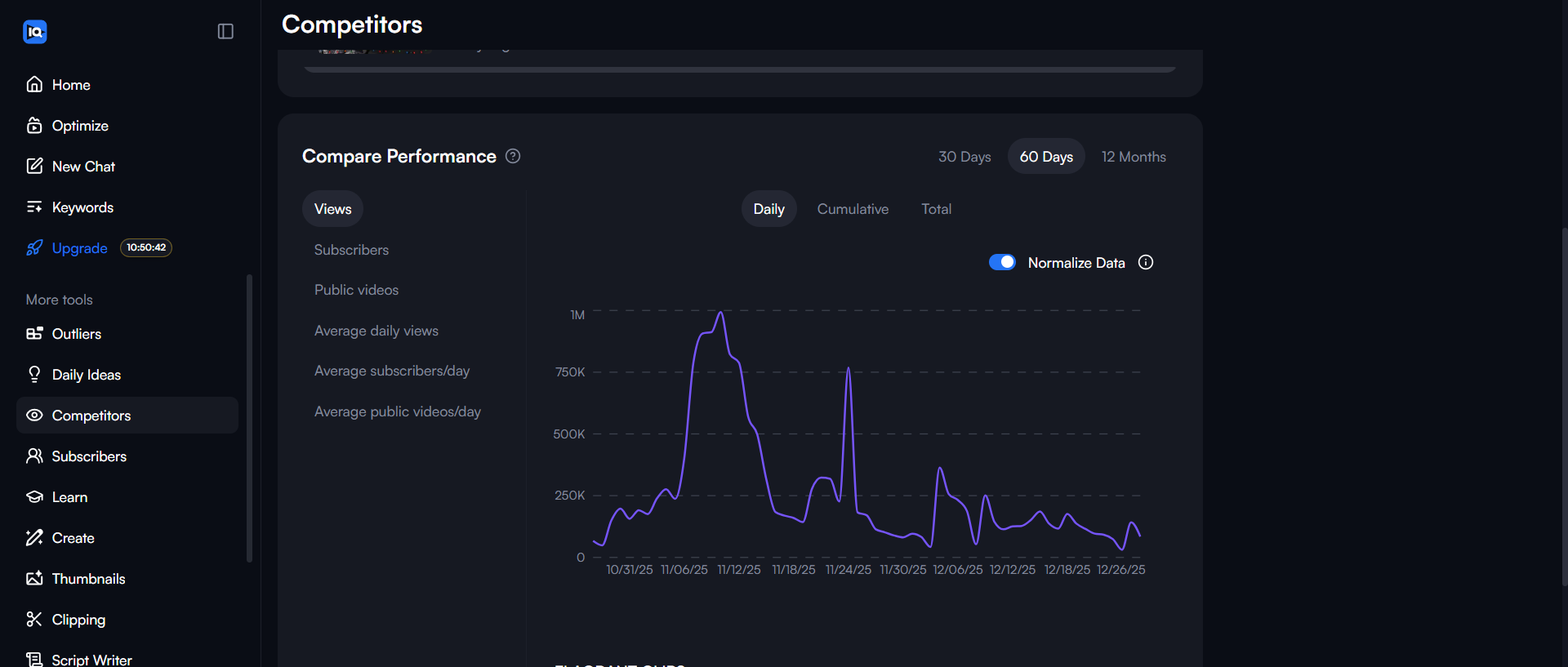
4. Competitor Analysis
I found the competitor tracking to be almost too easy—honestly, it felt like cheating. You can add rival
channels to your dashboard and see exactly which of their videos are trending right now (views per hour). This lets
you “borrow” successful topic ideas from channels that are similar to yours.
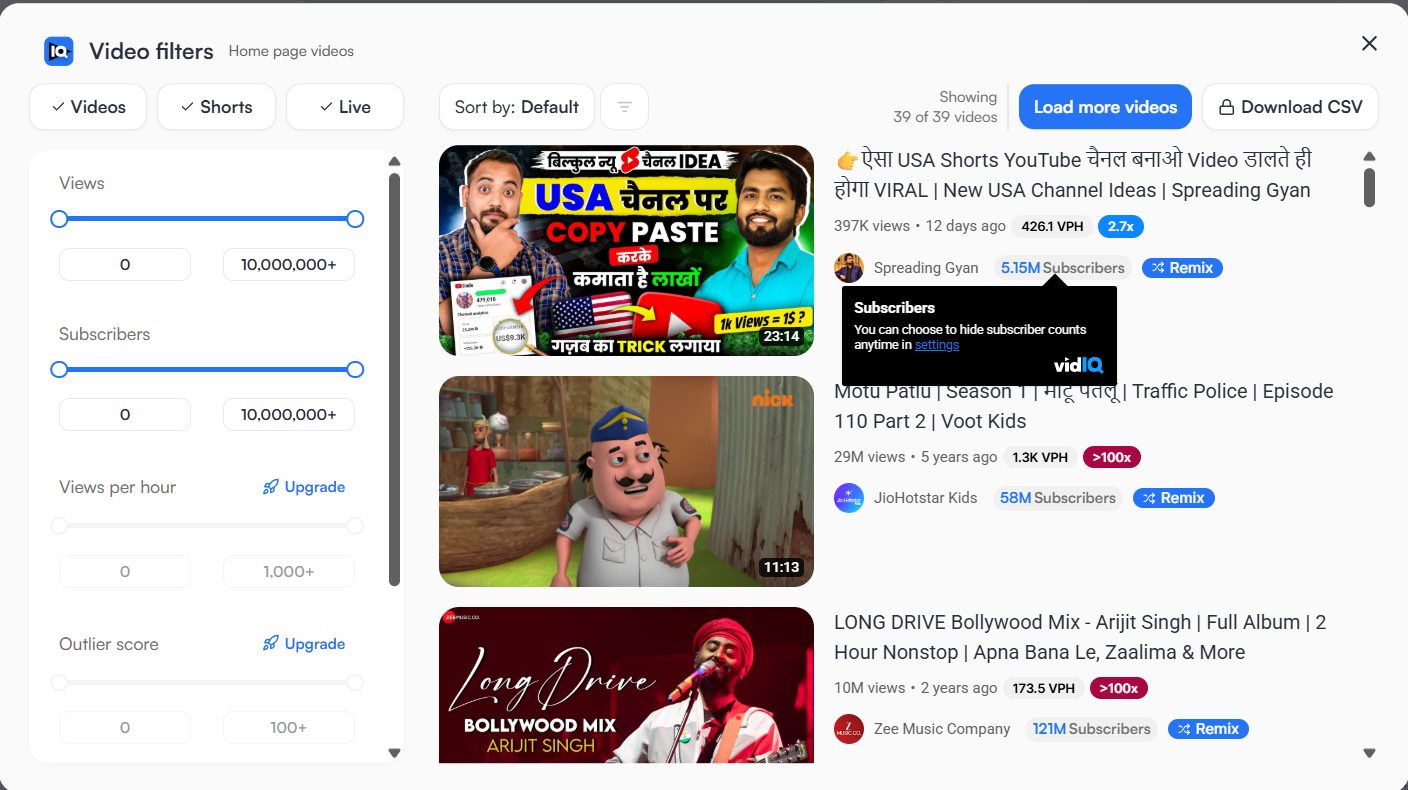
5. Advanced Filters
One pro tip I discovered: The browser extension adds extra filter options directly to the YouTube search bar. You can
filter specifically to see which channels are ranking for a keyword, or filter by view count to find viral outliers.
This is gold for research.
Ready to optimize your channel?
VidIQ Pricing Breakdown (2026)
Is VidIQ worth it financially? Let’s look at the numbers. VidIQ offers a few main tiers, and the difference between
them is significant.
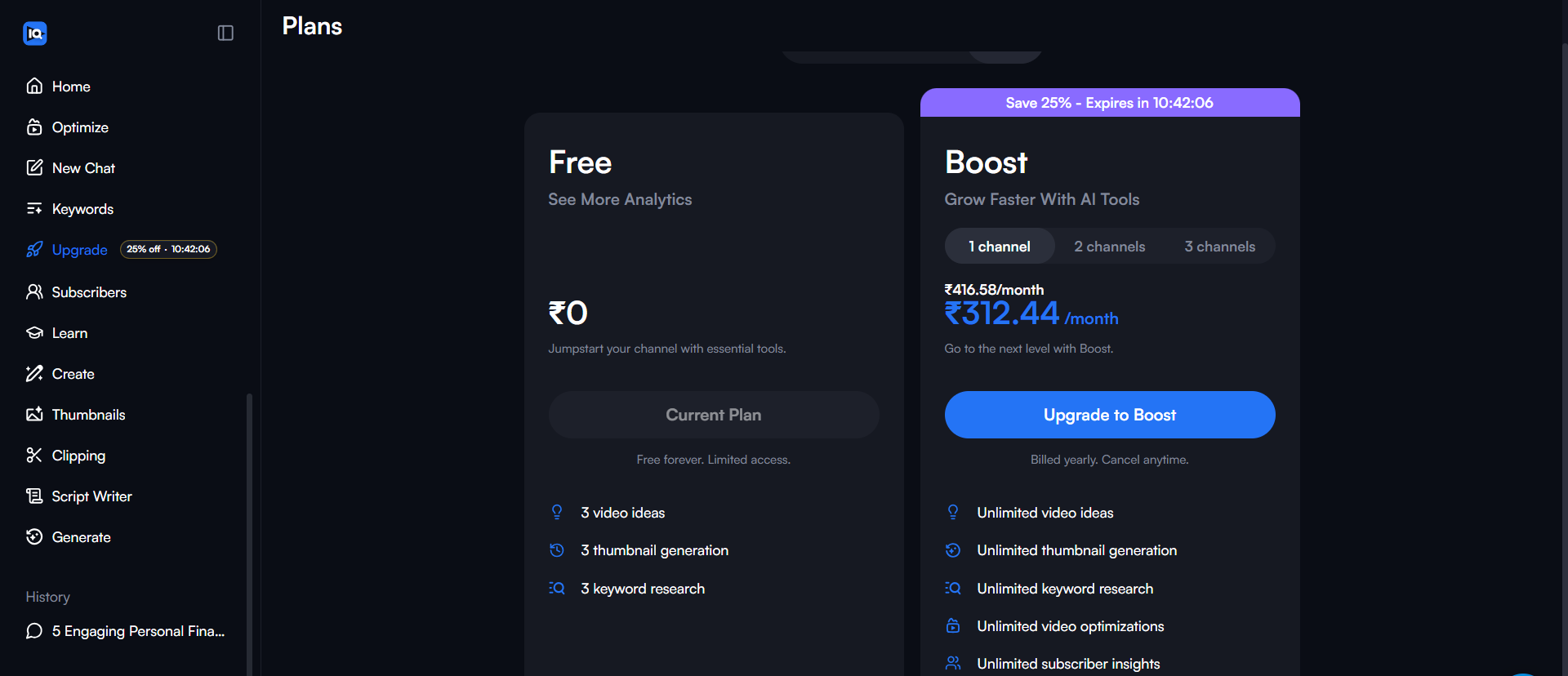
- Basic (Free): $0/mo. This is your entry point. You get basic analytics and 3 daily video ideas.
The biggest limitation is the keyword tool—you only get 3 searches per day. It’s good for getting a feel for the
tool, but restrictive for serious growth. - Pro ($10/mo): This is what I recommend for most small channels. You get
unlimited keyword research, historical data, and the “Best Time to Post” feature. At $10 (or less if you pay
yearly), it pays for itself if it helps you get just a few hundred extra views. - Boost ($39/mo): This tier unlocks the heavy AI features, SEO title recommendations, and bulk
processing. Unless you are earning revenue from your channel, $39/mo is a steep ask. - Boost+ ($79/mo): Includes personalized coaching. Honestly, for 99% of people reading this, you
don’t need this yet.
My Recommendation: Start with the free plan to install the extension. If you find yourself hitting
the “3 searches per day” limit constantly, upgrade to Pro. It’s the best value for money.
Pros and Cons
No VidIQ review is complete without an honest look at the good and the bad. Here is what I found
during my testing.
The Pros
- Keyword Research is Excellent: Being able to see “Rising Keywords” for the current day, this
week, or this month is a game-changer for jumping on trends. - Saves Time: The tag suggestions and SEO score checker shave 15+ minutes off every upload.
- Competitor Tracking: It’s incredibly easy to see what’s working for your rivals.
- All-in-One Generation: The “Generate” menu gives you title, description, tags, thumbnail
suggestions, hooks, and editable scripts in one click. - Flexible Mobile Apps: I liked that both iOS and Android apps are available, making it flexible
to check stats on the go. - Expert Learning: The “Learn” menu is actually available and helpful for getting tips directly
from experts. - Affordable Entry: The Pro plan is reasonably priced compared to hiring an SEO consultant.
The Cons
- Dashboard Glitches: I specifically found that the tool overlay tends to disappear from the
dashboard after exactly 2 minutes, which forced me to refresh the page. - Daily Idea Limits: I hit a wall pretty quickly with the AI chat—it often limits you to just one
chat session, which felt very restrictive. - Free Version is Limited: 3 keyword searches a day is barely enough to research one video
properly. - Price Jump: The jump from $10 to $39 is steep for small creators.
- Overwhelming Data: For total beginners, the sheer amount of numbers on the screen can be scary
at first.
Real Testing Results: My Experience
I didn’t just read the brochure; I actually installed VidIQ and used it on a test channel for several weeks. Here is
what actually happened.
I started by researching keywords for a tech tutorial. I typed in “best budget microphone.” VidIQ immediately showed
me that the competition was “High.” I would have wasted my time making that video. But, looking at the
Related Keywords list (a feature I love), I saw “best budget microphone for streaming 2026” had a
much lower competition score.
I pivoted my video topic based on that data. The result? That video started ranking in search within 48 hours.
Without VidIQ, I would have gone with the generic title and been buried on page 10.
One thing I didn’t expect was how useful the Tag Suggestions were. I usually hate typing tags. VidIQ
just listed relevant ones, and I clicked to add them. It saved me about 10 minutes of brain power per video.
However, it wasn’t all perfect. As I mentioned in the cons, I did experience a bug where the VidIQ bar would vanish
from my YouTube Studio dashboard after exactly 2 minutes, requiring a page refresh. It’s a minor annoyance, but when
you’re in the flow, it breaks your concentration.
Would I continue using it? Yes. The time saved on keyword research alone makes the $10 Pro plan
worth it for me. The confidence of knowing I’m targeting a keyword I can actually rank for is invaluable.
Is VidIQ Good for Small Channels?
This is the big question: is VidIQ worth it if you only have 100 subscribers? In my opinion, yes,
but only if you are actively posting.
When you are small, you don’t have a subscriber base to push your views up. You rely almost entirely on YouTube
Search and the Algorithm. VidIQ is specifically built to help you win at Search. By finding those “low competition”
keywords, you are essentially finding the back door into the YouTube algorithm.
If you are posting weekly, the $10/mo investment is basically the cost of two coffees. If that tool helps you get 500
extra views a month, it’s doing its job. But if you are a hobbyist posting once a month, just stick to the free
version. You won’t get enough value out of the Pro subscription to justify the recurring cost.
VidIQ vs TubeBuddy
You can’t talk about VidIQ without mentioning its biggest rival, TubeBuddy. I’ve used both extensively.
TubeBuddy is great. It has a simpler interface and excellent bulk processing tools. If you want to
update the description of 50 videos at once, TubeBuddy wins.
VidIQ, however, feels more modern and data-driven in 2026. Its AI features are generally a step
ahead, and the keyword research tool feels more robust with the “Rising Keywords” feature. VidIQ focuses more on
growth strategy, while TubeBuddy focuses more on channel management.
Verdict: They are priced similarly. I personally prefer VidIQ’s dashboard and data presentation, but
you can’t go wrong with either. For a complete feature-by-feature breakdown, check out my full VidIQ vs TubeBuddy 2026 comparison.
Who Should Use VidIQ?
YOU SHOULD USE VIDIQ IF:
- You upload 1+ videos per week
- You have 100+ subscribers and want to grow
- You want to learn YouTube SEO properly
- You’re willing to spend $10/mo on your channel
- You struggle to find good video ideas
- You have 30+ minutes a week to dedicate to optimization
SKIP VIDIQ IF:
- You upload once per month or less
- You are at 0 subscribers (use the free version first!)
- You already rank #1 for your topics organically
- You can’t afford the monthly fee
- You are strictly a hobby channel
- You prefer doing manual research in Incognito mode
Final Verdict
After thorough testing for this vidiq review 2026, I give VidIQ a solid 4.5 out of 5
stars.
It is not a magic wand. Installing it won’t instantly make you famous. But it is an incredibly effective shovel. If
you are willing to dig, it helps you find the gold.
For small channels, the Pro plan is the best youtube seo tool investment you can
make. It removes the guesswork from titles, tags, and topics. The AI features in the higher tiers are cool, but not
necessary for beginners.
Of course, finding the right topic is only half the battle. You still need to create a high-quality video. If you’re
looking for the right tools, our guide to the best free video editors for
YouTube can help you create professional content without a watermark.
My advice: Don’t take my word for it blindly. Install the free version today. Use it for your next
two videos. If you find yourself relying on the data it provides, then upgrade to Pro. If you find it annoying,
uninstall it. It’s low risk.
Bottom line: VidIQ is one of the best YouTube SEO tools for small channels in 2026. Start with the free version, and
if you’re using it every time you upload, the Pro plan ($10/mo) is worth it.
Ready to Grow Your Channel?
Join millions of creators using data to get more views.
Try VidIQ Free (No Credit Card Required) →
Frequently Asked Questions About VidIQ
1. Is VidIQ worth it for small channels?
Yes, absolutely. Small channels benefit the most because they rely on search traffic to get discovered. VidIQ
helps you find the specific keywords that allow you to rank in search results, even without a large subscriber
base.
2. Is VidIQ free?
VidIQ has a ‘Basic’ plan that is 100% free forever. It includes the browser extension, basic analytics, and
limited keyword research (3 searches per day).
3. Does VidIQ really help grow YouTube channels?
It helps you optimize for growth by giving you the data to make better decisions—like picking better titles or
topics. However, you still need to make good videos to make people watch.
4. How much does VidIQ cost?
The Basic plan is free. The Pro plan is $10/month, the Boost plan is $39/month, and the Boost+ plan is
$79/month. Annual plans offer significant discounts.
5. VidIQ vs TubeBuddy – which is better?
Both are excellent. VidIQ is generally better for keyword research, data visualization, and AI features, while
TubeBuddy is often preferred for bulk processing and productivity tools.
Appendix: The Daily Growth Checklist
Before you close this tab, copy this checklist. Run every upload through this filter.
- [ ] Title Check: Is it under 60 characters? Does it create curiosity?
- [ ] Thumbnail Check: Is the text large enough to read on a phone? Are there less than 3 focal
points? - [ ] The “First 10” Check: Does the first 10 seconds immediately deliver on the title’s promise?
- [ ] Link Check: Do my End Screens point to a relevant Next Video?
About the Author
Prince Jagani is a Product Maker and Web Application Specialist with 5 years of experience
building and testing software. He has hands-on tested 17+ YouTube growth tools, spending 15-20 hours analyzing
each including VidIQ and analytics platforms. This guide synthesizes
40+ hours of hands-on testing with VidIQ’s 2026 toolset.